Key Takeaways
- Fathom is best for sales teams and individuals who want unlimited free recordings with fast AI summaries. The free plan has no minute limits.
- Otter.ai is best for teams needing multi-platform support (desktop + mobile) and broader integrations. Better for general business use beyond sales.
- Key difference: Fathom offers truly unlimited free recordings but limited AI features. Otter has stricter minute limits but more comprehensive AI workflows.
- Better alternative: If you want meeting notes that flow directly into your tasks and email workflow, Omnia captures meetings botlessly, extracts action items, and connects them to your calendar and inbox in one system.
Both Fathom and Otter.ai promise to capture your meetings and generate AI summaries. But they take different approaches to pricing, platform support, and integrations.
Fathom wins on free plan generosity. Otter wins on cross-platform availability. Neither solves the real problem: getting action items from meetings into your actual workflow without manual copying.
Below you'll find a direct comparison table, feature-by-feature breakdown, and guidance on choosing between them.
Fathom vs Otter: A Brief Overview
Here's how Fathom and Otter stack up across key dimensions:
| Fathom | Otter.ai | |
|---|---|---|
| Best For | Sales teams, individuals wanting free unlimited recordings | Teams needing mobile app and broader integrations |
| Standout Feature | Unlimited free recordings, 30-second summaries | Cross-platform apps (iOS, Android, desktop, web) |
| Free Plan | Unlimited recordings, 5 AI summaries/month | 300 mins/month, 30-min max per conversation |
| Starting Price | $16/user/month (annual) | $8.33/user/month (annual) |
| G2 Rating | 5.0/5 | 4.3/5 |
| Capterra Rating | 4.9/5 | 4.4/5 |
| Mobile App | No (web browser only) | Yes (iOS + Android) |
| Bot Joins Meetings | Yes (visible participant) | Yes (visible participant) |
| CRM Integrations | Salesforce, HubSpot | Salesforce, HubSpot, Zoho, Dynamics |
Who Is Fathom Best For?
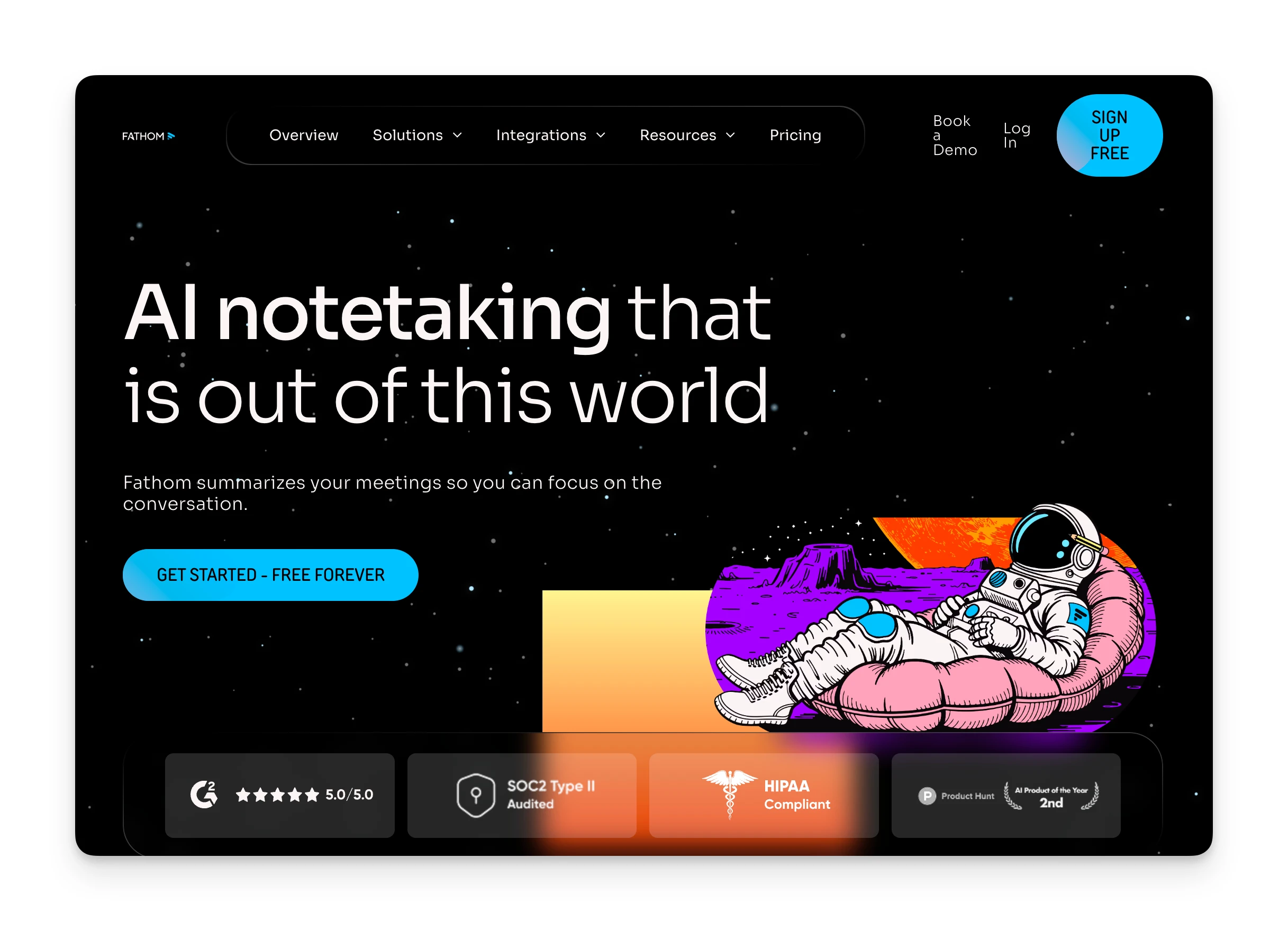
- Sales professionals: Fathom's sales-specific summaries and scorecards make it purpose-built for sales calls. Users report it's "way easier for sales calls" with AI that can answer specific sales questions.
- Budget-conscious individuals: The free plan includes unlimited recordings with no storage limits. If you just need transcripts without AI analysis, you pay nothing.
- Teams already using Salesforce or HubSpot: Native CRM integrations sync meeting data automatically.
Who Is Otter Best For?
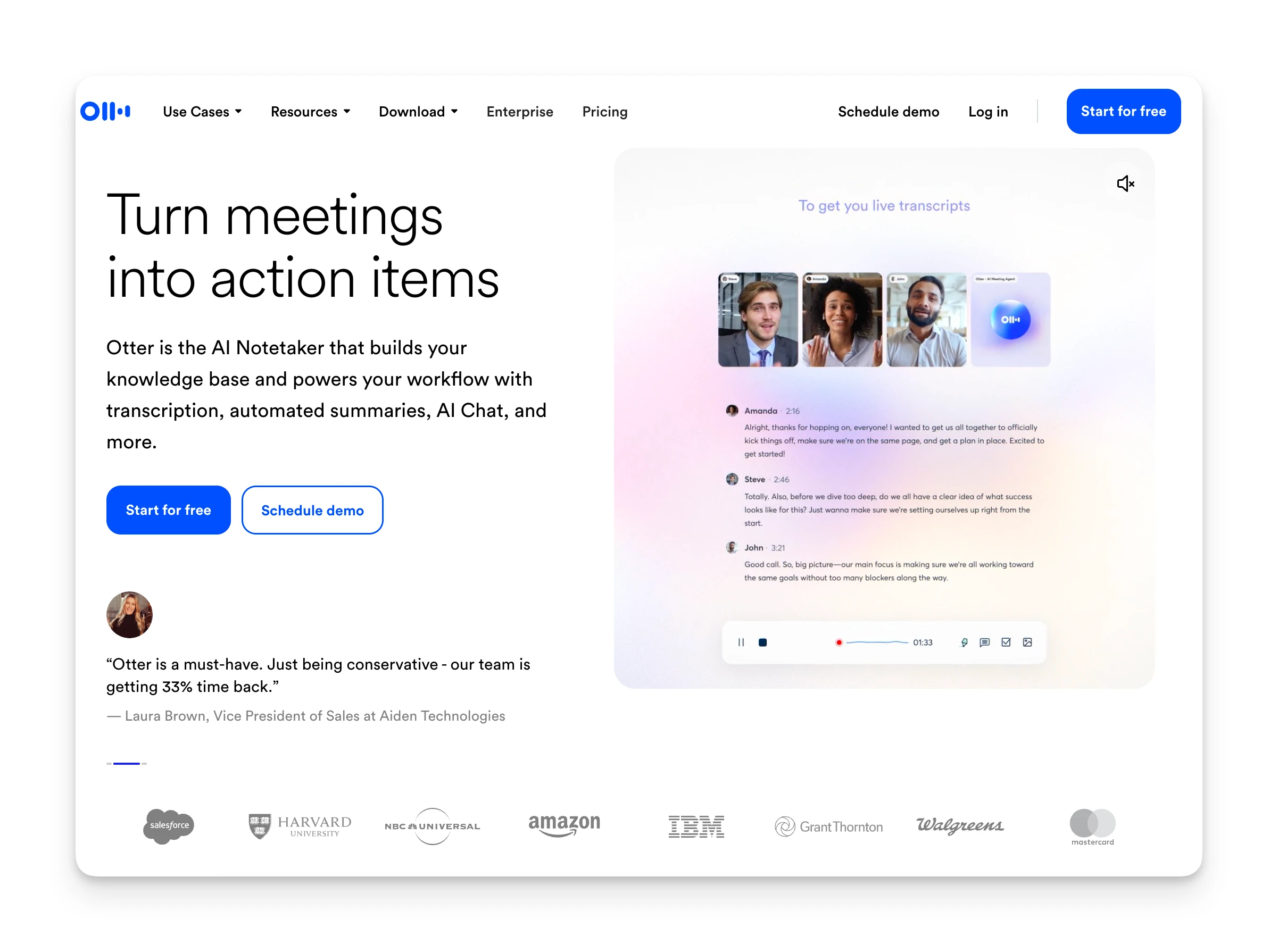
- Mobile-first users: Otter has native iOS and Android apps. Fathom is web browser only on mobile.
- Teams needing broader integrations: Otter connects to Asana, ClickUp, Jira, Notion, Slack, and more project management tools.
- General business use: Otter's Channels feature organizes conversations by team or project. Better for varied meeting types beyond just sales.
Omnia: An Alternative Worth Considering
If your main frustration is that meeting action items never make it into your actual workflow, Omnia takes a different approach. Instead of just recording and summarizing, Omnia acts as an AI executive assistant that connects meetings to your tasks, email, and calendar.
Key differences from Fathom and Otter:
- Botless meeting capture: Omnia joins meetings invisibly. No "Fathom Notetaker" or "OtterPilot" in the participant list.
- Action items flow into your workflow: Meeting tasks extract with assignee, due date, and priority. Accept them, and they appear in your task system.
- Email + meetings + tasks in one place: Omnia triages your inbox, drafts responses, and tracks meeting commitments together.
Pricing Comparison:
| Fathom | Otter.ai | Omnia ($20/mo) | |
|---|---|---|---|
| Free Plan | Unlimited recordings, 5 AI summaries | 300 mins/month, 30-min max | Contact for details |
| Starting Price | $16/user/mo | $8.33/user/mo | Free / $20/mo |
| Botless Recording | No | No | Yes |
| Action Item → Task Flow | Manual export | Manual export | Automatic |
| Email Integration | No | No | Yes |
Omnia turns meeting notes into action — no copy-paste, no context switching
Free forever. No credit card required.
Pricing
When comparing AI meeting assistants, pricing structure matters as much as the monthly cost. Here's how Fathom and Otter approach it differently.
Fathom Pricing
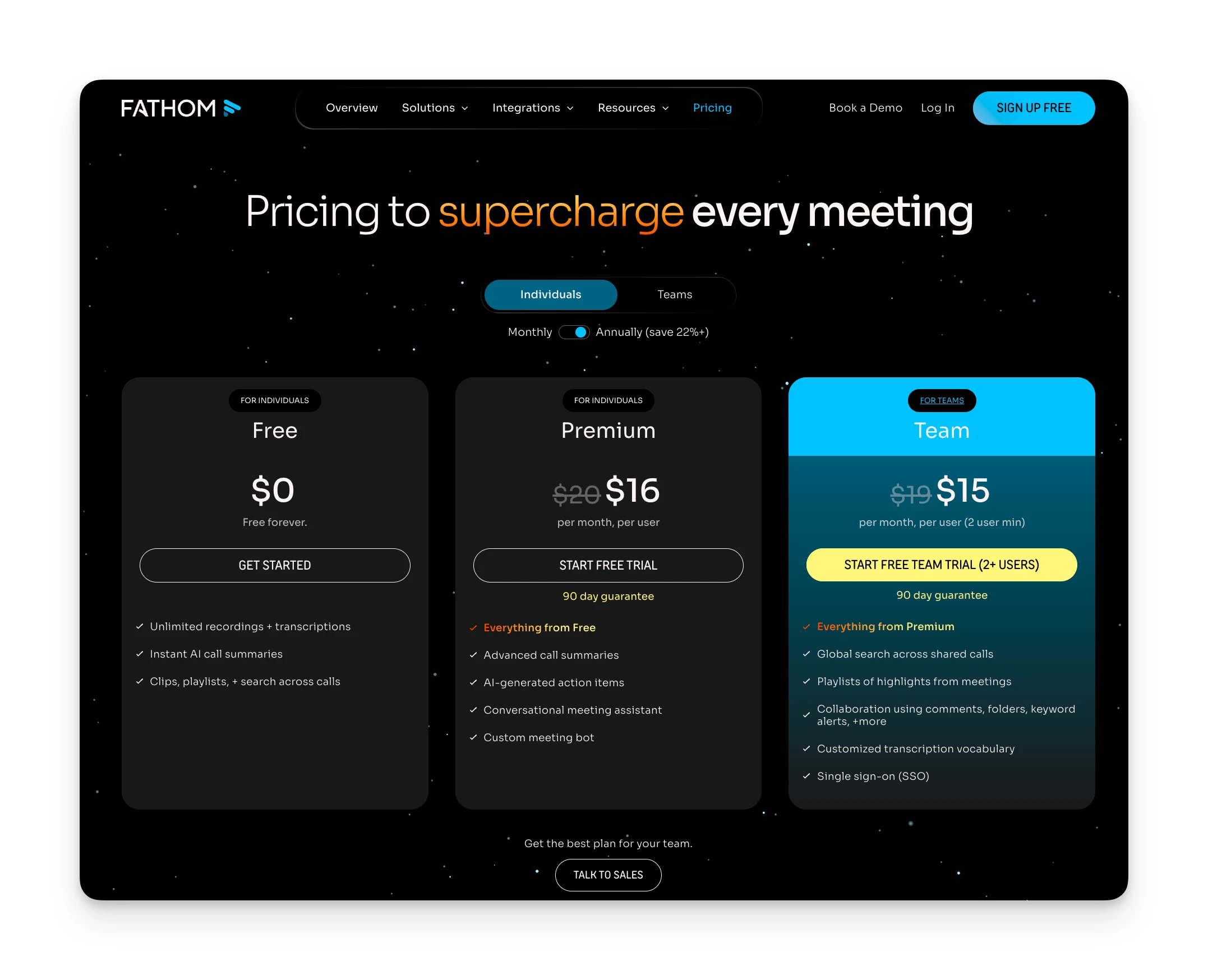
Fathom's free tier is the most generous in the category:
| Plan | Monthly | Annual | Key Features |
|---|---|---|---|
| Free | $0 | $0 | Unlimited recordings, 5 AI summaries/month |
| Premium | $20/user | $16/user | Unlimited AI summaries, action items, custom bot name |
| Team | $19/user (min 2) | $15/user | Global search, team playlists, SSO |
| Business | $29/user (min 2) | $20/user | CRM field sync, AI scorecards, coaching metrics |
The free plan catches attention, but note the limitation: you only get 5 AI summaries per month. You can record as many meetings as you want, but the AI analysis that makes note-taking automated is capped unless you upgrade.
Where Fathom Shines
- Truly unlimited free recordings with no storage caps
- Summaries generate within ~30 seconds of call ending
- Sales-specific features: scorecards, deal views, coaching metrics
- Highest G2 rating (5.0/5) in the meeting assistant category
Where Fathom Falls Short
- Free plan caps AI summaries at 5 per month
- No mobile app — web browser only on mobile
- No public API for custom integrations
- Bot joins as a visible meeting participant
Otter Pricing
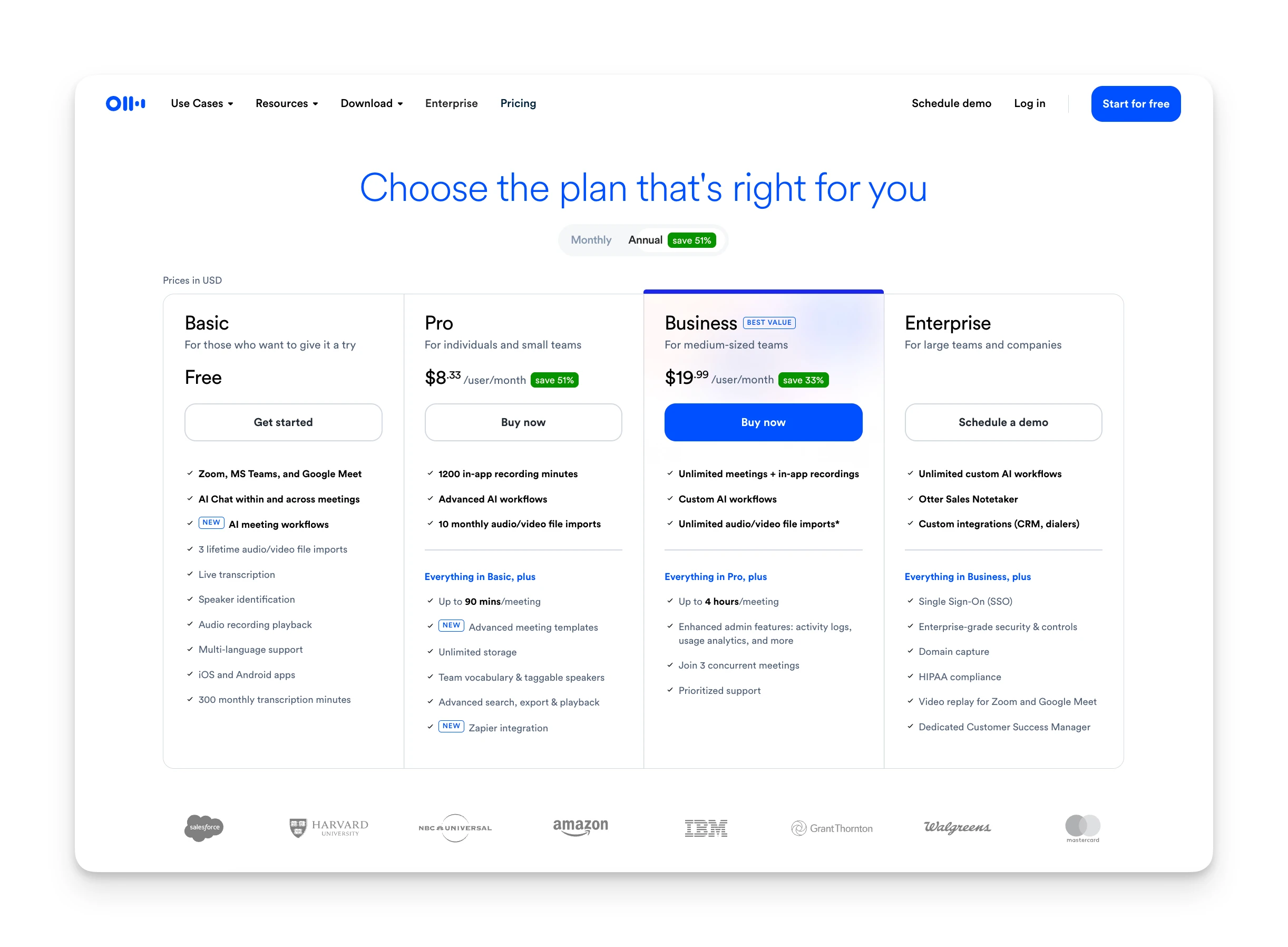
Otter's pricing tiers focus on meeting duration and concurrent recording limits:
| Plan | Monthly | Annual | Key Features |
|---|---|---|---|
| Basic (Free) | $0 | $0 | 300 mins/month, 30-min max per conversation |
| Pro | $16.99/user | $8.33/user | 1,200 mins/month, 90-min max, advanced AI |
| Business | $30/user | $19.99/user | Unlimited recordings, 4-hour max, 3 concurrent joins |
| Enterprise | Custom | Custom | SSO, HIPAA, dedicated support |
Otter's free plan is more restrictive. 300 minutes per month with a 30-minute cap per conversation means you'll hit limits quickly in meeting-heavy roles. The Pro plan at $8.33/month annual is competitively priced but still caps you at 1,200 minutes.
Where Otter Shines
- Broad integrations: Asana, Jira, Notion, Slack, and 40+ tools
- Mobile apps for iOS and Android — supports in-person recording
- Channels organize transcripts by team or project
- Pro plan at $8.33/month is competitively priced
Where Otter Falls Short
- OtterPilot joins as a visible bot participant
- Aggressive auto-join behavior; some IT teams have blocked it
- Free plan caps at 30 minutes per conversation
- Speaker identification struggles in multi-person calls
Verdict
Fathom wins on pricing for users who primarily need transcription without AI summaries. The unlimited free recordings are unmatched. However, Otter's Pro plan offers better value if you need full AI features. At $8.33/month annual, it's half the cost of Fathom Premium while including advanced AI workflows.
For teams doing 4+ hours of meetings weekly, Otter Business at $19.99/month makes more sense than managing Fathom's per-summary limits.
Ease of Use
Both tools need to work seamlessly or you'll stop using them. Here's how each handles the day-to-day experience.
Fathom
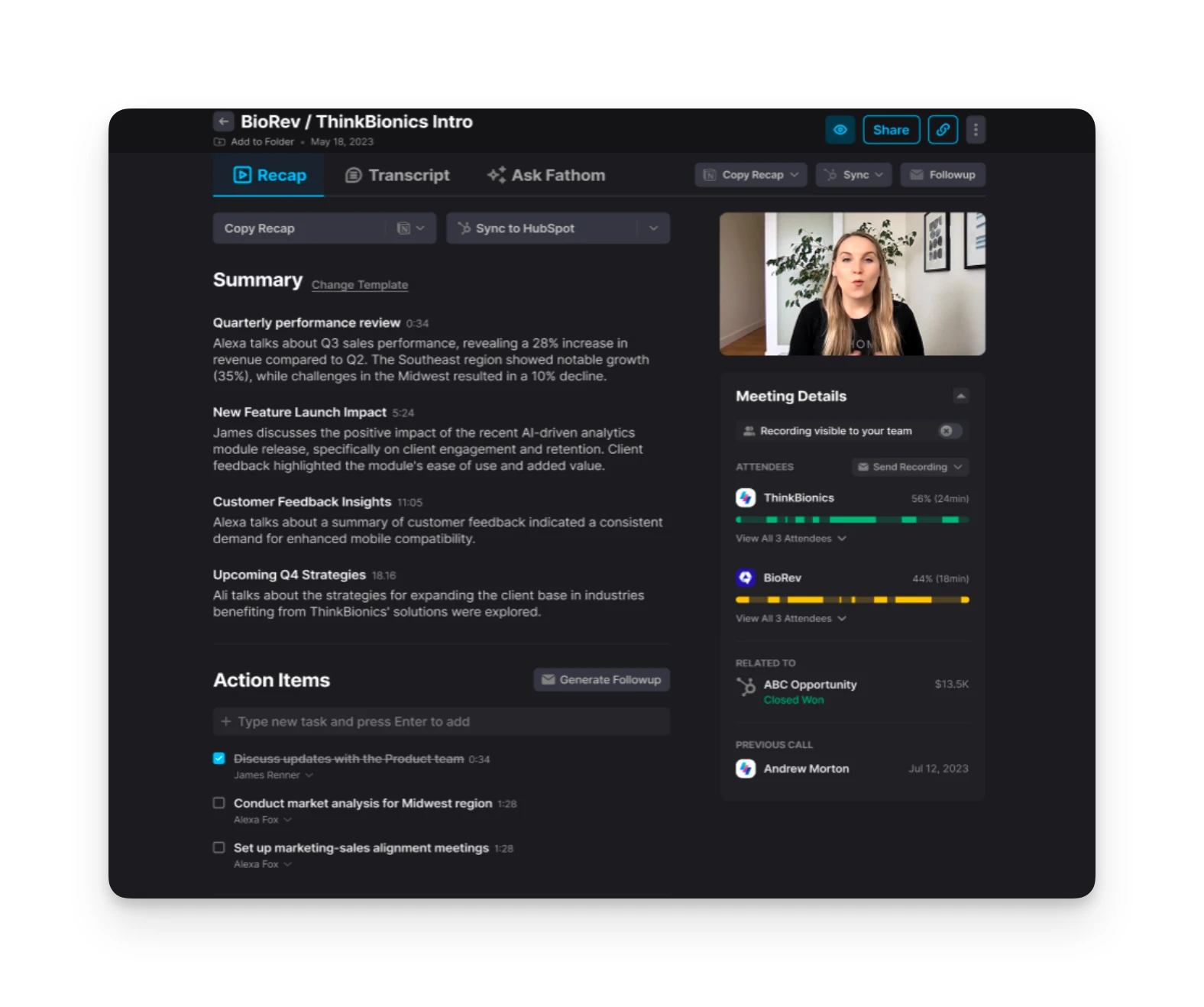
- Setup: Connect your calendar, install the browser extension or Zoom app, and Fathom auto-joins scheduled meetings.
- Daily use: Summaries appear within 30 seconds of the call ending. Users note "the summaries were the most accurate" compared to competitors.
- Mobile access: No native app. You can view recordings via mobile browser but can't initiate recordings.
- Learning curve: Minimal. The interface focuses on recordings and summaries without complex features.
Otter
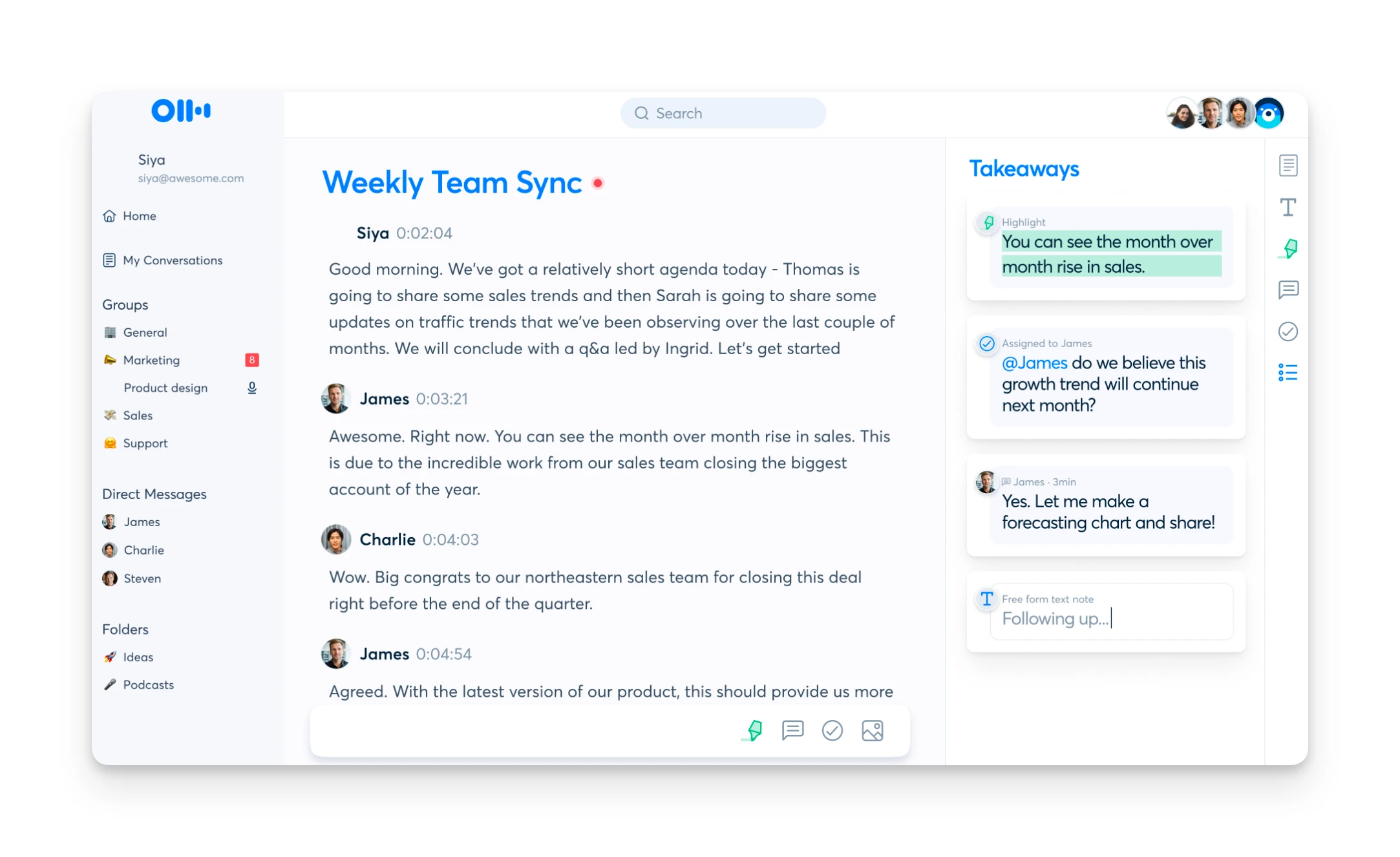
- Setup: Calendar sync, desktop app installation, mobile app download. More setup required but more access points.
- Daily use: Real-time transcription displays as the meeting happens. "Hey Otter" voice commands work during calls.
- Mobile access: Full iOS and Android apps. Record in-person conversations, not just video calls.
- Learning curve: More features means more complexity. Channels, custom vocabularies, and workflow automations take time to configure.
Verdict
Fathom wins on simplicity. If you just want meeting summaries with minimal setup, Fathom's focused interface delivers faster. Otter wins on flexibility. Mobile apps, in-person recording, and real-time transcription give you more options. The trade-off is a steeper learning curve.
Integrations
Where your meeting data goes matters. Both tools connect to common business software, but with different strengths.
Fathom
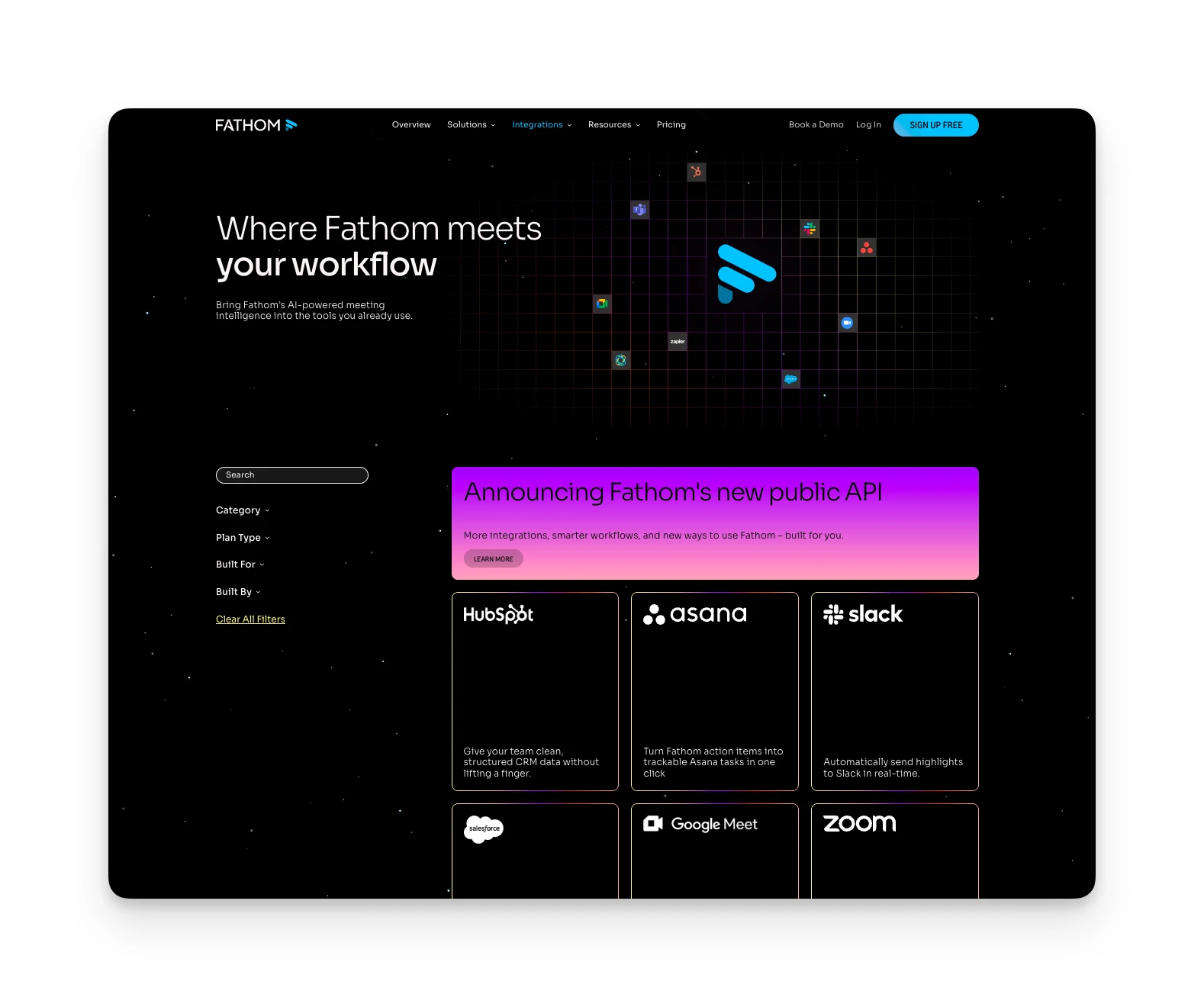
- Video conferencing: Zoom, Google Meet, Microsoft Teams
- CRM: Salesforce, HubSpot (native integrations with Deal View on Business plan)
- Project management: Asana (added September 2025)
- Automation: Zapier (available on all plans)
- Limitation: No public API. Users report custom integrations are "a pain" because Fathom doesn't offer API access.
Otter
- Video conferencing: Zoom, Google Meet, Microsoft Teams, RingCentral
- CRM: Salesforce, HubSpot, Microsoft Dynamics, Zoho, Outreach
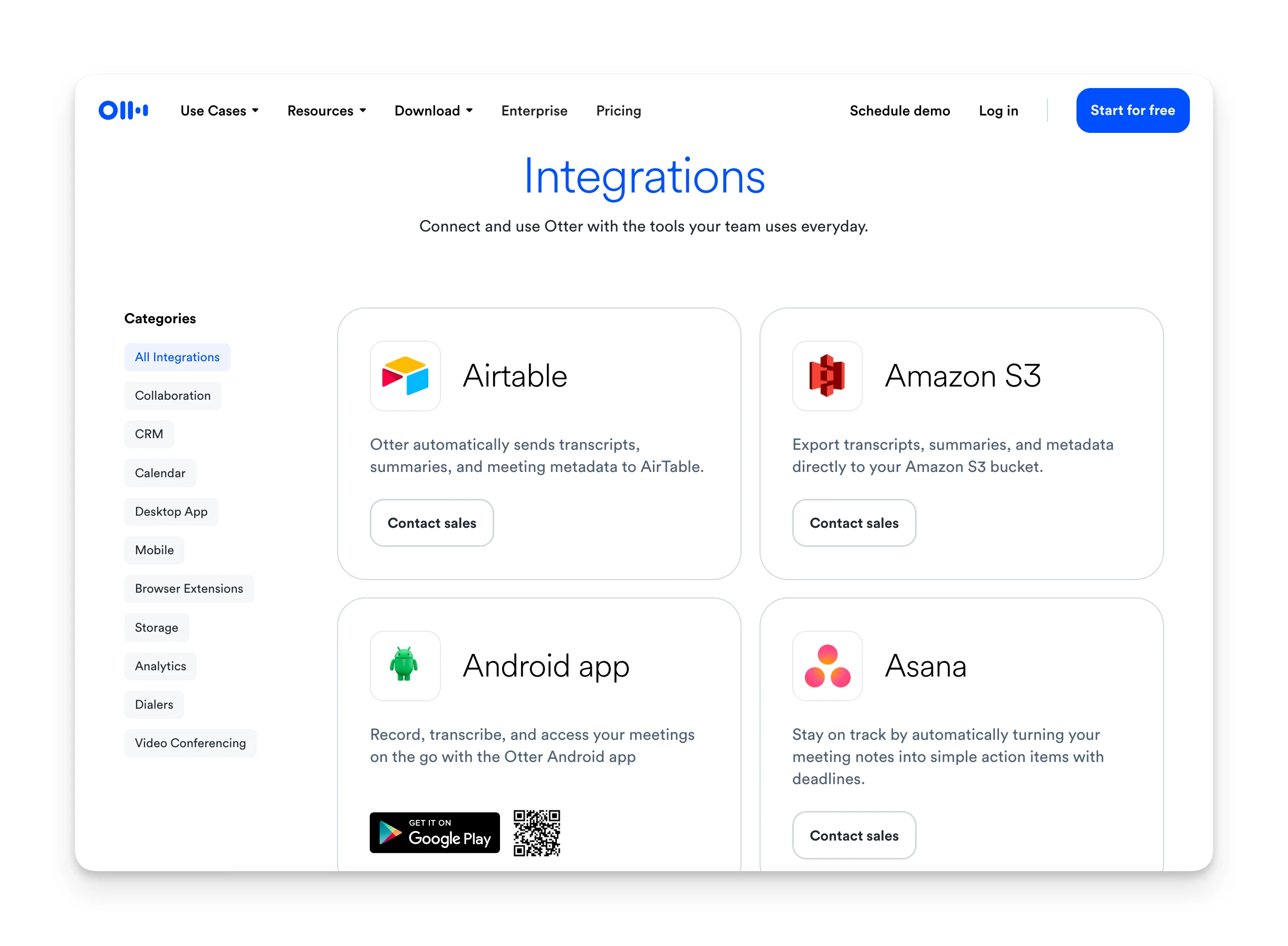
- Project management: Asana, ClickUp, Jira, Notion, Slack
- Storage: Dropbox, Google Drive, OneDrive, SharePoint, Amazon S3
- Automation: Zapier
Otter's integration list is significantly longer, particularly for project management and storage. If you need meeting notes in Notion, ClickUp, or Jira, Otter connects natively.
Verdict
Otter wins on integrations. The broader project management and storage connections make it more versatile for varied workflows. Fathom's strength is CRM depth for sales teams. If your workflow centers on Salesforce or HubSpot, Fathom's Deal View and sales scorecards provide more value than Otter's broader but shallower connections.
Transcription Accuracy
AI meeting assistants are only useful if the transcription is accurate. Both tools claim high accuracy, but real-world performance varies.
Fathom
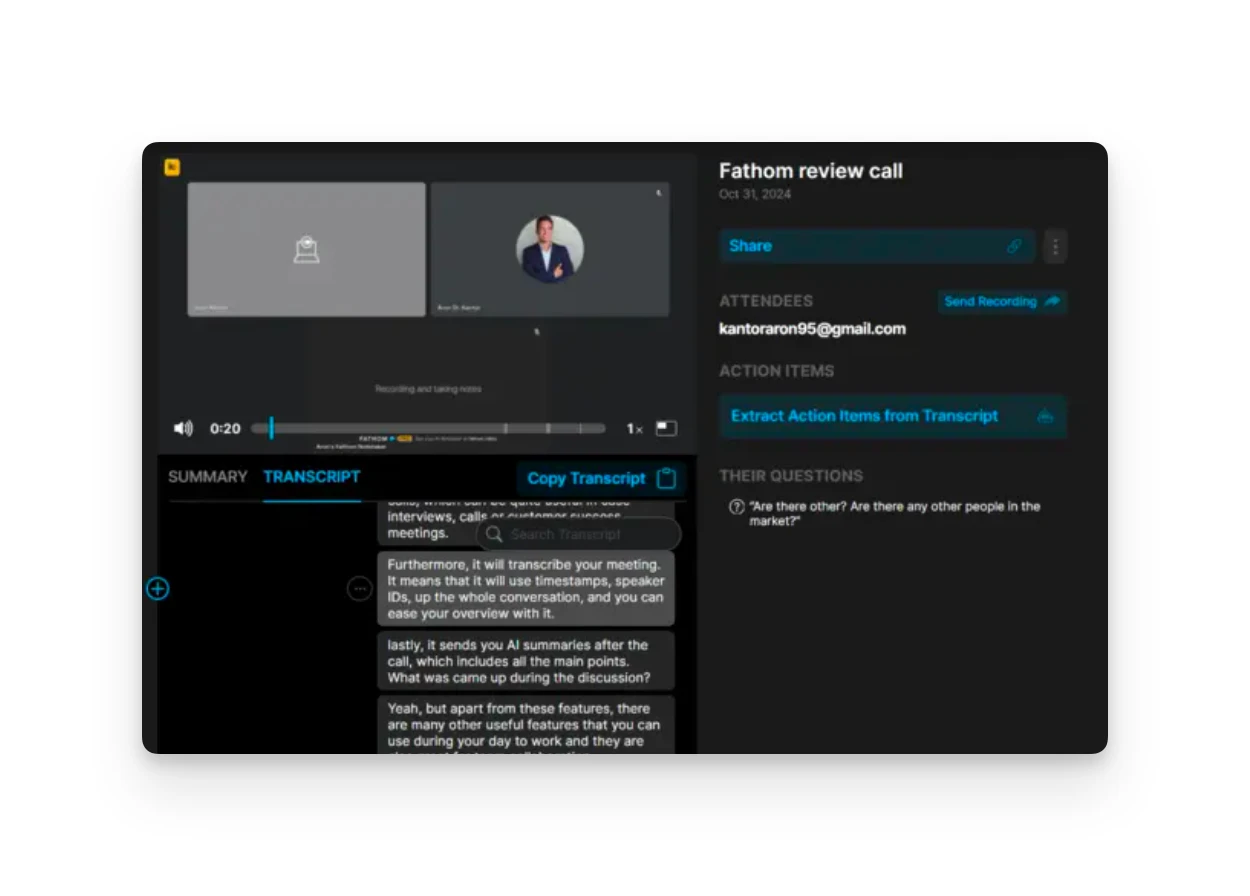
- Claimed accuracy: Not publicly stated, but G2 reviews consistently cite accuracy as a strength
- Speaker identification: Reliable in standard meeting conditions
- Challenges: Technical jargon and strong accents reduce accuracy. One user noted Fathom had "the most accurate" summaries after testing multiple competitors.
Otter
- Claimed accuracy: Up to 95% in optimal conditions
- Speaker identification: Users on G2 report issues with speaker separation and accents (41 mentions)
- Challenges: Multiple speakers and background noise affect reliability. G2 aggregated data shows 77 mentions of recording issues in noisy environments.
Verdict
Fathom edges ahead on transcription quality based on user feedback. Otter's speaker diarization struggles more with multiple participants. Reddit users report that "Otter massively struggles with speaker identification in multiperson calls."
Bot Behavior and Privacy
Both Fathom and Otter join meetings as visible participants. This creates friction in some situations.
Fathom
- Bot name: "Fathom Notetaker" or similar appears in the participant list
- Meeting host impact: May need to admit from waiting room
- Organization blocking: Some companies block third-party bots. Users note that "many people block third party meeting bots for good reasons."
Otter
- Bot name: "[Your Name] Notetaker (Otter.ai)" joins as a visible participant
- Auto-join behavior: Can auto-join all calendar meetings if enabled. Users report this creates confusion when others see it joining without explanation.
- Viral spreading: Multiple users describe Otter as "engineered to trick" users into adding it to meetings, leading IT departments to block it entirely.
Verdict
Neither tool wins on privacy. Both require a visible bot that can create awkwardness in client calls. Fathom is less aggressive in its auto-join behavior. Otter's viral spreading tactics have drawn a class action lawsuit and significant negative attention from IT administrators.
If bot visibility is a dealbreaker, Omnia offers botless meeting capture with no visible participant joining.
How to Choose an AI Meeting Assistant
Beyond Fathom and Otter, here's what to consider when picking any meeting intelligence tool:
Does it connect to your actual workflow?
Most meeting notes end up in a separate app you never revisit. The real value comes when action items flow into your task management and calendar automatically.
Omnia extracts meeting action items with assignee, due date, and priority. Accept them in a triage workspace, and they flow directly into your task system. No manual copying between apps.
How much meeting friction can you tolerate?
Visible bots create friction in client calls and external meetings. Some clients kick AI assistants immediately. The question is whether you're willing to explain the bot every time.
Omnia's bot joins meetings invisibly. No participant list entry. No awkward explanations about who "Fathom Notetaker" is.
Do you need just meetings, or the full picture?
Meeting notes in isolation miss context. That action item from Tuesday's call connects to an email thread from last week and a deadline on your calendar next Friday.
Email, meetings, and tasks live in Omnia's system. If someone mentioned a deliverable in both an email and a meeting, Omnia surfaces that connection. Nothing falls through because it was tracked in a different tool.
Alternative to Fathom and Otter: Omnia
Omnia is an AI executive assistant that handles meetings, email, and tasks together. Instead of recording meetings and leaving you to extract the value, Omnia processes meeting content and connects it to your workflow automatically.
Key Features
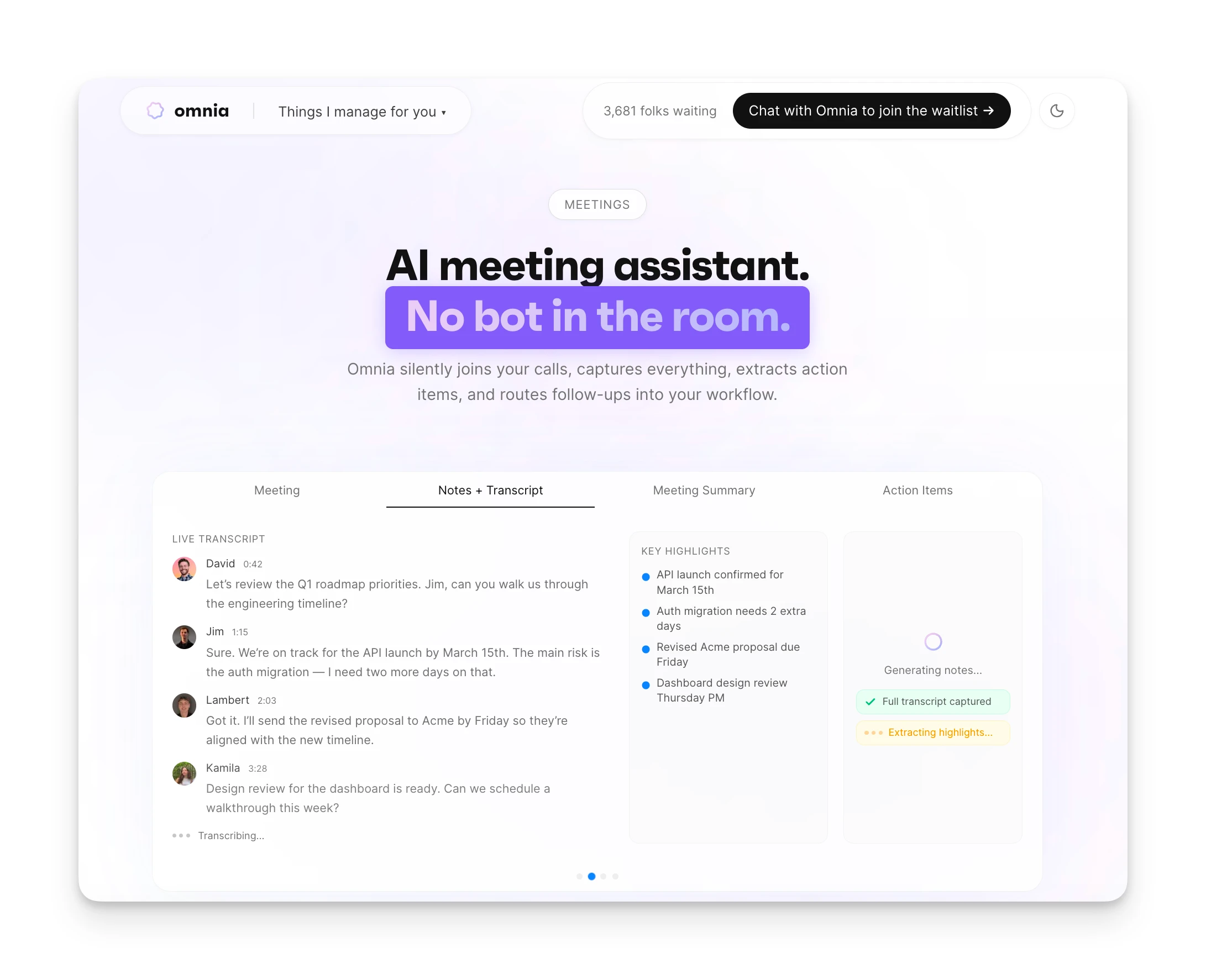
Botless Meeting Capture
Omnia joins Zoom, Google Meet, Teams, and Slack Huddles without a visible bot participant. Full transcription with speaker diarization, structured summaries, and action item extraction. No one in the meeting knows an AI is listening.
Action Items That Flow Into Tasks
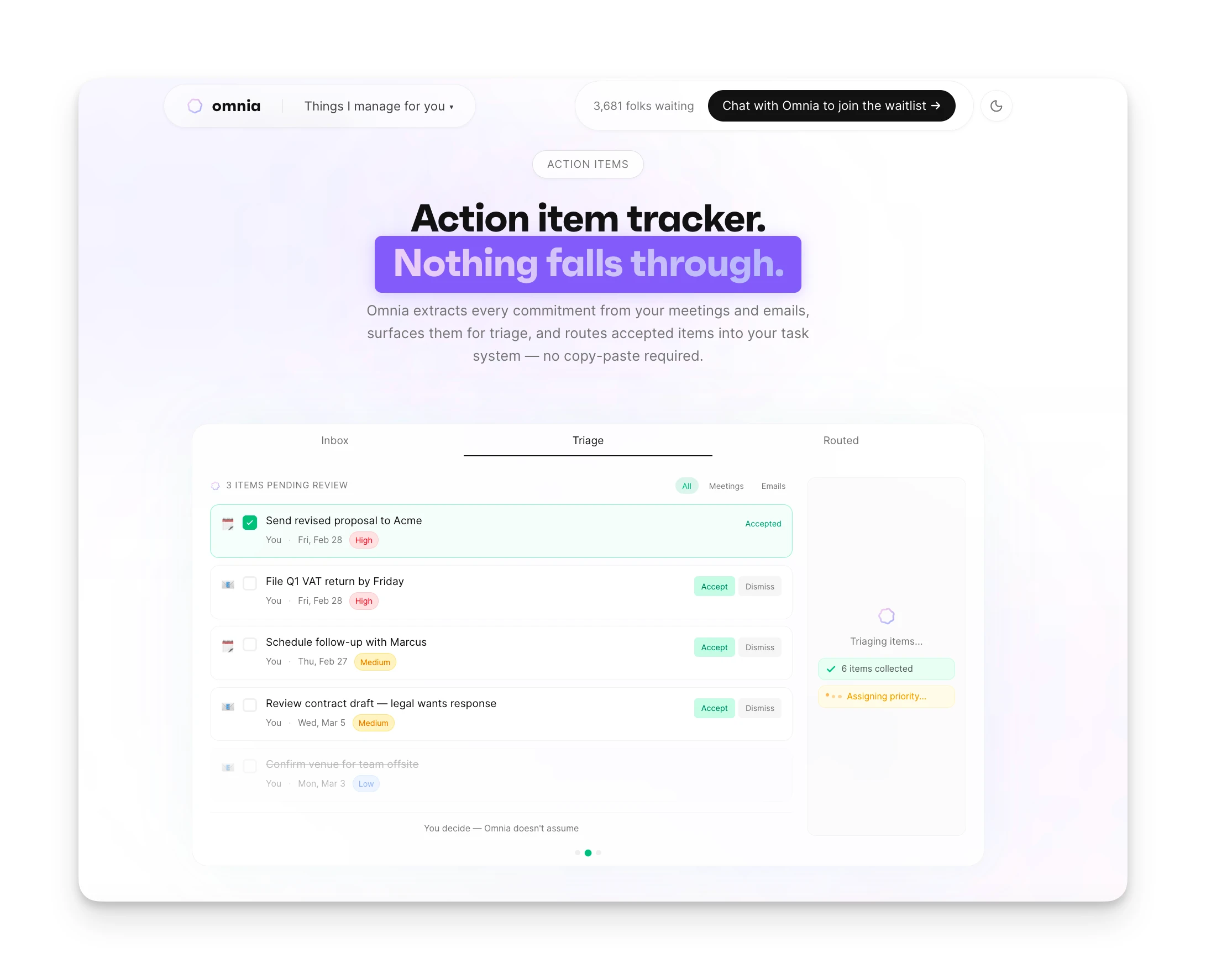
When someone says "Can you send the proposal by Friday?", Omnia captures it with assignee, due date, and requester. The task appears in a triage workspace. Accept it, and it flows into your task system. Reject or edit as needed.
Meeting + Email + Task Integration
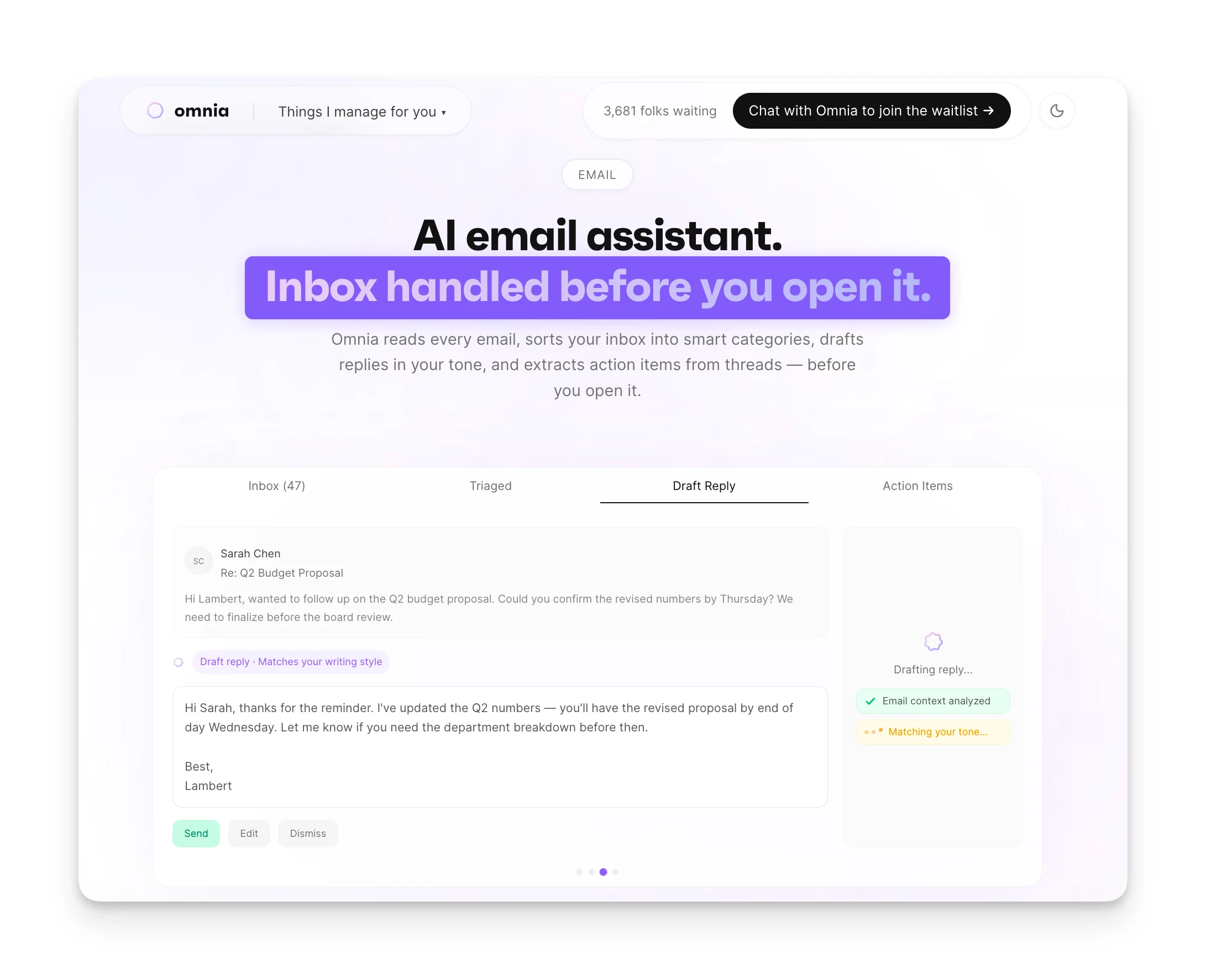
Omnia also triages your email across 8 categories, drafts responses, and tracks follow-ups. If an email thread connects to a meeting commitment, Omnia surfaces that context. One system for all your coordination work.
Pricing
| Plan | Monthly Billing | Annual Billing |
|---|---|---|
| Free | $0 | 200 tokens/week |
| Personal | $20/mo | 2,500 tokens/mo |
| Executive | $50/mo | 7,500 tokens/mo |
| Principal | $200/mo | Unlimited tokens |
Contact Omnia for current pricing information.
Where Omnia Shines
- Botless capture — no visible participant in any meeting
- Action items flow directly into your task workflow
- Email triage and meeting intelligence unified in one system
- No minute caps or credit-based limitations
Where Omnia Falls Short
- Newer to market than Fathom or Otter
- No keyboard-first interface for power users
- Some features still rolling out
Who Omnia Is Best For
- Founders and consultants: People who run their own schedule and need meeting follow-ups to actually happen without a dedicated assistant.
- Professionals in client-facing roles: Anyone where a visible meeting bot creates friction or requires explanation.
When your day changes, Omnia replans around what matters most
Free forever. No credit card required.
Fathom vs Otter vs Omnia: Which Should You Choose?
Choose Fathom if you're in sales and want unlimited free recordings with purpose-built sales summaries and CRM integration.
Choose Otter if you need mobile apps, broader integrations, and flexibility across different meeting types. Better for general business use.
Choose Omnia if you want meeting capture that connects to your tasks and email workflow automatically. Botless recording, action item extraction, and unified assistant capabilities make it the choice for professionals tired of manual handoffs between apps.
All three tools solve meeting capture. The question is whether you want transcripts in a separate app, or meeting intelligence that flows into action.