Key Takeaways
- Motion auto-schedules tasks on your calendar using AI that analyzes 1,000+ parameters including deadlines, priorities, and available time. You add tasks; Motion decides when you'll do them.
- Pricing starts at $19/month (annual) or $29/month (monthly) with no free plan. The 7-day trial is your only way to test before paying.
- Recent feature bloat has frustrated users. Motion expanded from a focused scheduler to a "SuperApp" with AI Employees, meeting notes, and project management. Long-time users report the UI has become complicated.
- Reddit sentiment is mixed to negative in 2025-2026. Users praise core auto-scheduling but complain about pricing confusion, support issues, and advertised features not being accessible on their plans.
Motion is the most aggressive AI-powered scheduling tool for busy professionals and teams who want their calendar managed automatically, not manually.
It uses AI to analyze your tasks, deadlines, priorities, and calendar commitments to build the optimal schedule for your day. Tasks get time-blocked automatically. When meetings shift or priorities change, Motion re-optimizes everything without you lifting a finger.
Recently, Motion expanded into AI Employees, AI Docs, and an AI Meeting Notetaker, positioning itself as a full "AI SuperApp" rather than just a scheduler. The ambition is impressive, but it's also divided users who loved the focused simplicity of the original product.
You've tried todo lists. You've tried time-blocking. You've tried combining them in five different apps. And somehow, tasks still slip through the cracks while your calendar becomes a game of Tetris you're always losing.
Motion takes a different approach to this motion app review subject: instead of making you manually drag tasks into time slots, it uses AI to do the scheduling for you. Think of it as an autopilot for your workday.
In this review, we'll cover:
- How Motion's AI scheduling works
- The new AI Employees and meeting features
- Current pricing (which has gotten complicated)
- What real users say on Reddit and review sites
- Whether it's worth the investment in 2026
Motion at a Glance
| Motion | |
|---|---|
| Best for | Deadline-driven professionals who want AI to schedule tasks automatically |
| Standout feature | AI auto-scheduling that analyzes 1,000+ parameters and re-optimizes throughout the day |
| Price | $19-29/month (annual) or $29-49/month (monthly); no free plan |
| Pros | Genuine AI scheduling, calendar unification, deadline protection, one-click rescheduling |
| Cons | Feature bloat, pricing confusion, limited support, AI Employees credit restrictions |
| AI Auto-Scheduling | Tasks scheduled automatically based on deadlines, priorities, and calendar availability |
| Calendar Unification | Two-way sync with Google, Outlook, and iCloud in single view |
| AI Project Manager | Generate projects from descriptions with Gantt charts and Kanban boards |
| AI Meeting Notetaker | Records calls, transcribes, generates summaries (joins as visible bot) |
| AI Employees | Autonomous workflows for exec assistant, project manager roles (credit-limited) |
What Is Motion?
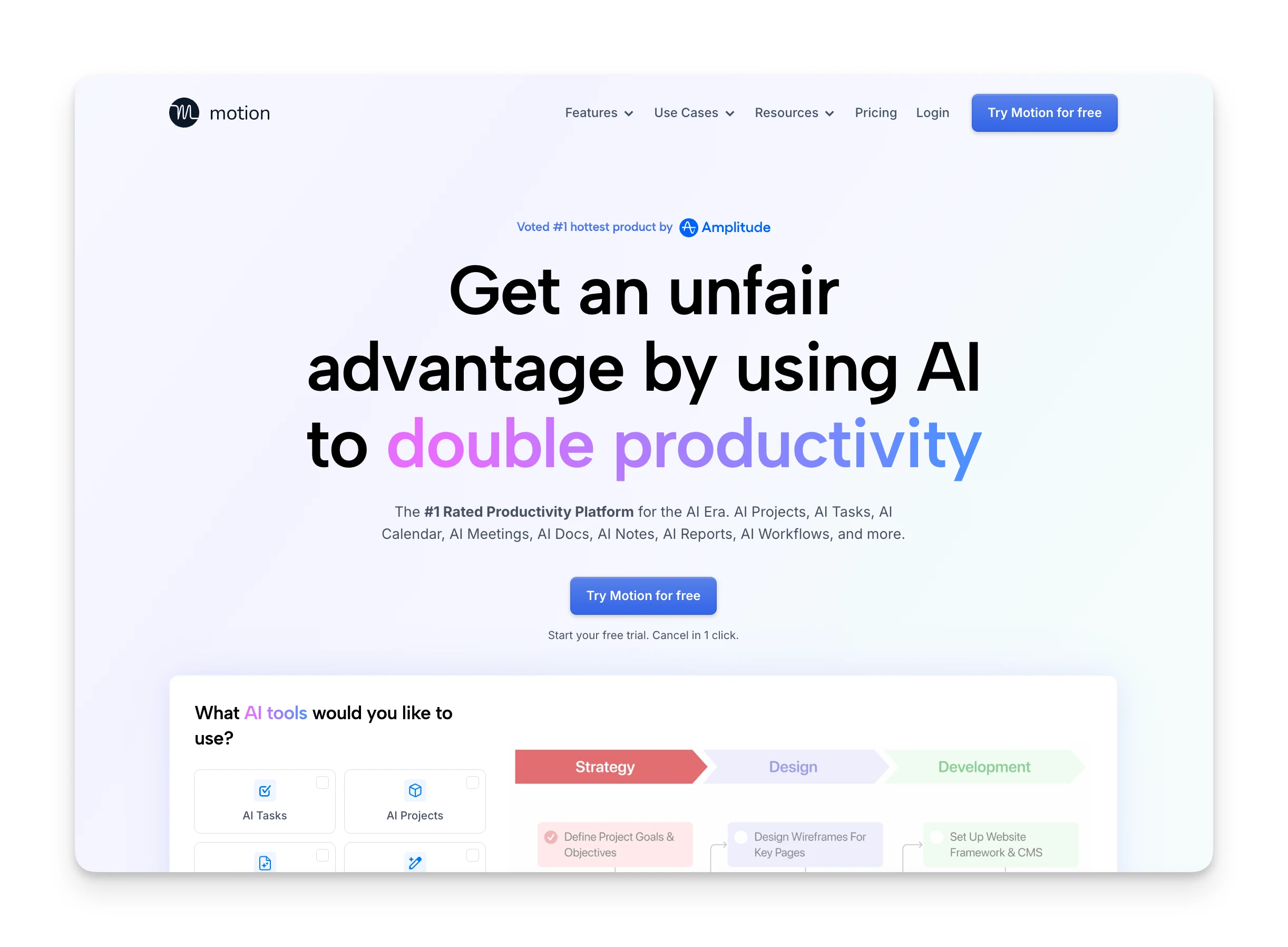
Motion positions itself as an "AI-powered SuperApp" that combines task management, calendar scheduling, project organization, and AI assistants in one workspace.
But at its core, Motion is really an AI task scheduler. You tell it what needs to get done and when it's due. Motion figures out when you'll do it.
The company raised $60M at a $550M valuation in December 2025, and they've been aggressively expanding features since then. What started as a focused scheduling tool now includes AI meeting notes, AI document creation, and autonomous "AI Employees" that handle workflows for you.
Who Is Motion Best For?
Motion works best for people who struggle to block time for tasks, not just list them.
Deadline-driven professionals: If your work revolves around due dates and you need tasks scheduled around meetings automatically, Motion removes the manual calendar Tetris.
People with ADHD: Motion removes the "when should I do this?" decision entirely. The external structure of having tasks appear at specific times can reduce overwhelm and decision fatigue.
Small team leads: Team plans include capacity planning and workload visualization. You get visibility into what everyone is working on without manual check-ins.
Founders and freelancers: If you're juggling client work, projects, and personal tasks across multiple calendars, Motion unifies everything in one view with automatic scheduling.
Who should look elsewhere:
- Budget-conscious users: No free plan exists. At $19-29/month, Motion costs more than simpler task managers.
- Teams needing enterprise features: For complex project management with advanced reporting, dedicated tools like Asana or Monday are stronger.
- Users who want simplicity: Motion's "SuperApp" direction means more features and more complexity. If you want one thing done well, look at focused alternatives.
Omnia: An Alternative

Motion requires you to create and configure tasks before it can schedule them. If you need an AI executive assistant that handles the coordination work before you even think about scheduling—capturing commitments, triaging your inbox, and learning how you work—Omnia fills that gap.
- Botless meeting capture: Omnia records and transcribes without joining as a visible bot. Your meetings stay natural while you get full documentation and action items extracted automatically.
- Collaborative planning workspaces: When Omnia needs your input, it opens purpose-built views—a planning board, task triage, calendar layout—where you work side by side with the AI. Every decision feeds back into what Omnia knows about you.
- Works when you're not looking: Omnia monitors your tools in the background, spots problems before you do, and acts on your behalf. Your inbox is triaged before you open it. An overloaded week gets flagged before it's too late.
| Tool | Price | Features |
|---|---|---|
| Omnia | Free / $20/mo | Botless meeting capture, collaborative planning workspaces, auto action items, email drafts, background monitoring |
| Motion | $19-29/month (annual) | AI auto-scheduling, calendar unification, project management, AI Employees (credit-limited) |
Motion Key Features
Here's what makes Motion stand out in the crowded productivity space:
AI Auto-Scheduling
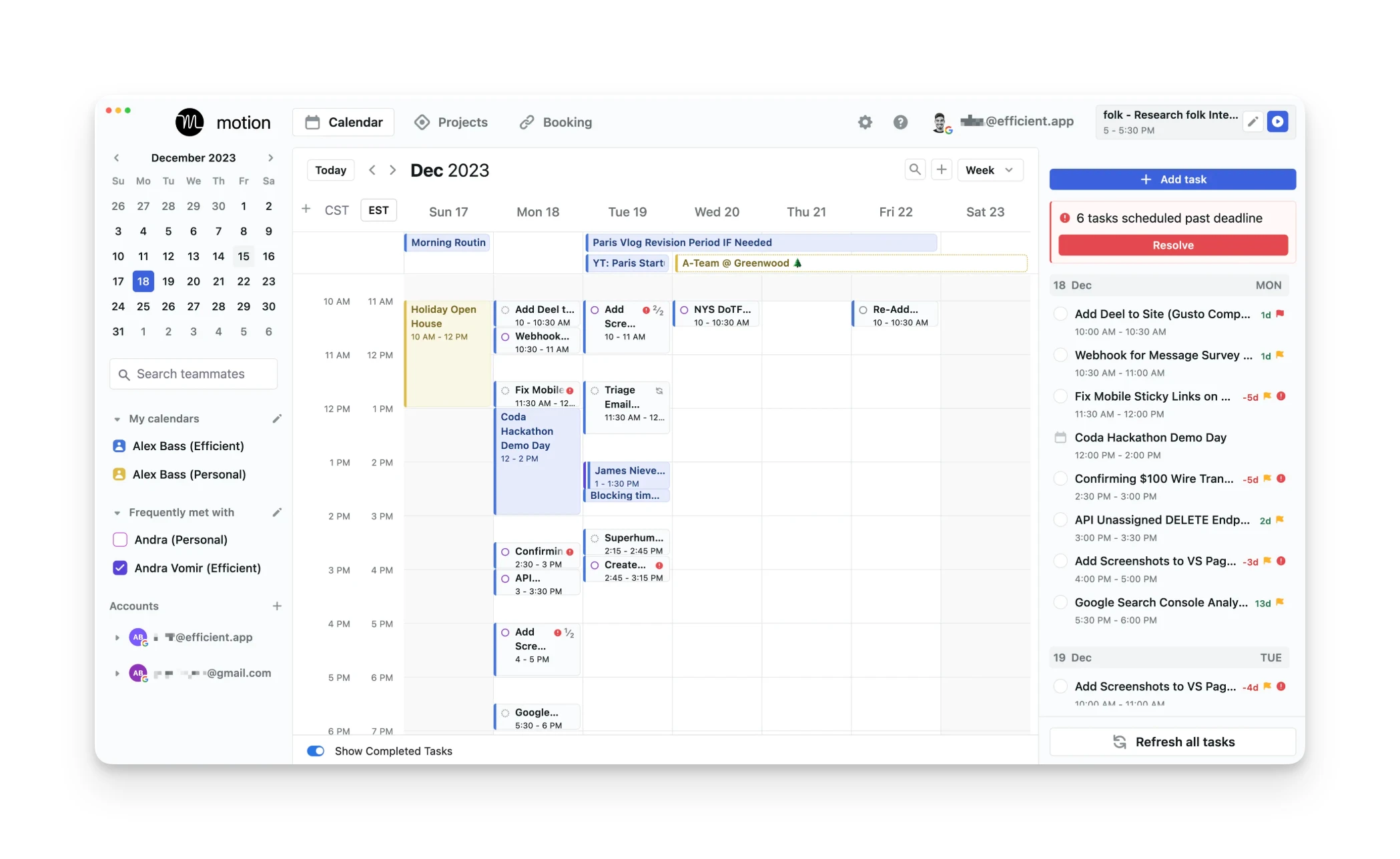
This is Motion's flagship feature and the reason most people try it.
When you create a task, you set a deadline, estimated duration, and priority level. Motion analyzes your calendar, finds available slots, and schedules the task automatically. If something changes, like a new meeting gets added, Motion reshuffles your schedule in real-time.
The algorithm considers over 1,000 parameters: deadlines, dependencies between tasks, your preferred work hours, meeting buffers, and existing commitments. It re-optimizes throughout the day without you lifting a finger.
Users consistently highlight this as Motion's strongest capability. One Trustpilot reviewer noted that it "solved my biggest pain: constantly wasting time rescheduling tasks," calling the auto-reshuffling feature excellent. A Capterra user reported saving 50 hours through the compound effect of automatic scheduling.
AI Task Manager
Motion's task manager goes beyond a simple to-do list. Tasks have deadline warnings that alert you when something is at risk of not getting done in time. The system understands task dependencies, so if Task B can't start until Task A is complete, it schedules accordingly.
You can view tasks in list, Kanban, or calendar views. The AI prioritizes automatically, but you can override with manual priority settings when needed.
Unlike Todoist or Things, tasks in Motion aren't just a list to check off. They're calendar events with scheduled start times. As one Capterra reviewer put it, "Motion keeps me on track by automatically organizing tasks and scheduling them."
However, some users find the task management features lacking compared to dedicated tools. One Reddit user transitioning from other apps observed that "so many basic things it fails at," noting Motion prioritizes new features over fixing fundamental gaps.
Calendar Unification
Motion pulls in calendars from Google, Outlook, and iCloud into a single view. Two-way sync means changes in Motion appear in your native calendar apps and vice versa.
For anyone managing multiple calendars (personal, work, side projects), this unified view removes the mental overhead of checking three different apps.
AI Project Manager
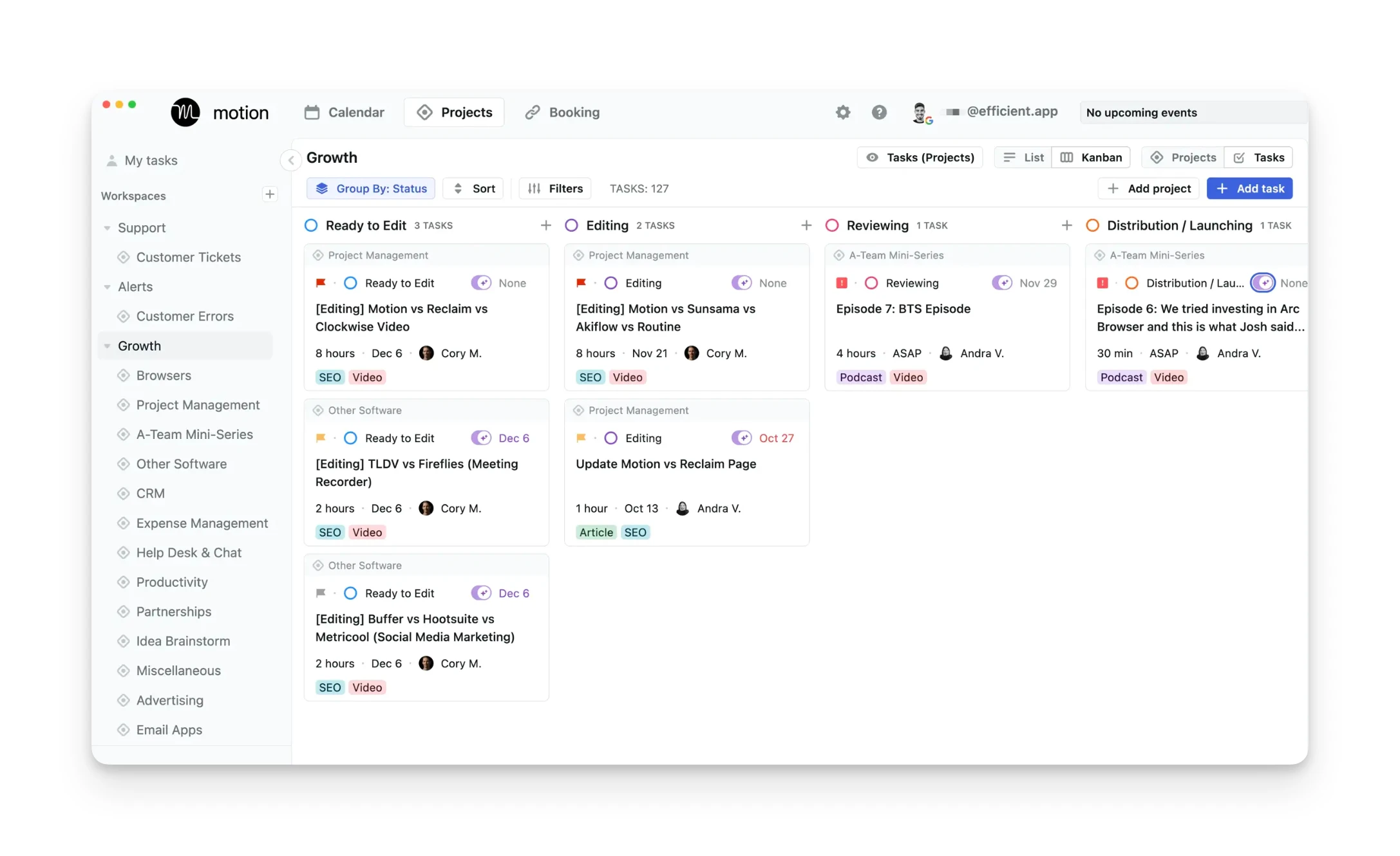
Motion can generate entire project structures from a text description. Describe what you're building, and it creates tasks, estimates timelines, and sets dependencies automatically.
Projects include:
- Gantt charts for timeline visualization
- Kanban boards for workflow management
- Automatic status updates as tasks complete
- ETA predictions that adjust as work progresses
This feature is most useful for repeatable project types. If you run similar client projects regularly, you can template them and let Motion handle the scheduling.
The project management expansion has divided users. Some appreciate the all-in-one approach, but long-time fans of Motion's original focus argue that the team "decided to spend their time chasing trends" by adding project management, making the UI increasingly complicated.
AI Meeting Notetaker
Motion's meeting assistant joins your Zoom, Google Meet, or Teams calls to record, transcribe, and generate summaries with action items.
The company claims 80% accuracy on transcription. In practice, expect good results for clear audio and standard accents, with degradation in noisy environments or heavy accents.
Action items from meetings can flow directly into your task list, though you'll want to review them before they get auto-scheduled.
AI Employees
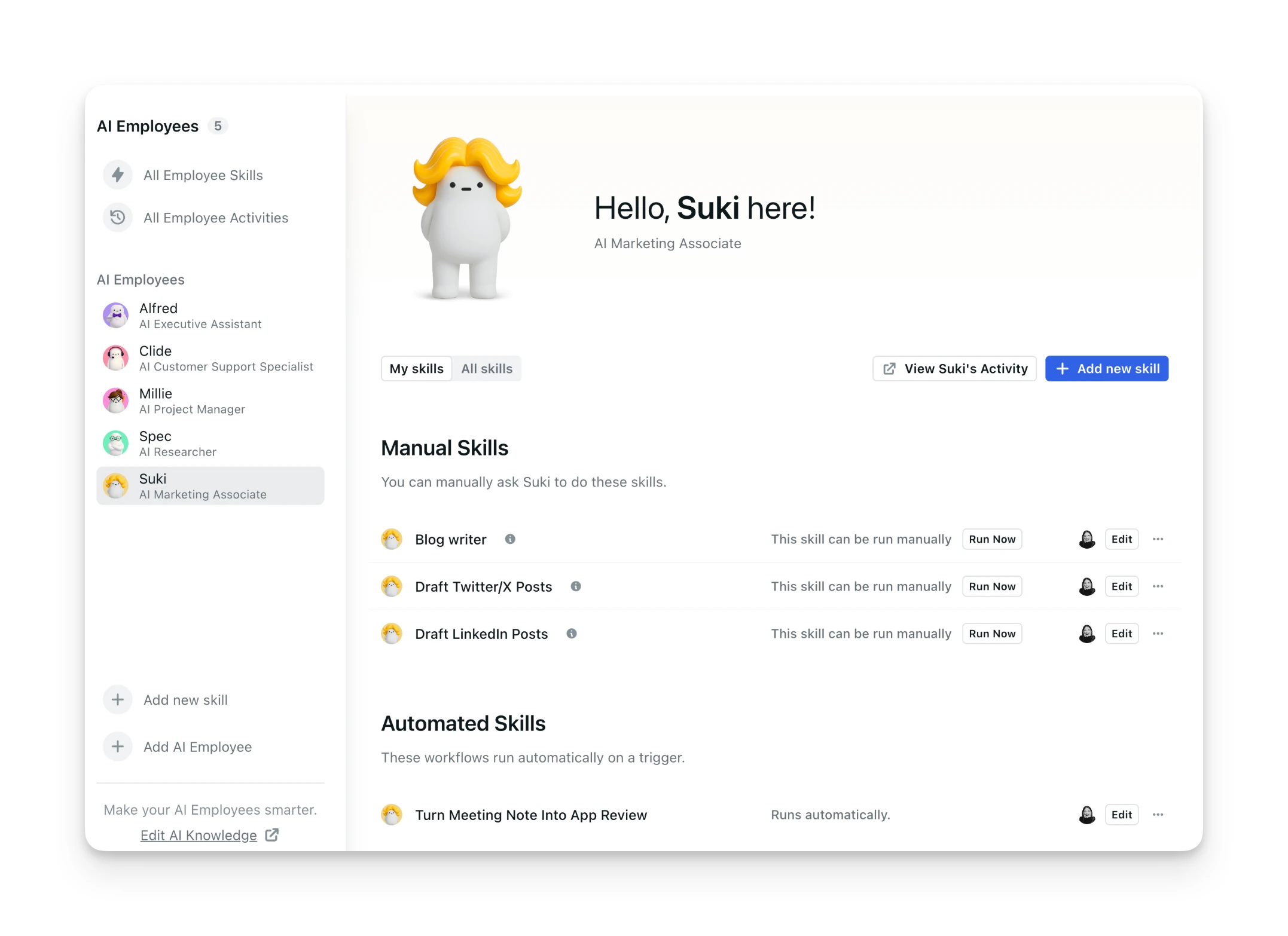
This is Motion's newest and most ambitious feature. AI Employees are autonomous workflows that handle specialized tasks on a schedule.
Current AI Employee types include:
- Executive Assistant for calendar management
- Project Manager for status tracking
- Marketing roles for content tasks
The catch: AI Employees run on a credit system. Pro AI plans get 7,500 credits per month; Business AI gets 15,000. Reddit users report the credits deplete quickly—one user shared that after just one week they'd used 1,100 credits, wondering "how in the world will this get me through a year" with only 12,000 annual credits.
The rollout has also frustrated users. Some report waiting months for access after upgrading to AI Pro, only to find the feature still wasn't available on their plan.
Booking Links
Like Calendly, Motion lets you create shareable booking links so others can schedule meetings with you. You set available time slots, meeting durations, and buffer times between meetings.
The integration with Motion's core scheduling means booked meetings automatically trigger rescheduling of your existing tasks. No manual calendar Tetris required.
Motion Additional Features
Dynamic Rescheduling
When conflicts arise, Motion automatically reorganizes your schedule. This happens in real-time and can occur dozens of times per day as your calendar changes.
The "Reschedule All" button is a user favorite for days when everything falls apart. One click and Motion rebuilds your entire day around current priorities.
Time Tracking
Available on Business AI plans, time tracking lets you log actual time spent on tasks. This data helps Motion improve future estimates and gives you visibility into where your hours go.
Focus Time Protection
Motion can block dedicated focus time on your calendar, protecting it from meetings. You specify when you want uninterrupted work, and Motion schedules tasks into those blocks while keeping them meeting-free.
Motion Integrations & API
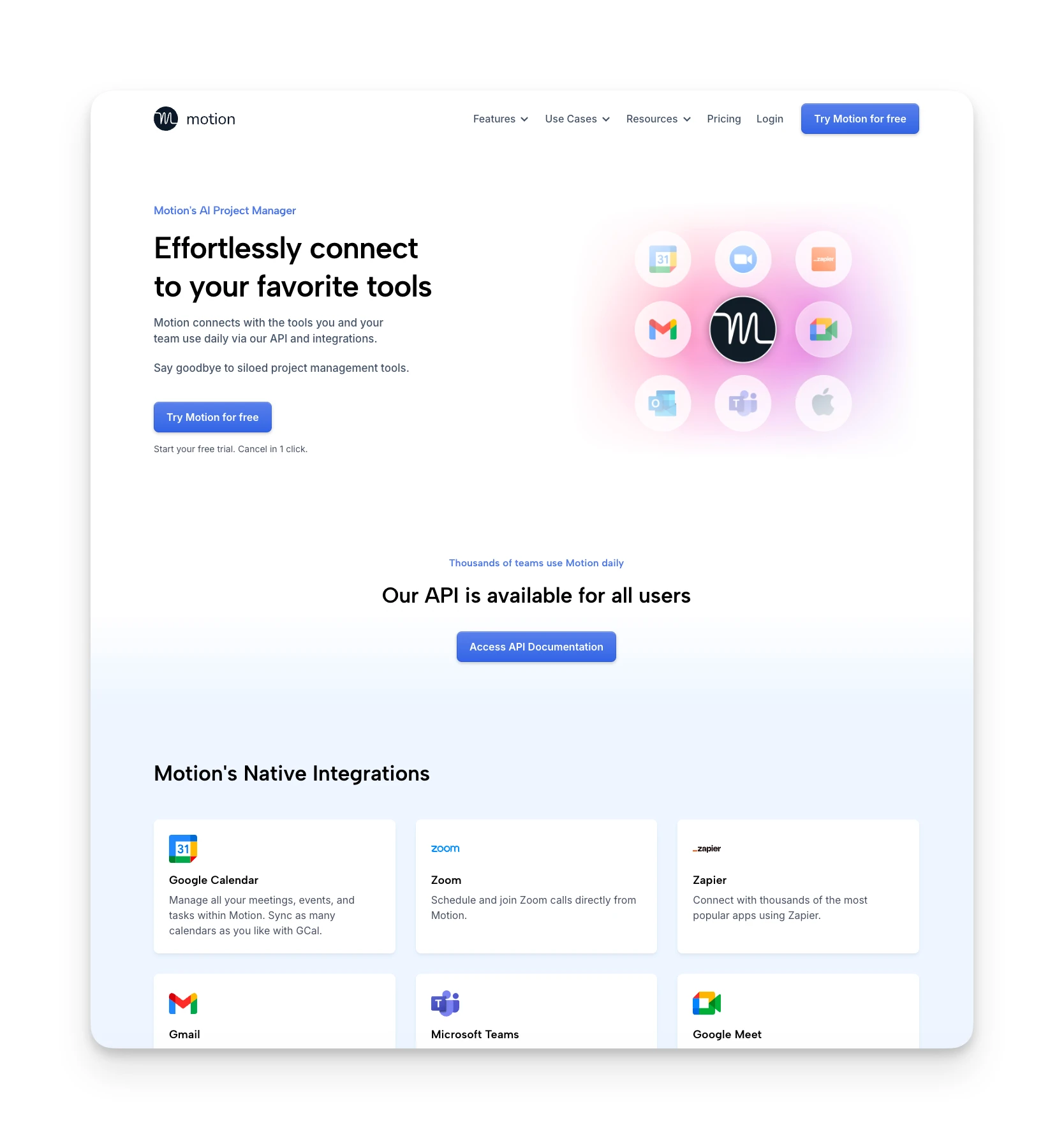
Motion connects with:
- Calendars: Google Calendar, Outlook 365, iCloud (two-way sync)
- Video: Zoom, Google Meet, Microsoft Teams
- Email: Gmail and Outlook (email-to-task forwarding)
- Chat: Slack (limited to reports, no real-time notifications)
- Automation: Zapier for connecting to thousands of apps
- Voice: Siri Shortcuts for iOS task creation
A native API is available at docs.usemotion.com for custom integrations.
Motion Mobile App
Motion offers iOS and Android apps that mirror core desktop functionality.
What works well:
- Task creation and viewing
- Calendar access
- Siri Shortcuts integration (iOS)
- Basic scheduling adjustments
What's limited:
- Some users report the mobile experience feels secondary to desktop
- Advanced project features are better on larger screens
- AI Employees management is desktop-focused
The mobile apps are functional for checking and quick adds, but power users will likely do most work on desktop or web.
Motion Pricing
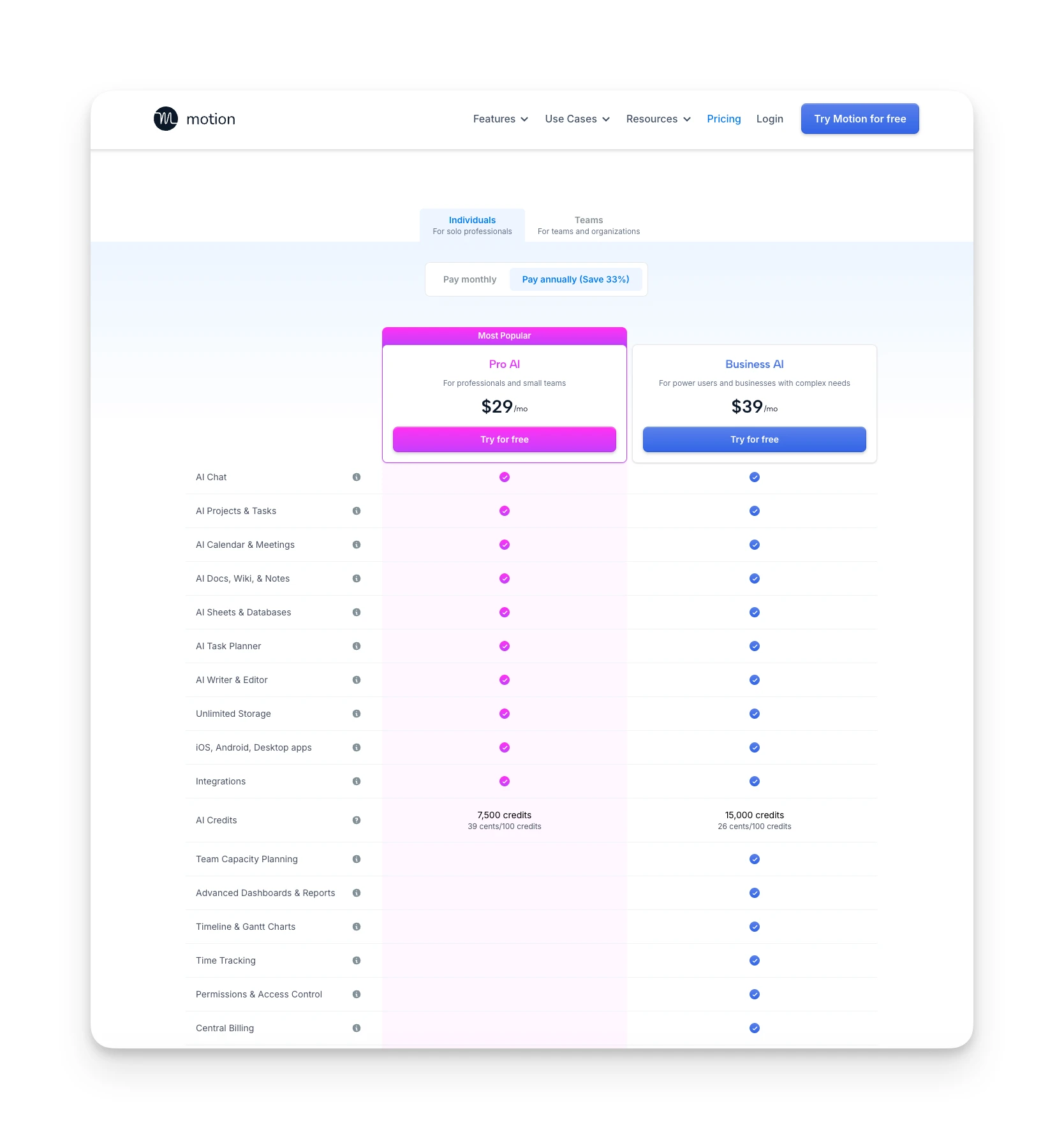
Motion's pricing has become more complex in 2025-2026 with the introduction of AI tiers and credit systems.
Individual Plans
| Plan | Monthly | Annual | Key Inclusions |
|---|---|---|---|
| Pro AI | $29/month | $19/month ($228/year) | AI Task Planner, AI Calendar, AI Projects, AI Docs, AI Meeting Notes, 7,500 credits/month |
| Business AI | $49/month | $29/month ($348/year) | Everything in Pro + Gantt charts, time tracking, advanced dashboards, 15,000 credits/month |
Team Plans
| Plan | Monthly | Annual | Key Inclusions |
|---|---|---|---|
| Team Pro AI | $19/seat/month | $19/seat/month | Same as Individual Pro AI, minimum 3 seats |
| Team Business AI | $29/seat/month | $29/seat/month | Everything in Business + team capacity planning, permissions, priority support |
Enterprise pricing is custom with dedicated implementation support.
What to know about pricing:
- No free plan exists. The 7-day trial is your only way to test before paying.
- AI Employees are only available on team plans with 3+ seats.
- Credit overages cost $0.25/100 credits on Pro AI or $0.19/100 credits on Business AI.
- Annual billing saves 34-41% depending on tier.
The pricing has drawn criticism from users. One Reddit commenter summarized the confusion: "Motion isn't totally sure what Motion is, what Motion does, or how much Motion costs."
Motion Pros & Cons
Where Motion Shines
- Genuinely moves tasks around your calendar automatically
- Pulls multiple calendars into one view with two-way sync
- Warns you when tasks are at risk of missing deadlines
- One-click "Reschedule All" rebuilds your day instantly
Where Motion Falls Short
- Feature bloat: UI grown complex as "SuperApp" direction expanded
- Confusing tier structure with AI credit limits
- Customer support issues including billing disputes
- AI Employees only available on team plans (3+ seats)
Motion Customer Reviews
What users love:
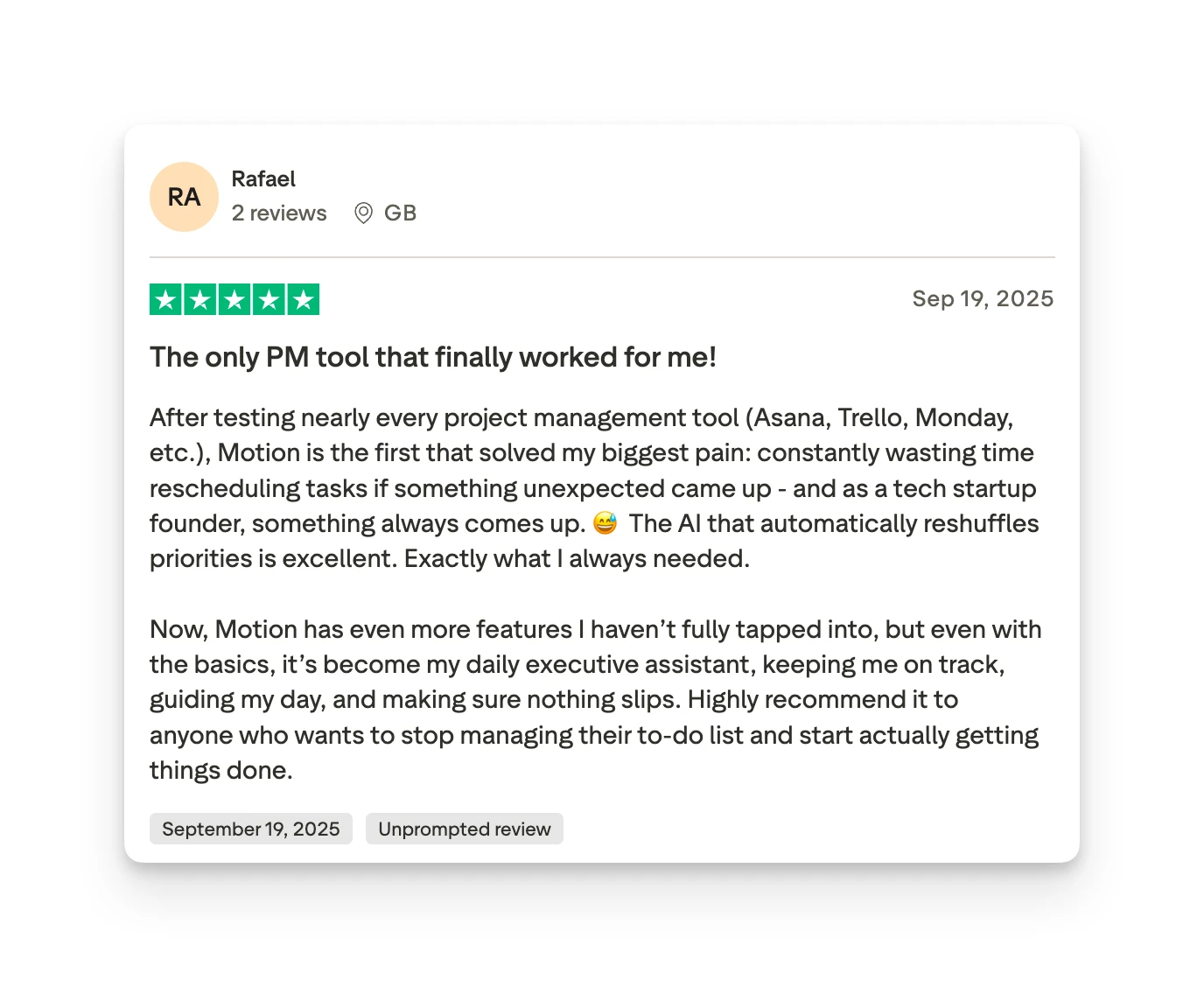
"Solved my biggest pain: constantly wasting time rescheduling tasks... the AI auto-reshuffling feature is excellent." — Trustpilot review, 2025
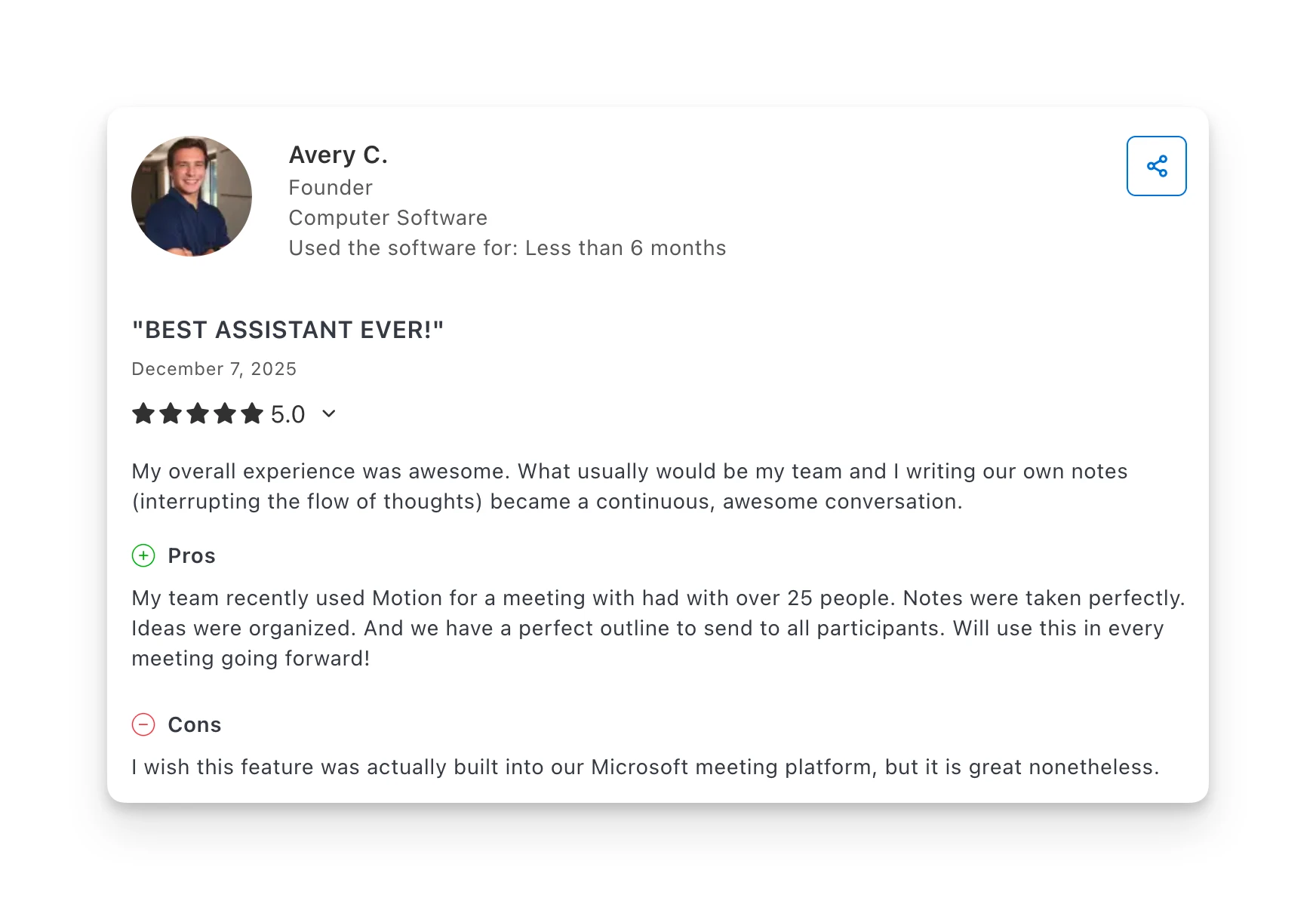
"My overall experience was awesome. What usually would be my team and I writing our own notes (interrupting the flow of thoughts) became a continuous, awesome conversation... My team recently used Motion for a meeting with over 25 people. Notes were taken perfectly. Ideas were organized." — Capterra review, December 2025
Common complaints:
"I've tried motion several times and each time love it and am so frustrated at the same time. So many basic things it fails at. Yet they chase huge new projects before fixing simple issues or gaps in features." — Reddit user, January 2026
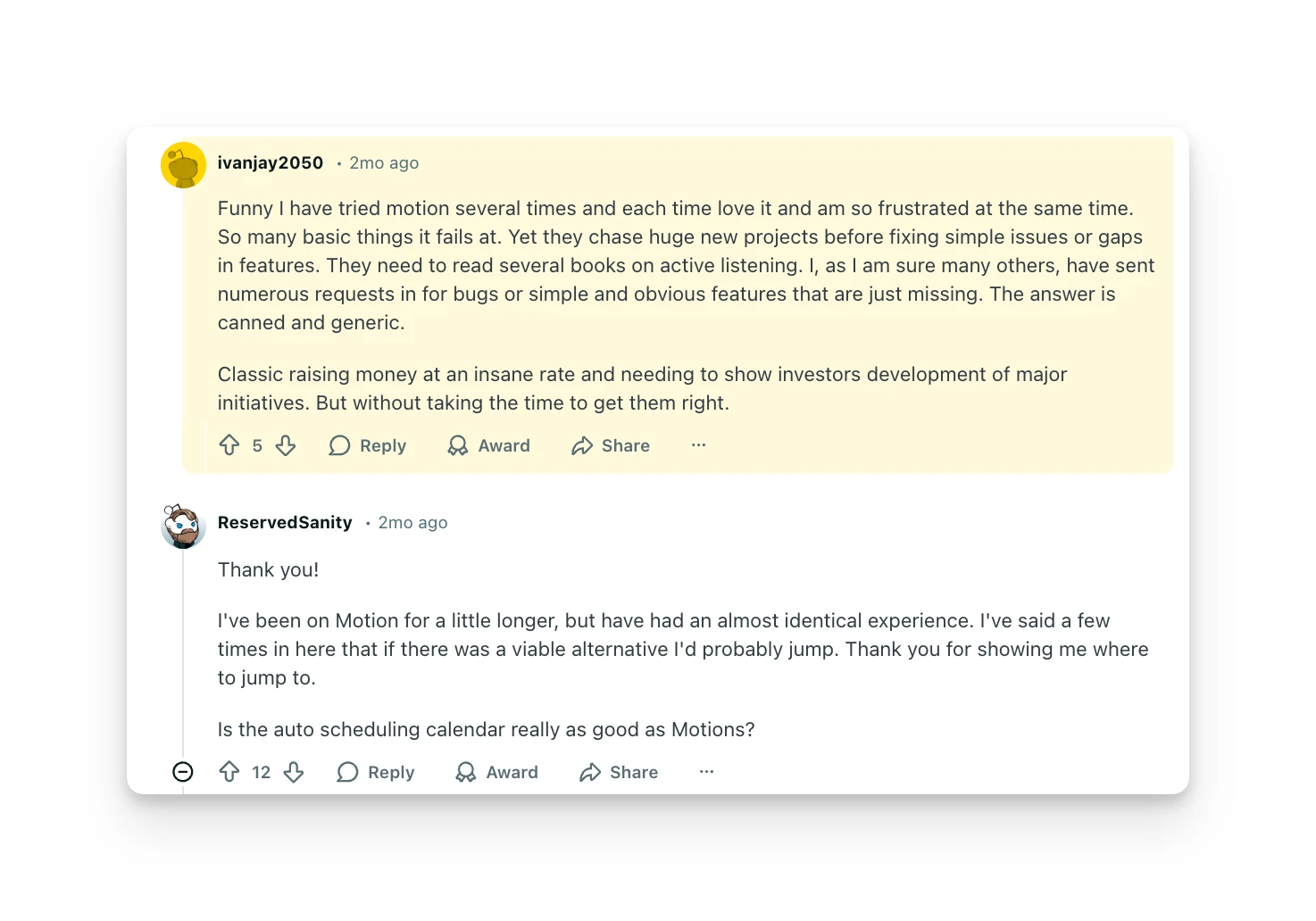
The overall Reddit sentiment is mixed to negative in 2025-2026. Users praise the core auto-scheduling but express frustration with pricing changes, feature bloat, and support responsiveness.
Omnia: A Motion Alternative
Omnia is an AI executive assistant—not a productivity app, not a chatbot you paste context into, not another tool in the stack. It's the person you've been doing the job of: someone who knows your calendar, your inbox, your commitments, and your preferences, and handles the coordination so you don't have to.
Where Motion focuses on when you'll do tasks, Omnia handles the upstream work that creates tasks in the first place: capturing meeting commitments, triaging email, and drafting follow-ups before you even think about them.
Key Features
Omnia fills the gaps left by Motion's scheduling-first approach:
Botless Meeting Capture
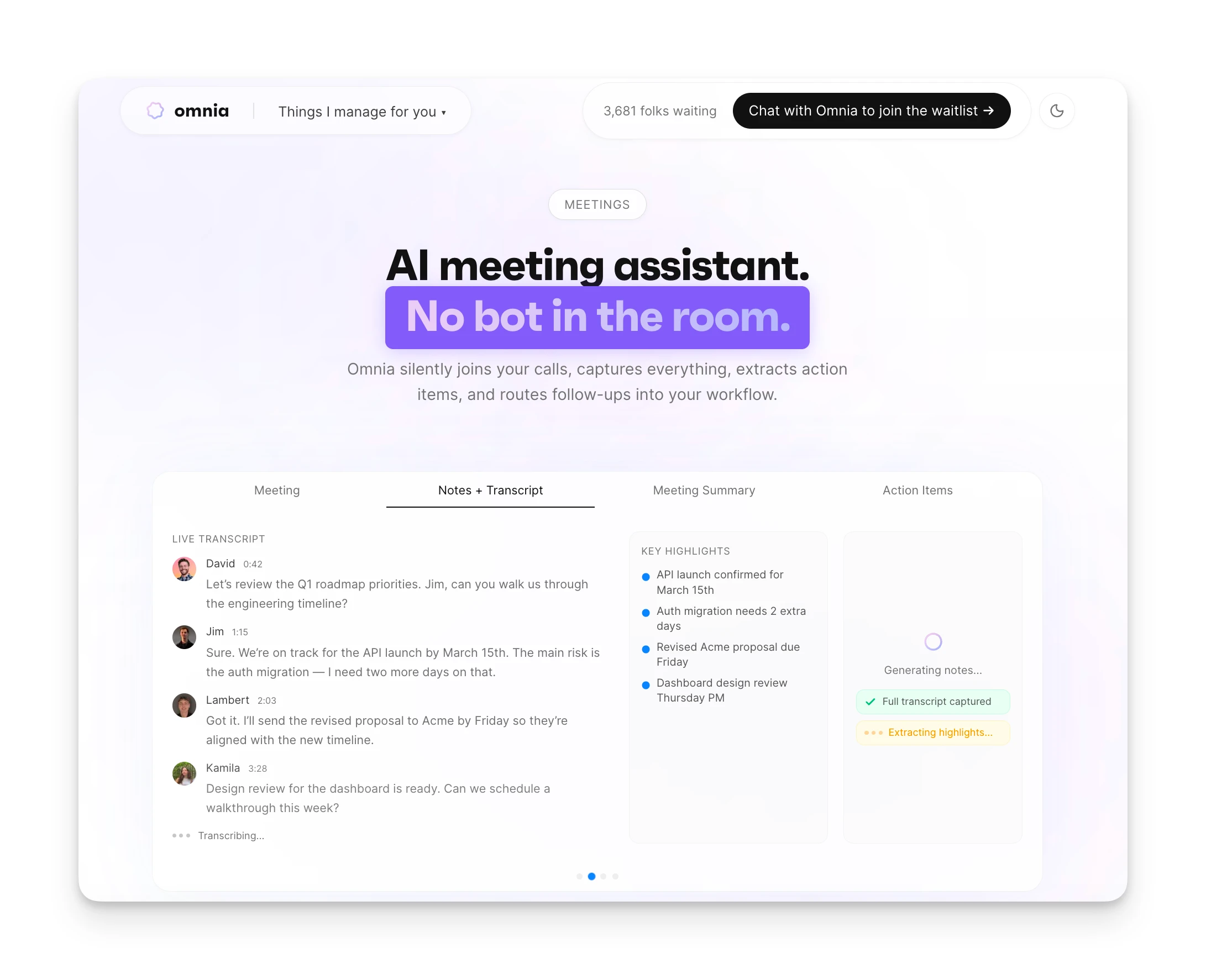
Motion's meeting assistant joins calls as a visible bot. Participants see "Motion Bot has joined," which can feel awkward in client meetings or sensitive conversations.
Omnia captures meeting transcripts and action items without joining as a visible participant. Your meetings stay natural while you get full documentation. Action items flow directly into your task system without manual copying.
Collaborative Planning Workspaces
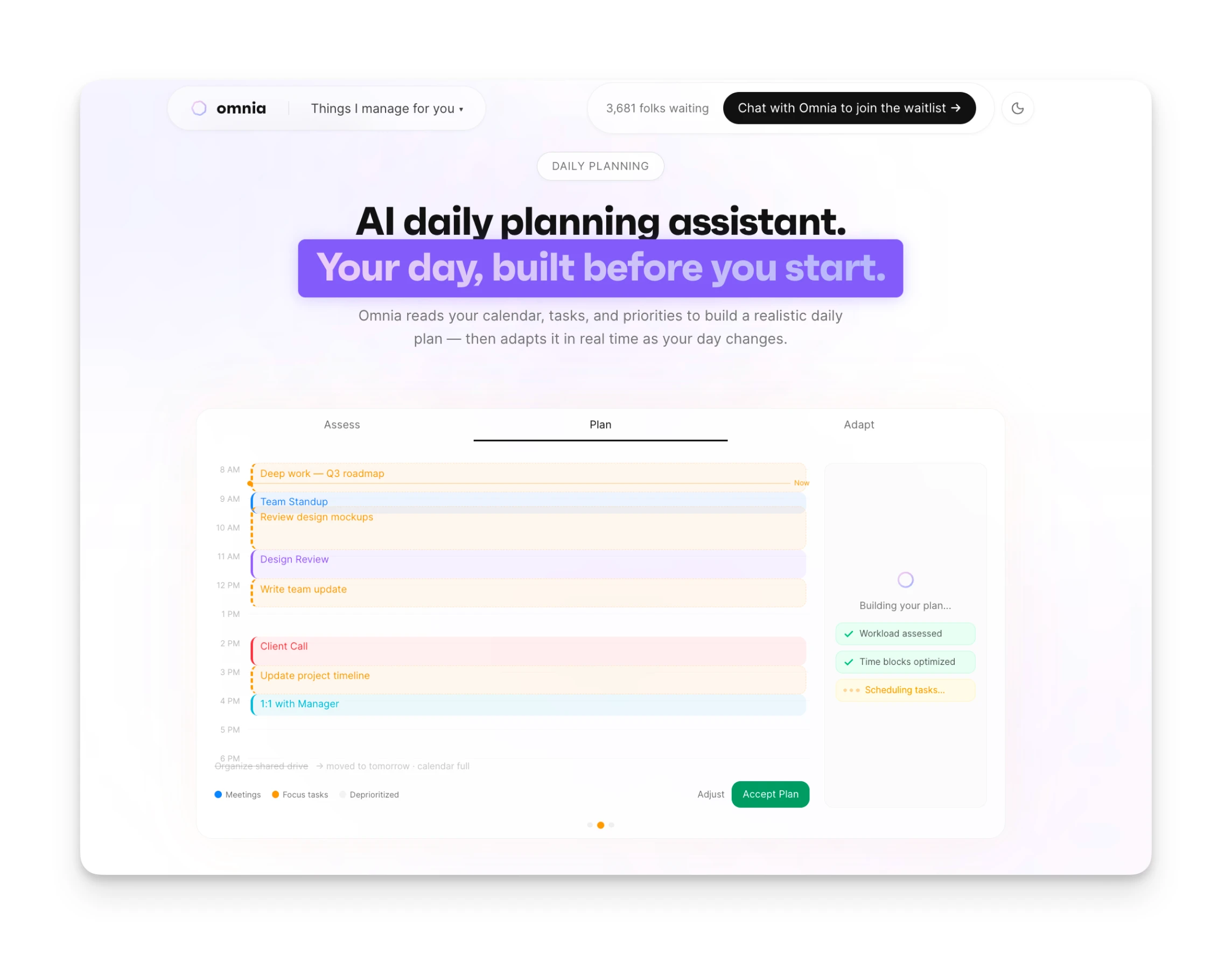
Motion schedules tasks automatically, but you're often reacting to what it decides. When you disagree, you're manually overriding the AI's choices.
Omnia thinks with you, not at you. When it needs your input, it opens purpose-built collaborative workspaces—a planning view, a task triaging board, a calendar layout—where you and the assistant work side by side. Decisions you make in those spaces feed directly back into what Omnia knows about you. Over time, it earns autonomy by proving it understands how you think and decide.
Automatic Action Item Extraction
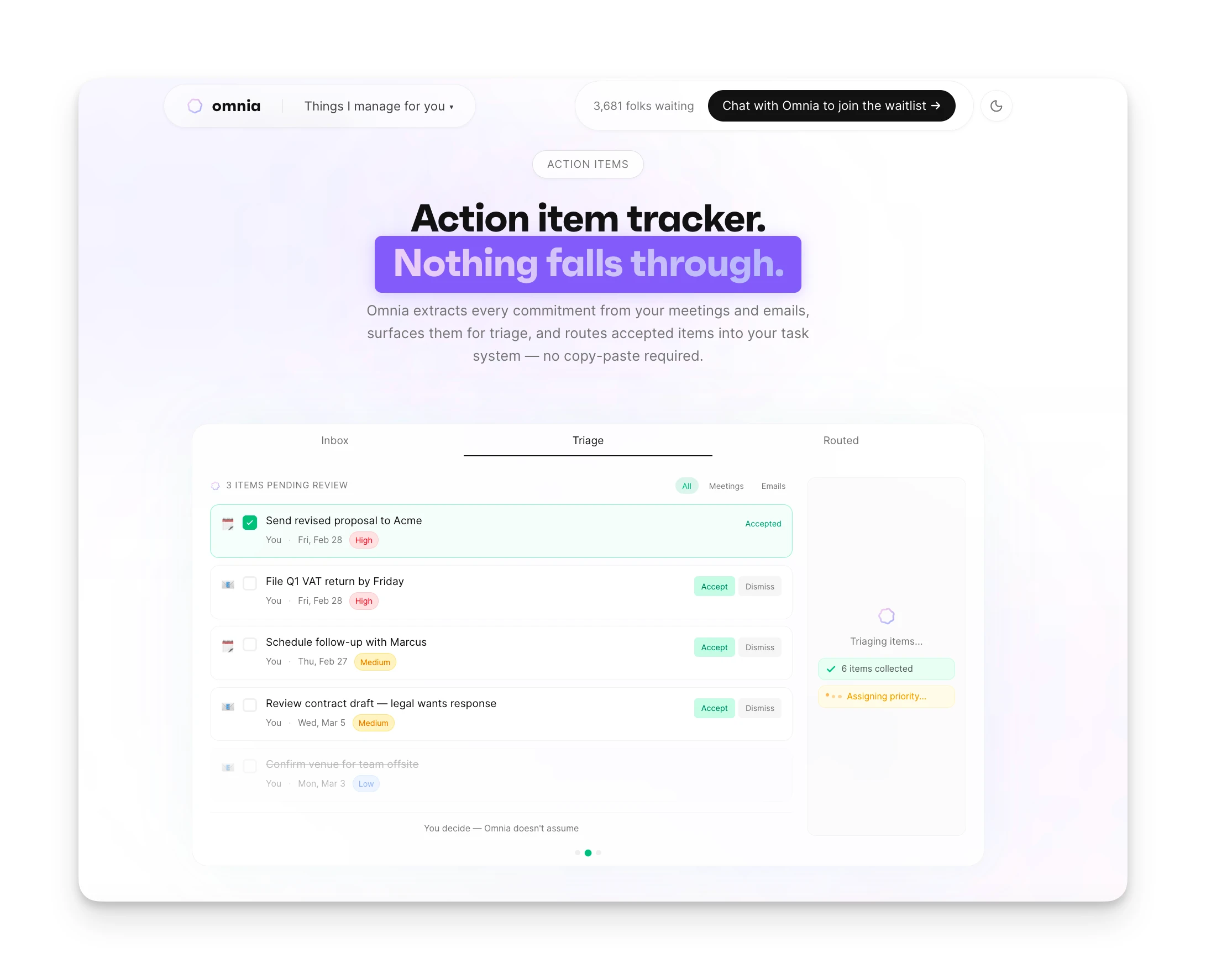
Motion requires you to create tasks manually before it can schedule them. The AI scheduling is powerful, but someone still needs to define what needs doing.
Omnia monitors your meetings and extracts commitments automatically. When someone says "Can you send me that report by Friday?" in a meeting, Omnia catches it, creates the task, and adds it to your calendar. Nothing lives in a silo. Meeting commitments, email action items, and calendar blocks all feed into the same knowledge layer.
This is the difference between a tool you use and an assistant that works for you.
| Feature | Motion | Omnia ($20/mo) |
|---|---|---|
| AI task scheduling | Yes (core feature) | Yes |
| Meeting transcription | Yes (joins as bot) | Yes (botless capture) |
| Collaborative planning workspaces | No | Yes |
| Auto-extracted action items | Partial | Yes |
| Follow-up email drafts | No | Yes |
| Background monitoring & proactive action | No | Yes |
| Calendar integration | Yes | Yes |
| Credit-based limitations | Yes | No |
Where Omnia Shines
- Botless meeting capture — no visible bot in participant list
- Action items extracted automatically and flow into tasks
- Email triage and draft generation included
- No credit-based limitations on usage
Where Omnia Falls Short
- Newer product with fewer integrations than Motion
- No standalone auto-scheduling without human input
- Waitlist — not immediately available to all users
Who Omnia Is Best For
Busy professionals who go to a lot of meetings: If your day is full of calls and emails, Omnia captures the coordination work so nothing slips through the cracks. Founders, entrepreneurs, freelancers, and professionals who act as their own executive assistant every day get immediate relief—one person, no team buy-in required.
Omnia handles your calendar, email, and tasks before you even start your day
Free forever. No credit card required.
Motion Verdict: Is It Worth It?
Motion delivers on its core promise: AI that actually schedules your tasks instead of just helping you do it manually.
If you're disciplined enough to add tasks with realistic deadlines and durations, Motion will build a workable schedule for you. The "Reschedule All" feature alone can save hours of calendar management per week.
But Motion in 2026 is a product in transition. The company is chasing bigger customers with enterprise features, AI Employees, and a "SuperApp" vision. Long-time individual users feel the product has lost focus.
Motion is worth it if:
- You want true AI auto-scheduling, not just suggestions
- You're comfortable with the $19-29/month price point
- You'll use the project management features
- You want calendar, tasks, and projects in one tool
Look elsewhere if:
- You want a free option (Motion has none)
- You need robust team collaboration at scale
- You're frustrated by complex pricing and feature limitations
- You prefer tools that do one thing exceptionally well
When your day changes, Omnia replans around what matters most
Free forever. No credit card required.
Motion FAQs
Does Motion Have a Free Plan?
No. Motion offers only a 7-day free trial. After that, plans start at $19/month (annual) or $29/month (monthly).
Does Motion Work With Google Calendar?
Yes. Motion has two-way sync with Google Calendar, Outlook 365, and iCloud. Changes in either direction sync automatically.
Can Teams Use Motion?
Yes. Team plans start at $19/seat/month with a minimum of 3 seats. Team features include capacity planning, workload visualization, and shared project views.
Does Motion Replace Project Management Tools?
Partially. Motion includes Gantt charts, Kanban boards, and project timelines. For small teams and simple projects, it can replace tools like Asana or Monday. For complex enterprise project management with advanced reporting, dedicated tools are still stronger.
How Does Motion Compare to Reclaim AI?
Both auto-schedule tasks on your calendar. Motion is more aggressive about scheduling and includes project management features. Reclaim focuses more on habit scheduling and integrates differently with existing tools. Motion costs more but offers broader functionality.
What Happens If I Miss a Deadline in Motion?
Motion warns you in advance when tasks are at risk of missing deadlines. If you miss one, the task remains on your list and can be rescheduled. The system doesn't delete or hide overdue items.
Can I Use Motion Offline?
Motion requires an internet connection for core functionality since the AI scheduling happens server-side. You can view your calendar offline through synced calendar apps, but task management and scheduling need connectivity.