Key Takeaways
- Otter AI transcribes meetings in real-time with automatic summaries, action items, and speaker identification across Zoom, Google Meet, and Teams.
- Pricing starts at $8.33/month (annual) or $16.99/month (monthly) for Pro. A free plan offers 300 minutes/month with 30-minute meeting caps.
- The visible bot joining meetings creates friction. Users report the OtterPilot participant showing up feels awkward in client calls.
- Reddit sentiment is mixed in 2026. Users praise transcription accuracy but complain about aggressive auto-join behavior and email spam to meeting participants.
Otter AI has been well known for its automatic meeting transcription in note-taking style.
It joins your video calls as a bot participant, captures everything said, and produces transcripts with speaker labels, summaries, and extracted action items. The AI Chat feature lets you search across meetings and ask questions about what was discussed.
Recently, Otter expanded beyond meetings into sales intelligence and CRM integrations, positioning itself as a productivity platform rather than just a transcription tool. The ambition has impressed some users but raised concerns about complexity and pricing.
This Otter AI review explores whether automated meeting transcription can solve that problem. Otter captures your calls, identifies speakers, and produces searchable transcripts with AI-generated summaries.
In this review, we'll cover:
- How Otter's transcription and summarization works
- Pricing across Free, Pro, Business, and Enterprise plans
- Real user feedback on accuracy, integrations, and limitations
- How Otter compares to alternatives for meeting capture
Otter AI at a Glance
| Otter AI | |
|---|---|
| Best for | Professionals who attend frequent meetings and want automatic transcription with searchable archives |
| Standout feature | Real-time transcription with speaker identification and AI-generated summaries |
| Price | Free (300 min/month); Pro $8.33-16.99/month; Business $19.99-30/month |
| Pros | Reliable transcription, generous free tier, broad integrations, established platform, mobile recording |
| Cons | Visible bot creates friction, aggressive auto-join behavior, action items siloed from workflows |
| Transcription | Real-time with speaker identification, up to 95% accuracy claimed |
| AI Features | Automated summaries, action item extraction, AI Chat for searching transcripts |
| Integrations | Zoom, Meet, Teams, Slack, Salesforce, HubSpot, Zapier, 40+ tools |
| Collaboration | Channels for team organization, shared transcripts, comments |
What Is Otter AI?
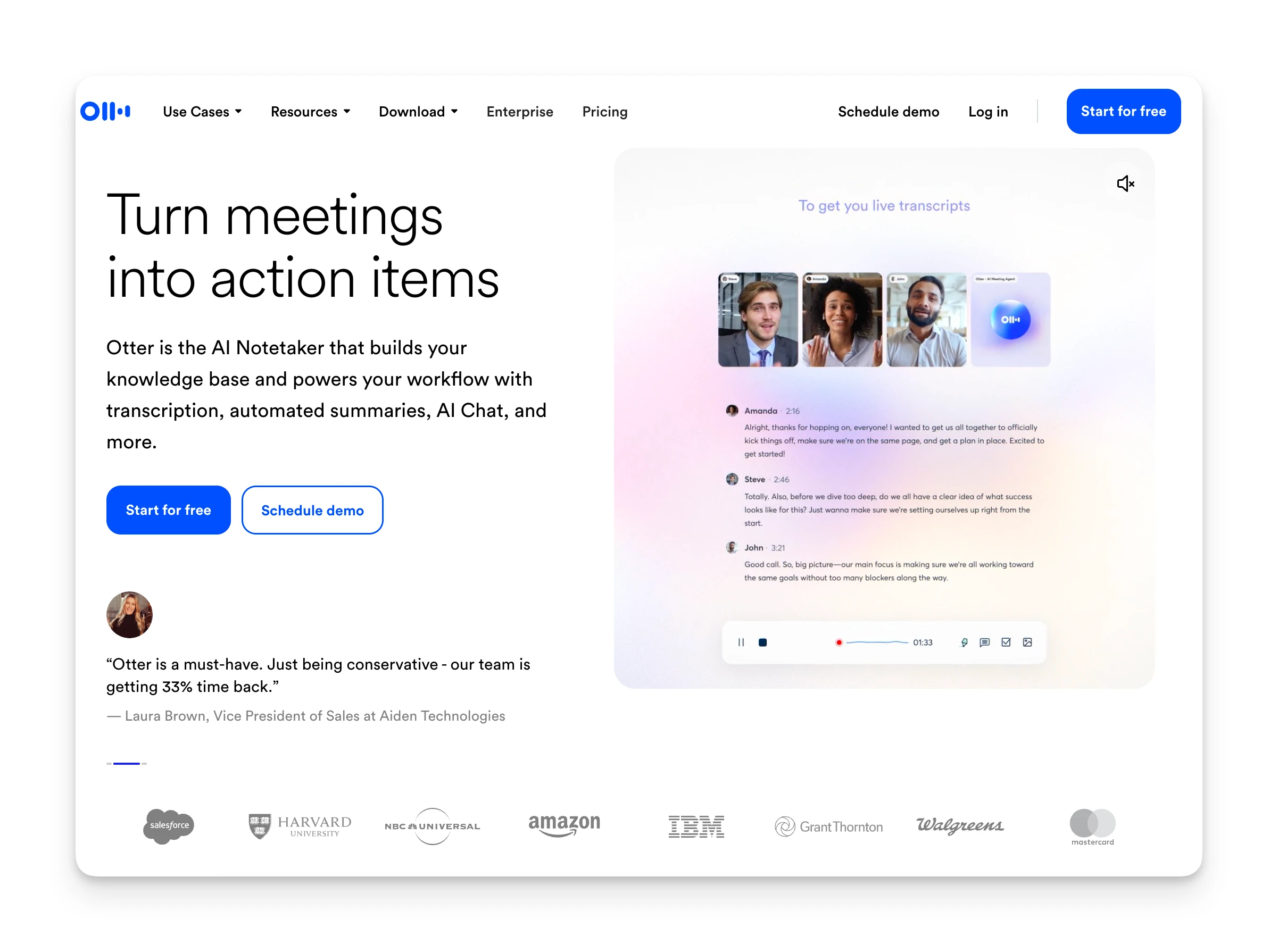
Otter AI is an AI-powered meeting assistant that records, transcribes, and summarizes your video calls. It works across Zoom, Google Meet, and Microsoft Teams.
At its core, Otter is a transcription tool with collaboration features layered on top. You get real-time text as people speak, automatic speaker identification, and AI-generated meeting notes. The platform has expanded to include sales-specific features like CRM sync and conversation intelligence.
With over 15 million users and 1 billion meetings transcribed, Otter is one of the most widely adopted tools in the category.
Who Is Otter AI Best For?
Otter works best for people who attend frequent meetings and want a searchable record of what was said.
Back-to-back meeting marathoners: If you're in 4-5 meetings daily with no time to process between calls, Otter captures everything so you can review later. One PM noted cutting documentation time by 60% using Otter for group calls.
Sales teams needing conversation records: Otter's CRM integrations automatically log call data to Salesforce, HubSpot, and other platforms. Sales insights get extracted without manual entry.
Content creators and journalists: Interview transcription is Otter's sweet spot. One Trustpilot reviewer described it as "a game-changer for transcribing interviews, literally saved 1000's of hours."
Teams that need shared meeting records: Otter's Channels feature organizes transcripts by team or project, making meeting history accessible to people who weren't on the call.
Who should look elsewhere:
- Privacy-conscious professionals: Otter's bot joins as a visible participant, which can feel intrusive in sensitive meetings.
- People wanting botless capture: If you need meeting notes without anyone knowing, Otter's approach won't work.
- Users needing action item follow-through: Otter extracts tasks but doesn't connect them to your task manager or calendar. You'll still manually move items into your workflow.
Omnia: An Alternative
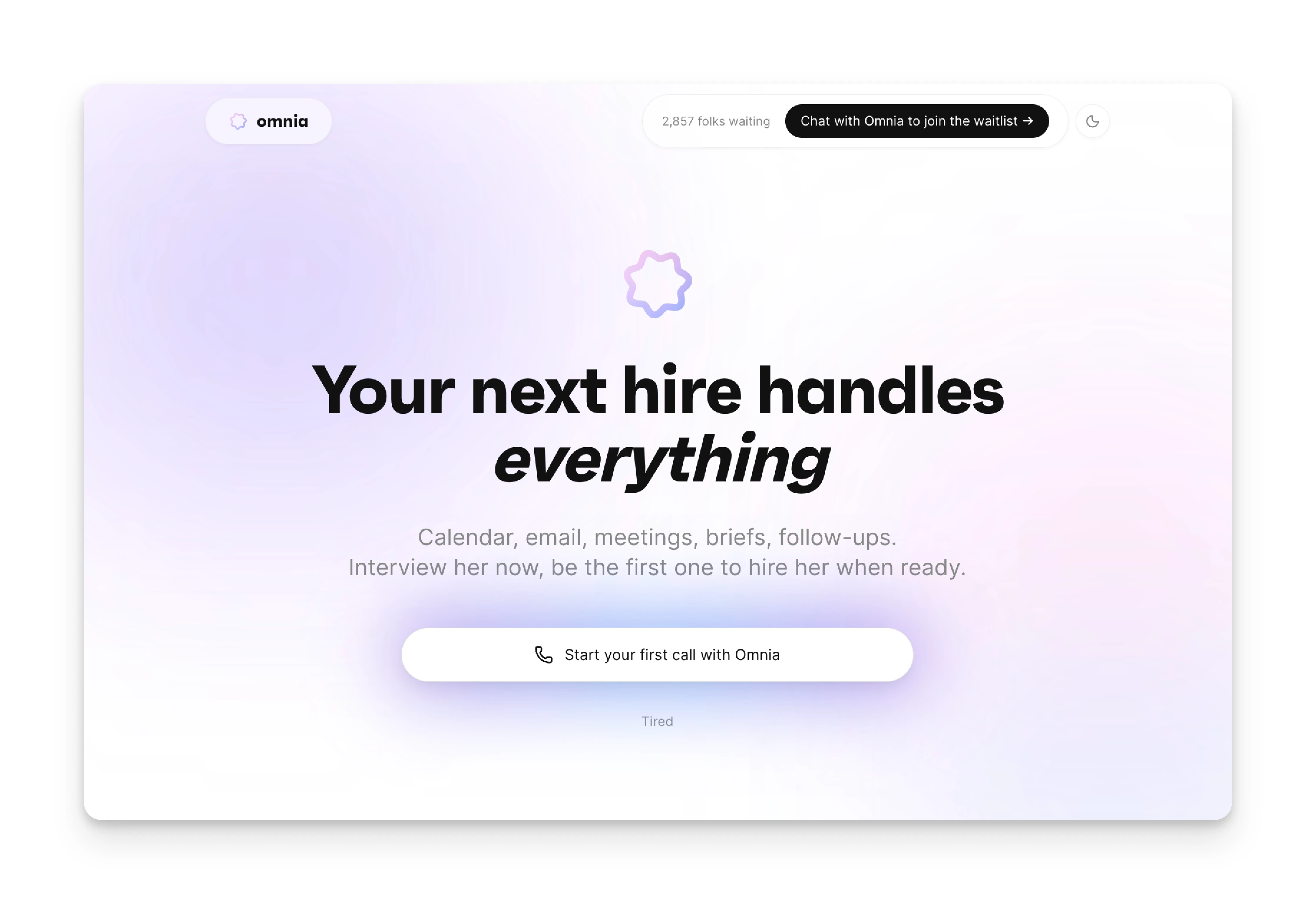
Otter captures your meetings, but the coordination work of turning those transcripts into done work still falls on you. If you need an AI executive assistant that handles meeting follow-through proactively, Omnia fills that gap.
- Botless meeting capture: Omnia records and transcribes without joining as a visible bot. Your meetings stay natural while you get full documentation and action items extracted automatically.
- Action items that flow into your workflow: Commitments are automatically extracted with assignees and due dates, then surfaced in a triage workspace where you accept, reject, or edit before they flow into your tasks.
- Works across all your tools: Omnia monitors your calendar, email, and tasks in the background. Your inbox is triaged before you open it. An overloaded week gets flagged before it's too late.
| Tool | Price | Features |
|---|---|---|
| Omnia | Free / $20/mo | Botless meeting capture, auto action items, email triage, background monitoring |
| Otter AI | $8.33-30/month | Real-time transcription, AI summaries, CRM integrations, visible bot participant |
Omnia turns meeting notes into action — no copy-paste, no context switching
Free forever. No credit card required.
Otter AI Key Features
Here are the key features that make Otter AI stand out in the meeting assistant space:
Live Transcription
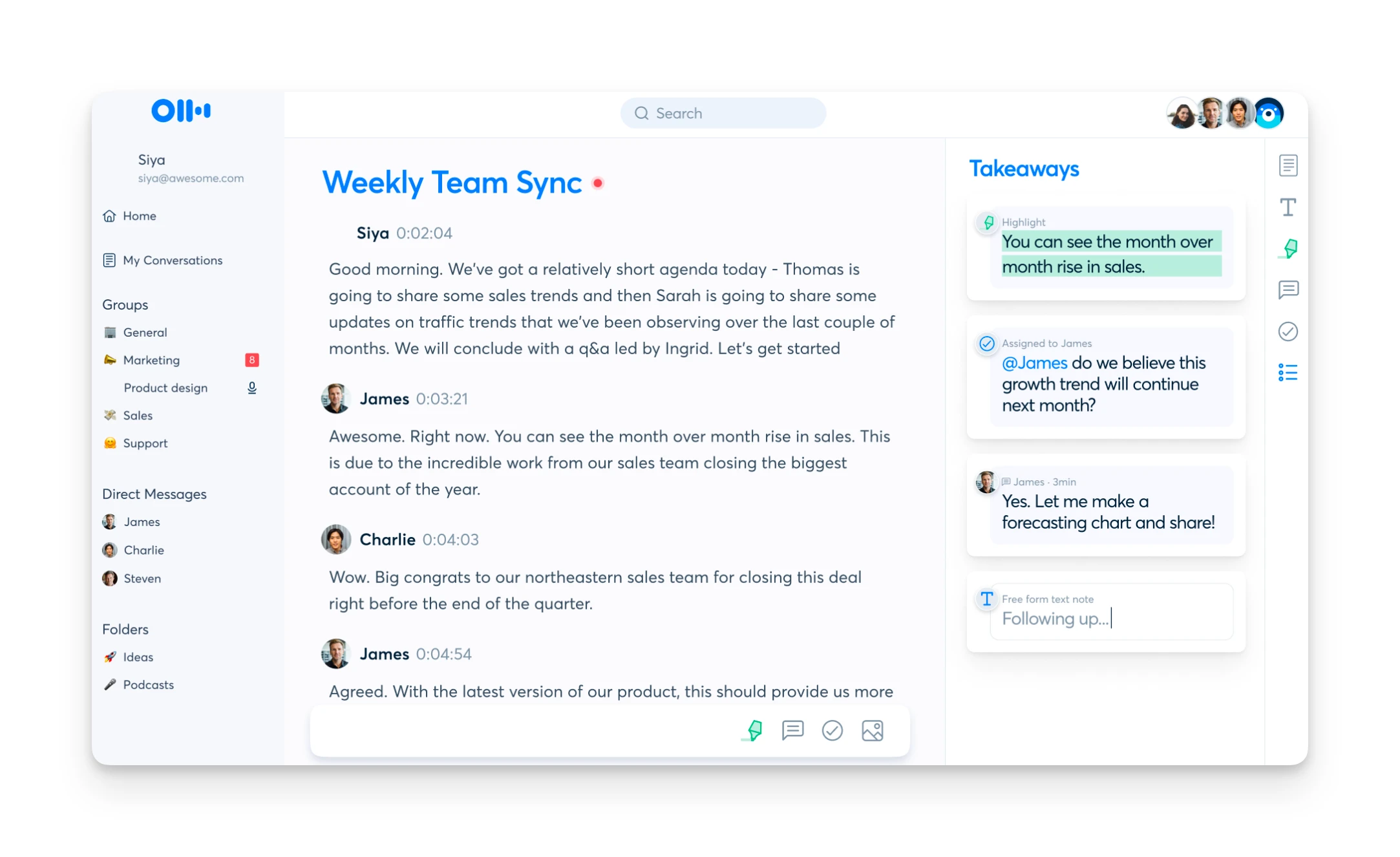
Otter's real-time transcription is the core feature. As participants speak, text appears on screen with speaker identification. The system claims up to 95% accuracy and supports multiple languages.
The transcription quality varies by audio conditions. Users consistently praise accuracy in clear, one-on-one conversations. In a Reddit comparison test, one user rated Otter at "8/10 — solid, but misses some multi-speaker context."
For English-language meetings with good audio, Otter performs well. For multilingual meetings or heavy accents, results can be inconsistent. The same comparison noted that while Otter handles accents decently, it struggles more with crosstalk and overlapping speakers.
Automated Summaries & Action Items
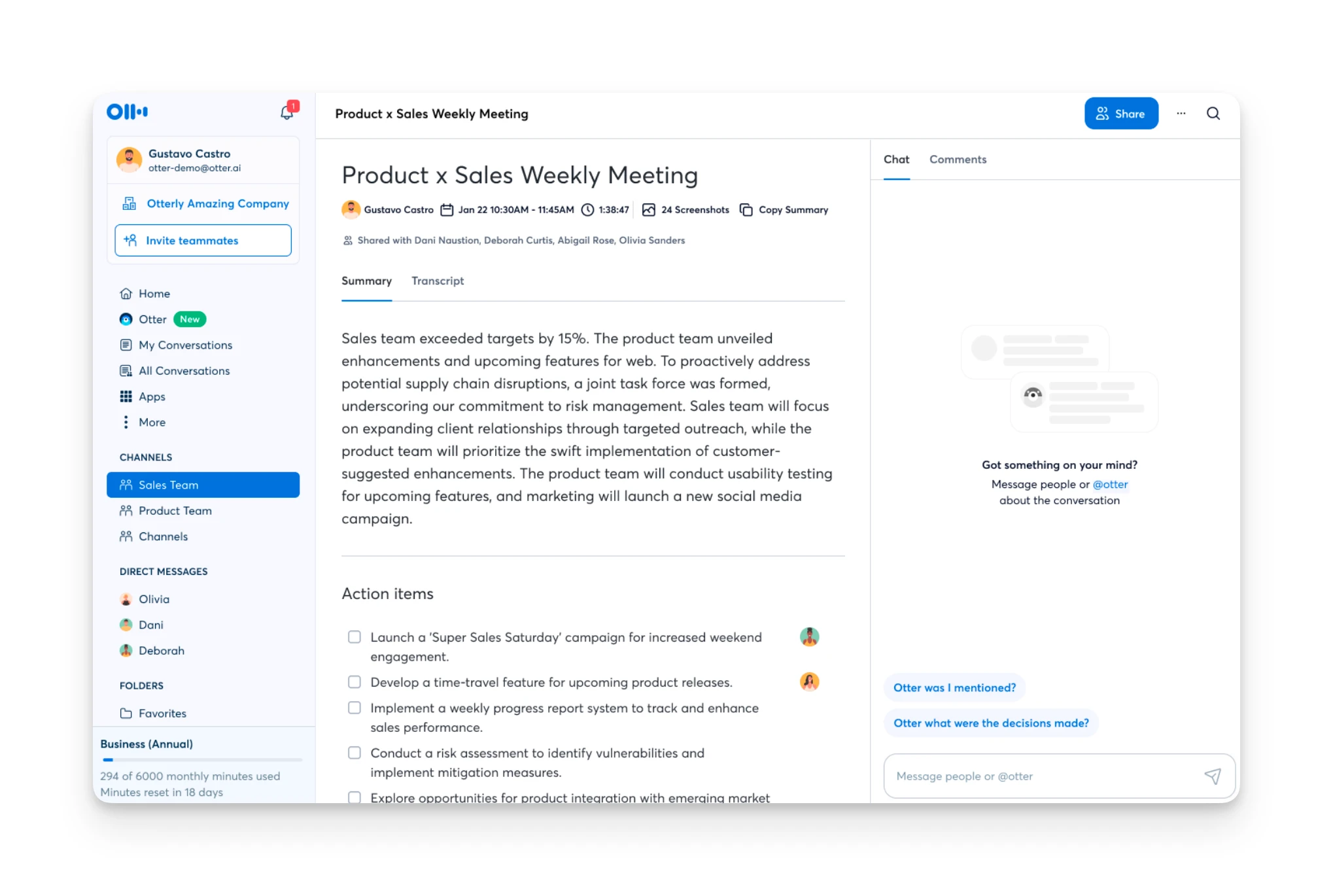
After each meeting, Otter generates a structured summary with key discussion points, decisions, and action items. The AI identifies who said what and attempts to extract tasks with assignees.
The summary quality is a mixed bag. In a detailed Reddit comparison, one user described Otter's post-call insights as "simple but generic meeting summary" and rated action item detection at just 2 out of 4 stars, calling it "basic detection" compared to competitors.
That said, for straightforward meetings, the summaries provide a useful starting point. You'll likely need to review and edit rather than blindly trust the output.
OtterPilot Auto-Join
OtterPilot is Otter's automatic meeting attendance feature. Once you connect your calendar, the bot joins your Zoom, Meet, or Teams calls automatically and starts recording.
The bot appears as a visible participant named "[Your Name] Notetaker (Otter.ai)." The meeting host may need to admit it from the waiting room.
This is Otter's most divisive feature. The convenience of automatic capture comes with social friction. Users report that "the bot joining calls and usage limits are starting to feel like friction," with many looking for alternatives that "stay out of the participant list."
The bot behavior also has privacy implications. By default, Otter shares meeting links with participants, which has led to complaints about "confusion for those who don't know what it is" and loss of control over when the bot joins.
AI Chat
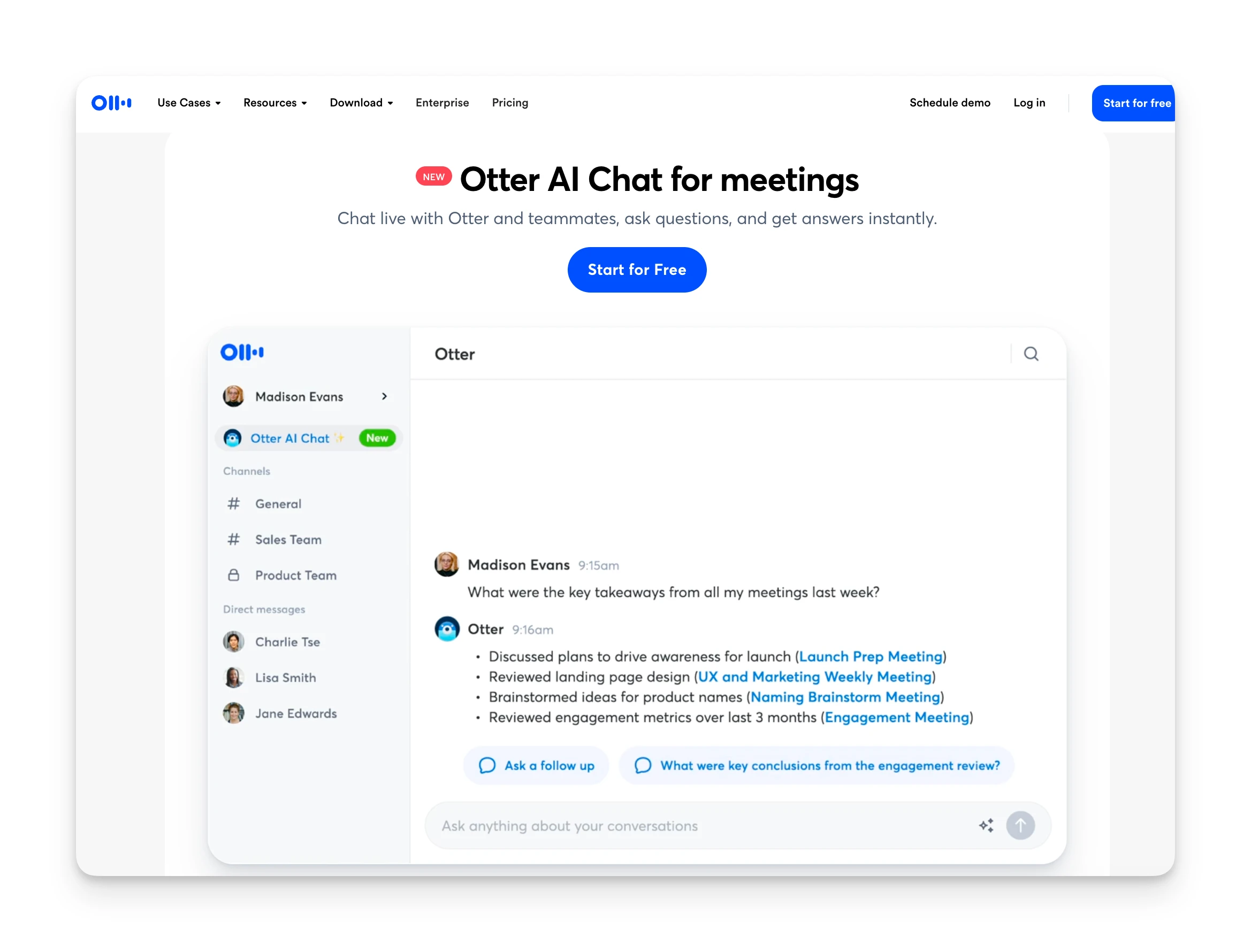
Otter's AI Chat lets you search across all your meeting transcripts and ask questions about what was discussed. Type queries like "what did we decide about the timeline?" or "write a follow-up email based on this meeting."
The feature is useful for finding specific information across a large transcript library. However, like most transcription tools, it captures what was said but may miss the "why" or "how" behind decisions.
Otter AI Additional Features
Channels
Channels organize your meeting transcripts by team, project, or topic. Create a channel for a specific client or department, and relevant meetings get grouped together.
This is more useful for teams than individuals. If multiple people on your team use Otter, Channels provide shared access to meeting history without forwarding transcripts.
Voice Commands
"Hey Otter" activates voice queries during or after meetings. You can ask questions about the transcript without touching your keyboard.
The feature works but isn't a game-changer. Most users find the text-based AI Chat more practical.
File Import
Upload audio and video files for transcription. Free users get 3 lifetime imports. Pro gets 10/month. Business and Enterprise get unlimited.
File import is essential if you have recordings from other sources or need to transcribe archived content.
Otter AI Integrations & API
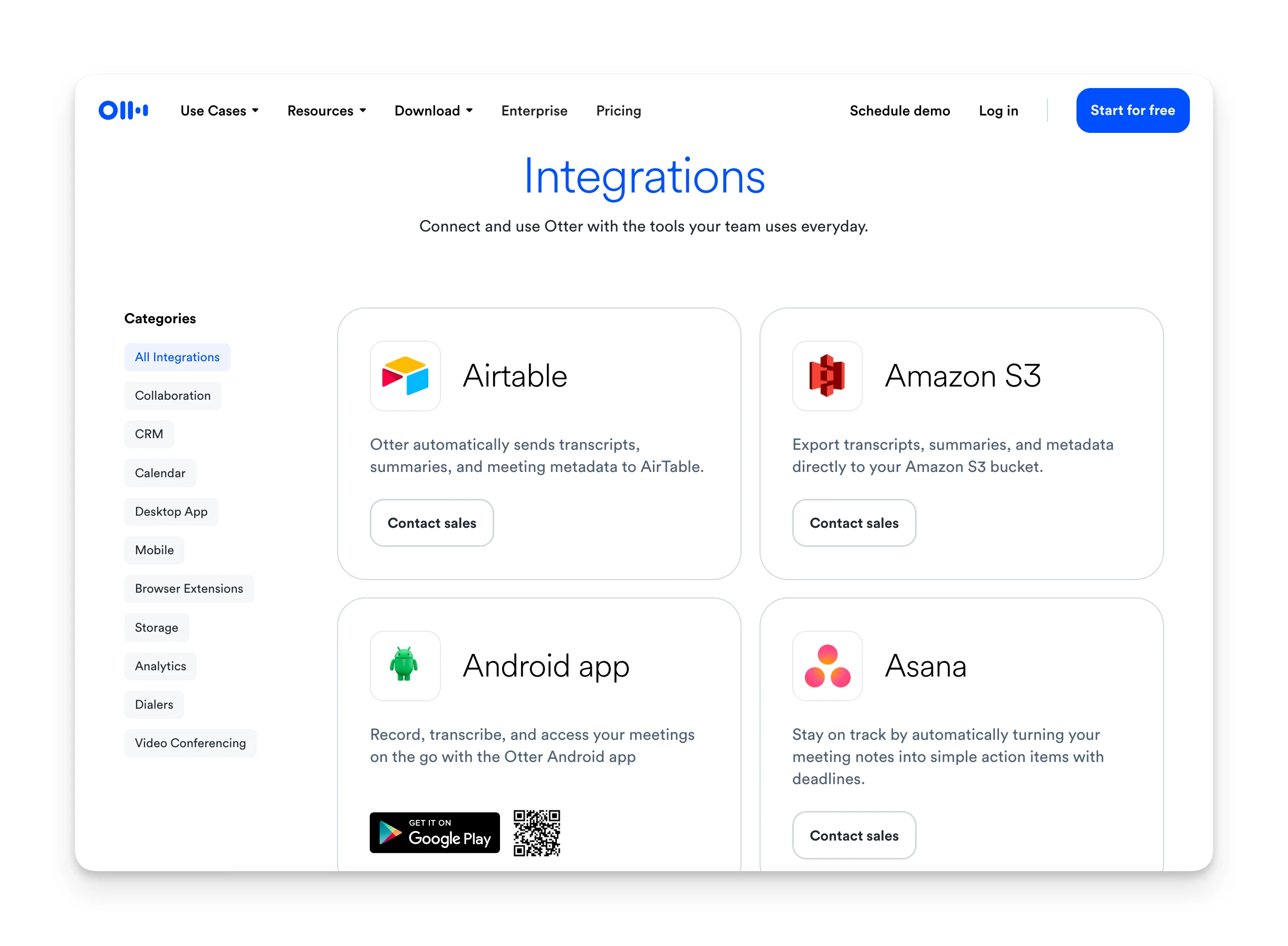
Otter connects to the major productivity tools you'd expect:
Video conferencing: Zoom, Zoom Phone, Google Meet, Microsoft Teams, RingCentral
CRM: Salesforce, HubSpot, Microsoft Dynamics, Zoho, Outreach
Productivity: Slack, Notion, Asana, Jira, ClickUp, Monday.com
Storage: Google Drive, Dropbox, OneDrive, SharePoint, Amazon S3
Automation: Zapier, Snowflake, Airtable
The Zapier integration is particularly useful for connecting Otter to tools without native integrations. You can trigger actions when new transcripts are created or send summaries to specific destinations.
Otter AI Mobile App
Otter offers iOS and Android apps for recording and reviewing transcripts on the go.
The mobile apps work well for in-person recordings. Open Otter, hit record, and it captures audio with real-time transcription. This is useful for interviews, lectures, and meetings where you're not on a video call.
Mobile playback and search work smoothly. You can review transcripts, search across meetings, and share notes from your phone.
Complex editing and workspace management are better suited to the desktop or web app.
Otter AI Pricing
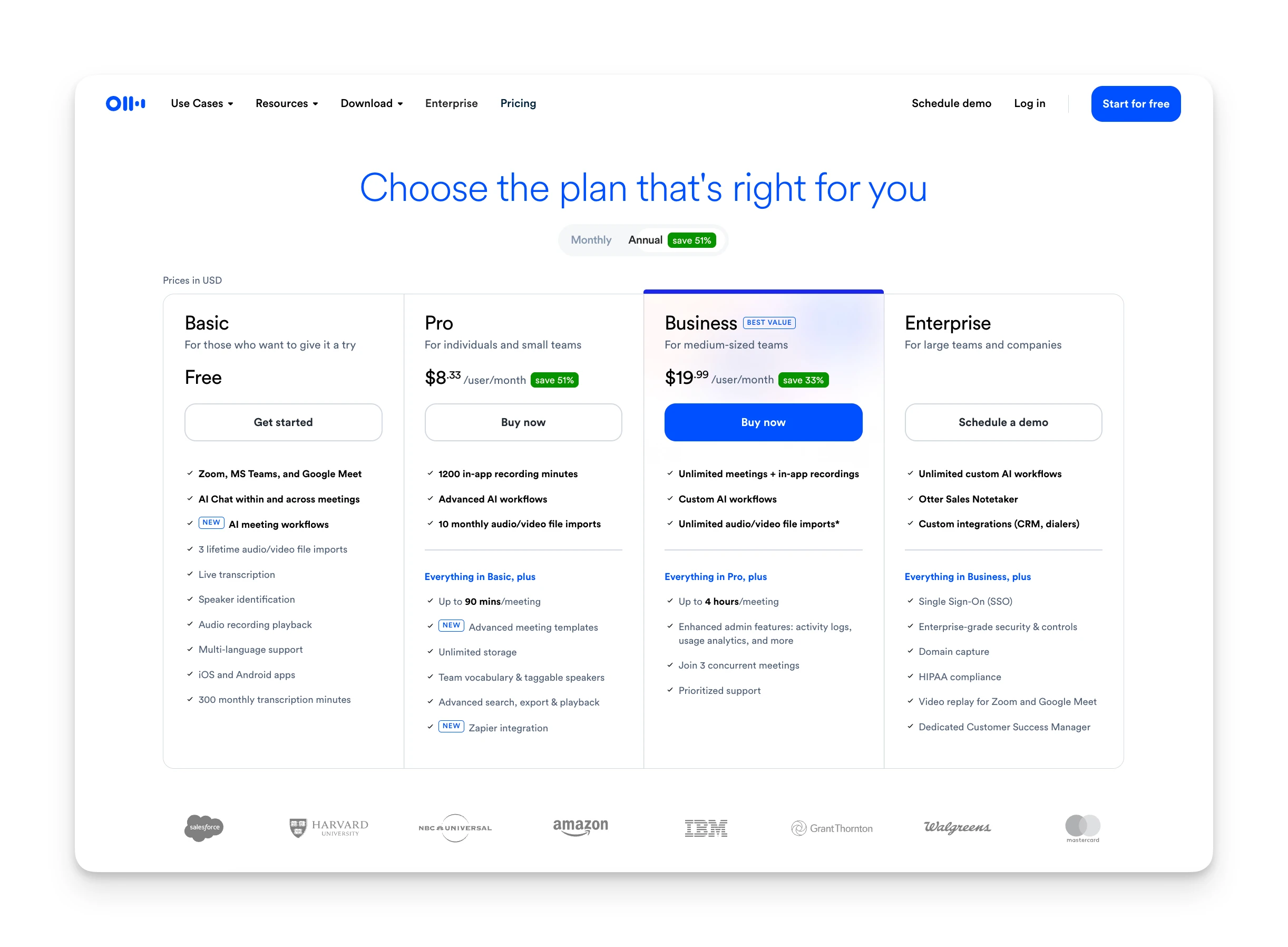
Otter's pricing is competitive for what you get, especially considering it combines transcription, AI summaries, and collaboration features.
Pricing Table
| Plan | Monthly | Annual | Key Limits |
|---|---|---|---|
| Basic (Free) | $0 | $0 | 300 min/month, 30-min max meetings, 3 file imports ever |
| Pro | $16.99/user | $8.33/user | 1,200 min/month, 90-min max, 10 file imports/month |
| Business | $30/user ($24 promo) | $19.99/user | Unlimited meetings, 4-hour max, 3 concurrent joins |
| Enterprise | Custom | Custom | Unlimited + SSO, HIPAA, dedicated support |
The free plan is genuinely usable for light meeting loads. 300 minutes per month with 30-minute meeting caps works for occasional use.
Pro removes the meeting duration cap (up to 90 minutes) and increases monthly minutes to 1,200. For most individual users, this is sufficient.
Business makes sense for teams needing unlimited recordings, longer meetings, and admin controls.
Student discount: 20% off Pro plans with a .edu email ($6.67/month annual).
Otter AI Pros & Cons
Where Otter AI Shines
- Reliable real-time transcription for English-language meetings
- Generous free tier: 300 minutes/month to try before paying
- Broad integrations with Zoom, Slack, Salesforce, and 40+ tools
- Mobile apps support in-person recording and review
- 15+ million users means a mature, well-supported platform
Where Otter AI Falls Short
- OtterPilot joins calls as a visible participant — social friction
- Aggressive auto-join behavior; some IT teams have blocked it entirely
- Action items extracted but siloed; manual copy to task tools required
- Accuracy drops with multiple speakers, accents, or noisy environments
Otter AI Customer Reviews
What users love:
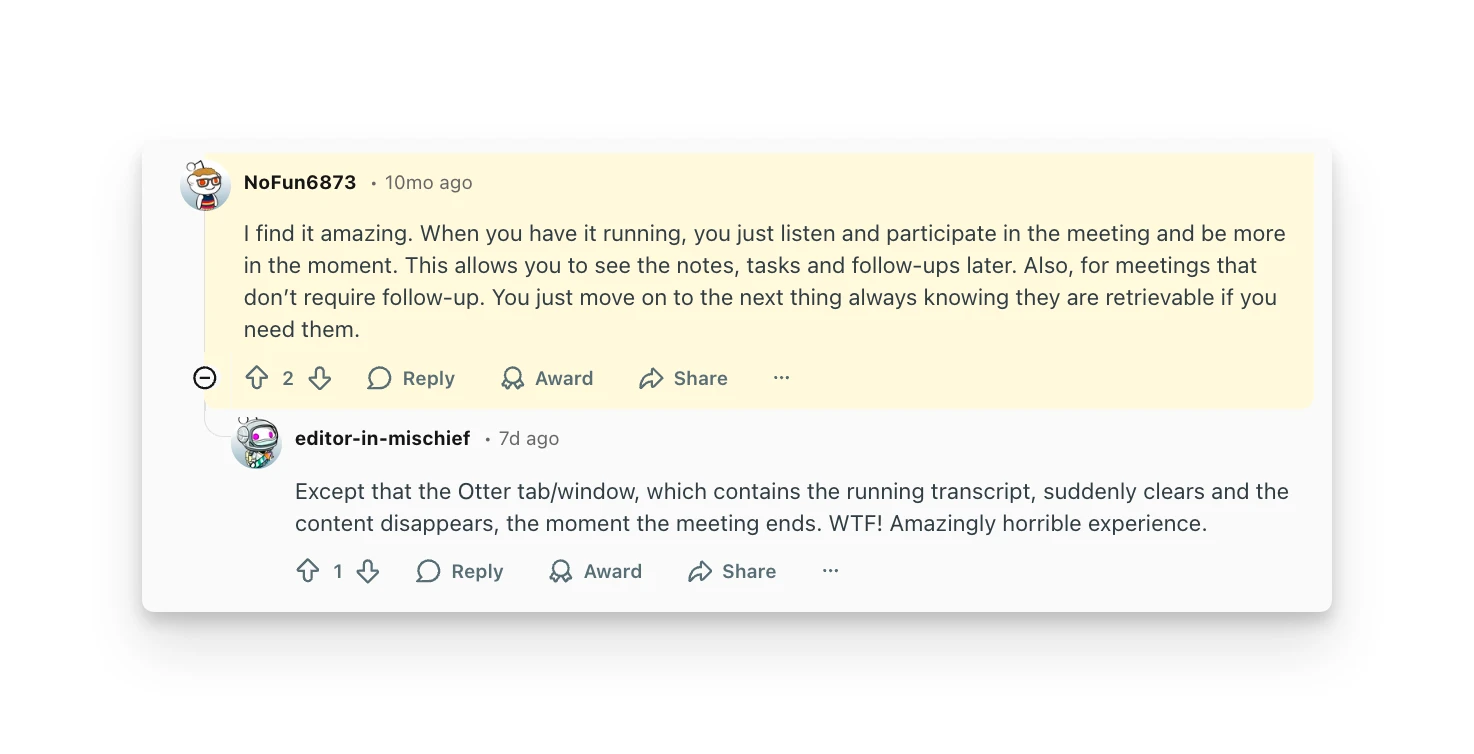
"I find it amazing. When you have it running, you just listen and participate in the meeting and be more in the moment. This allows you to see the notes, tasks and follow-ups later." — Reddit review, 2025
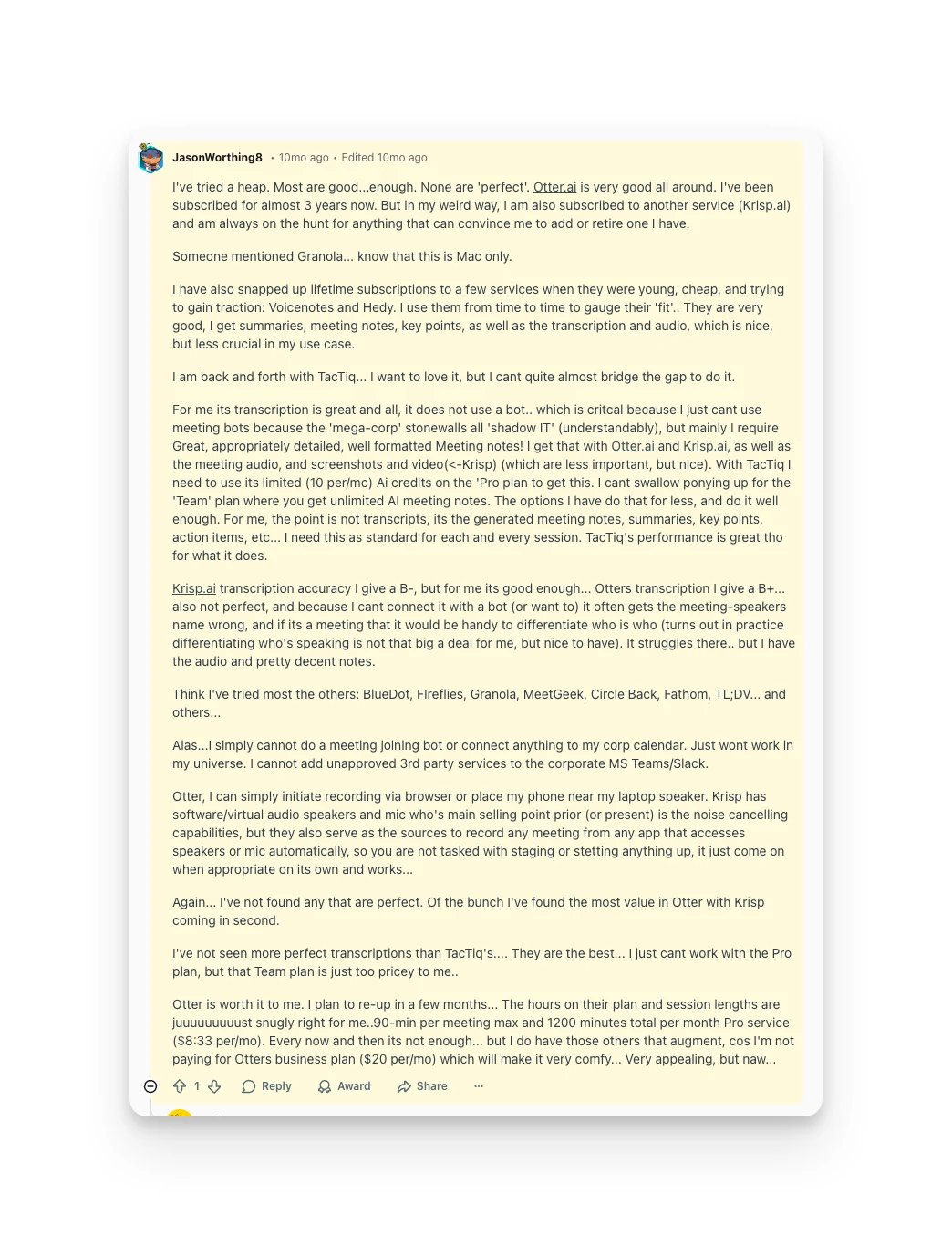
"Otter.ai is very good all around. I've been subscribed for almost 3 years now." — Reddit review, 2025
Common complaints:
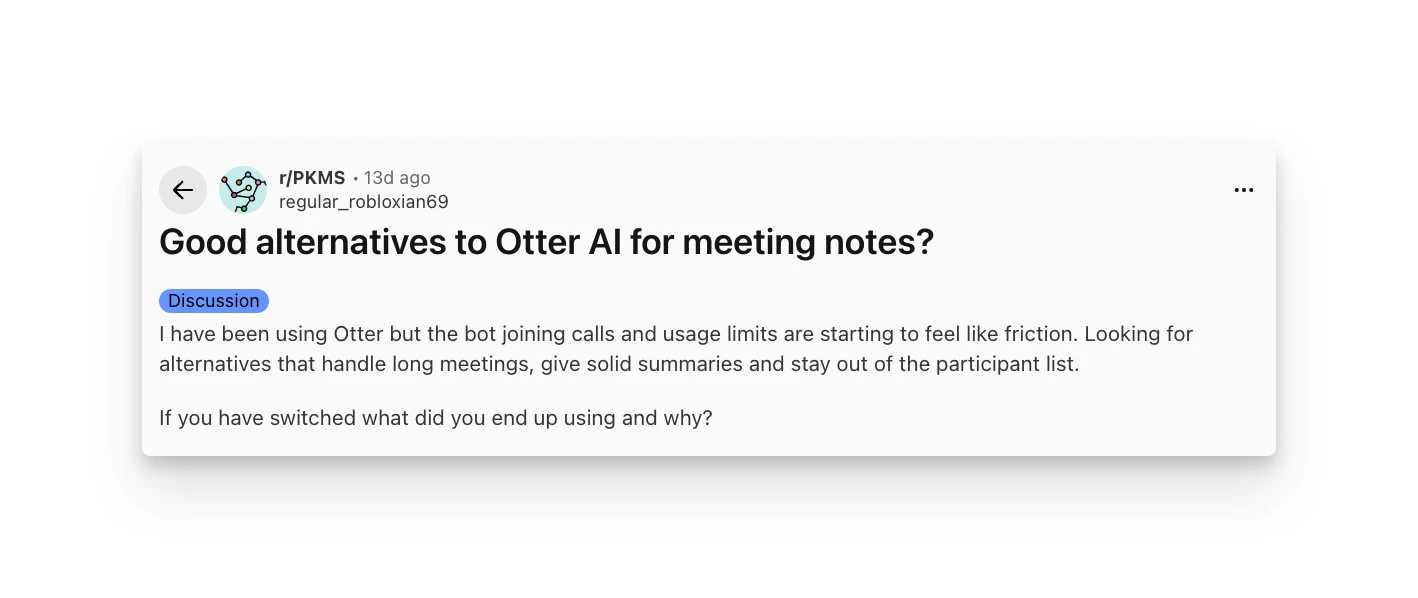
"I have been using Otter but the bot joining calls and usage limits are starting to feel like friction. Looking for alternatives that handle long meetings, give solid summaries and stay out of the participant list." — Reddit review, 2026
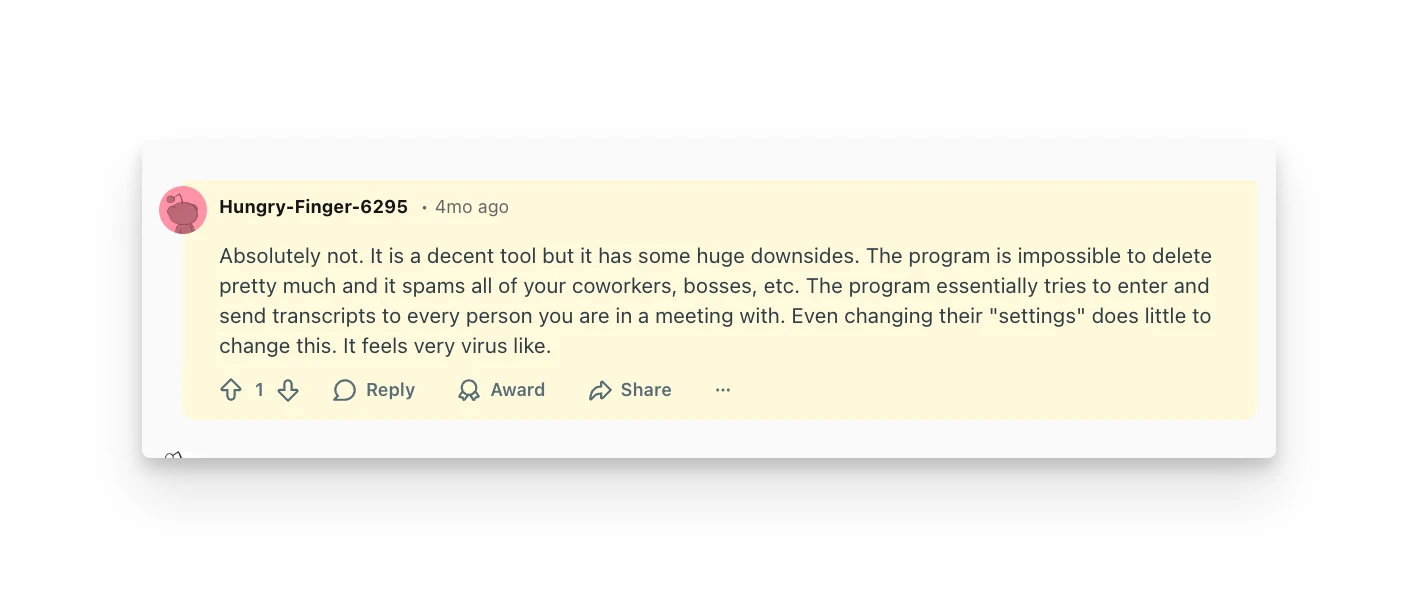
"The program essentially tries to enter and send transcripts to every person you are in a meeting with. Even changing their 'settings' does little to change this." — Reddit review, 2025
Reddit sentiment leans cautious in 2026. Long-time users appreciate the core transcription, but concerns about the bot's behavior and pricing have pushed some toward alternatives like Granola and Fireflies.
Omnia: An Otter AI Alternative
Otter AI gives you transcripts and summaries, but the coordination work of turning meeting discussions into done work still falls on you.
Omnia is an AI executive assistant that handles the upstream work: capturing meeting commitments, triaging them alongside your email and calendar, and surfacing what needs your attention without you hunting for it.
Key Differences
Meeting Capture Without a Visible Bot
- What Otter does: OtterPilot joins as a visible participant named "[Your Name] Notetaker (Otter.ai)." Other participants see the bot in the meeting.
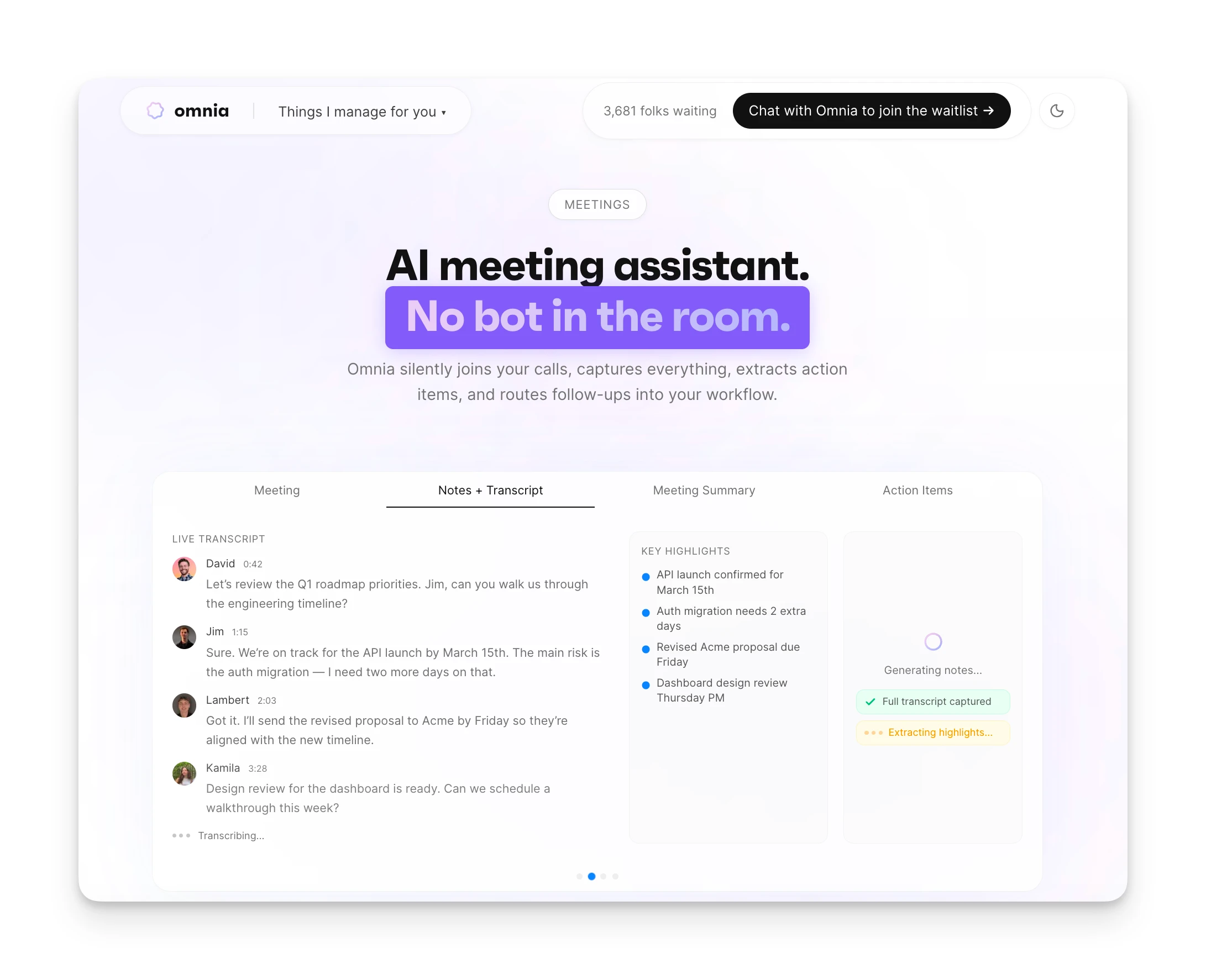
- What Omnia does differently: Omnia silently captures meetings without a visible participant. No bot in the room, no social friction, no explaining what the AI notetaker is to confused attendees.
- Specific benefit: You get full transcripts and summaries without changing the meeting dynamic.
Action Items That Flow Into Your Workflow
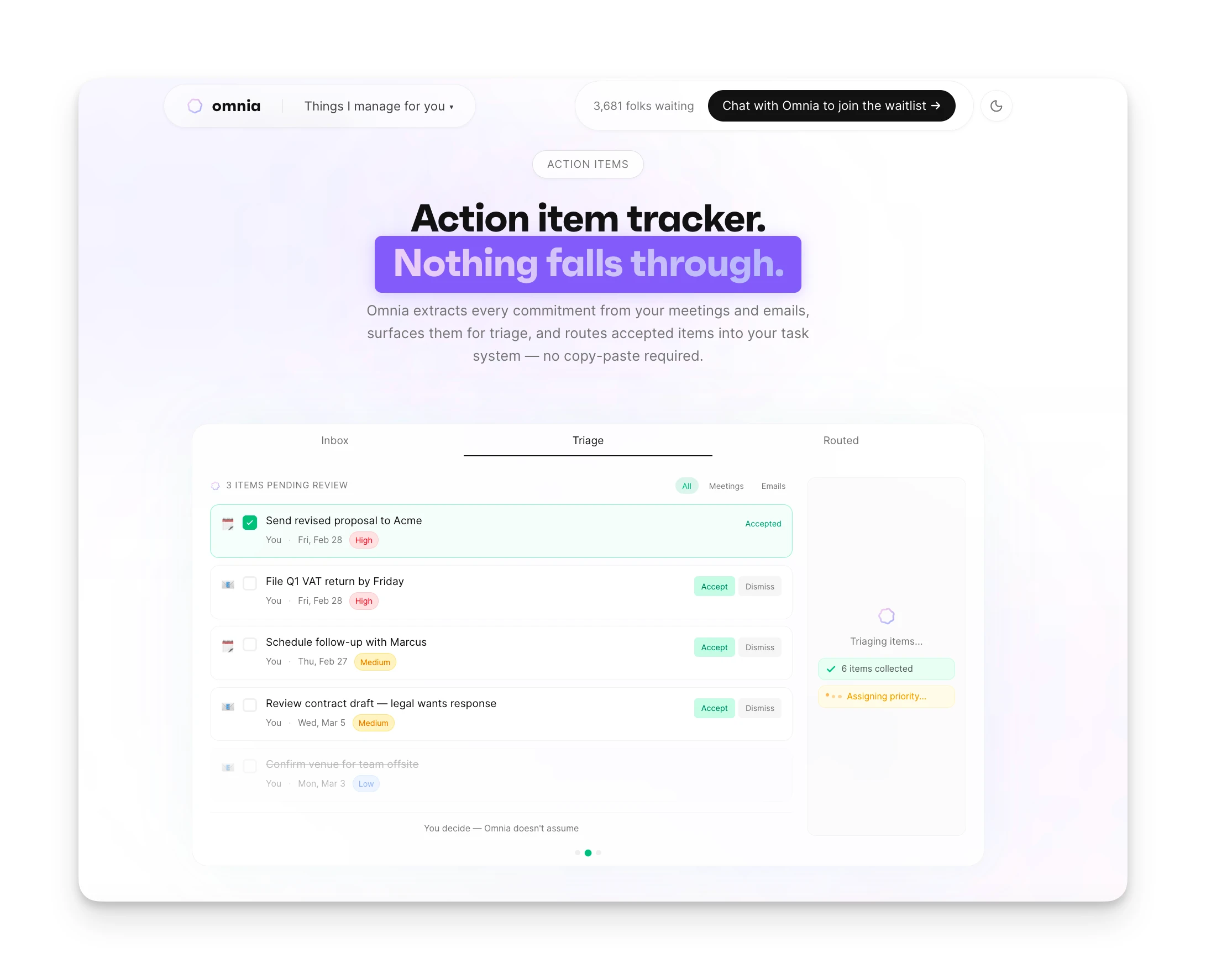
- What Otter does: Extracts action items into Otter's interface. You manually copy them to your actual task management tools.
- What Omnia does differently: Action items are automatically extracted with assignees, due dates, and priorities, then surfaced in a triage workspace. Accept, reject, or edit each one before it flows into your existing tasks.
- Specific benefit: Meeting follow-ups actually happen because they're already in your workflow, not siloed in a separate transcript tool.
Proactive Coordination Across All Your Work
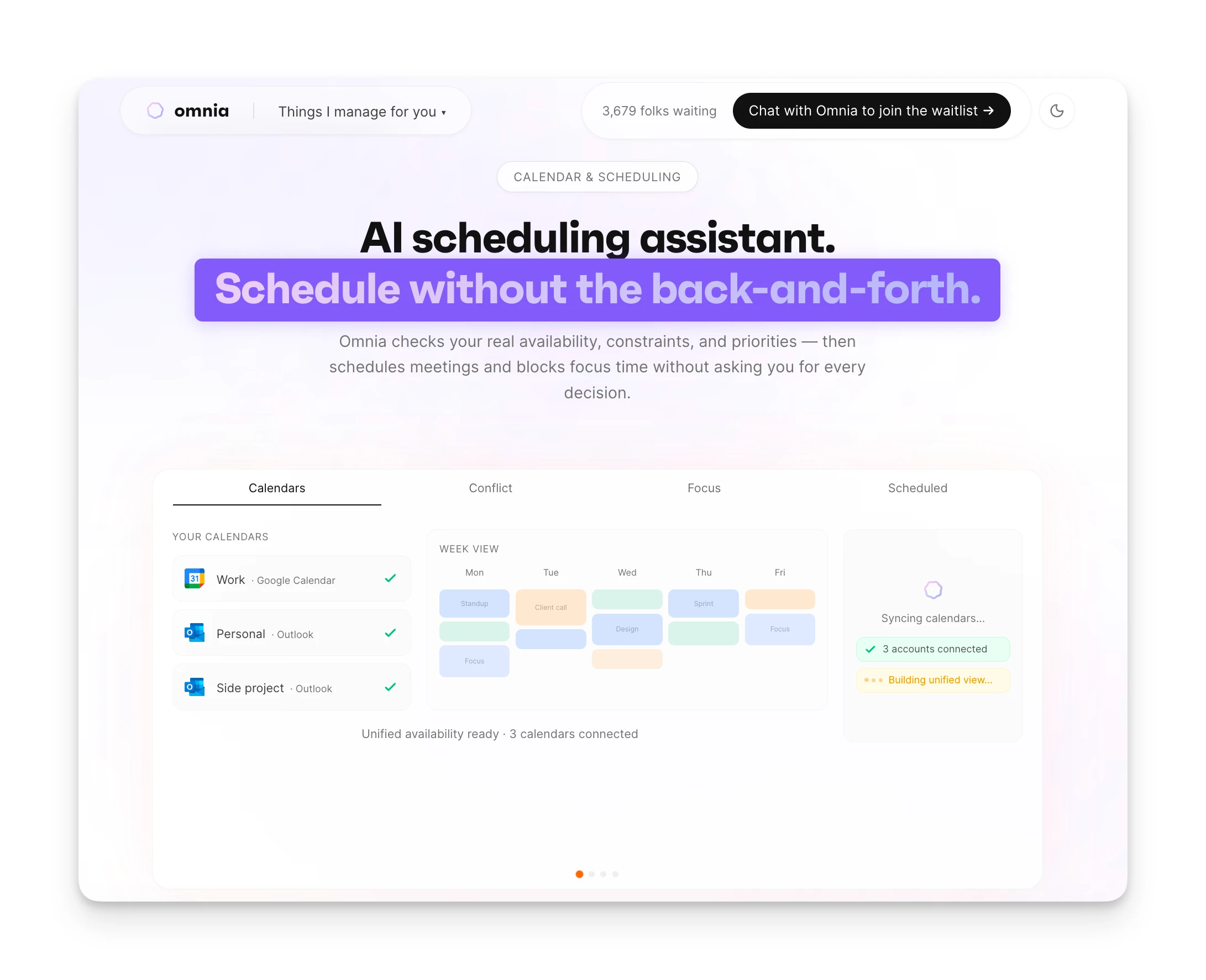
- What Otter does: Focuses on meetings. Email, calendar, and tasks live in separate tools.
- What Omnia does differently: Omnia monitors your calendar, email, and tasks in the background. It triages your inbox before you open it, flags overloaded weeks, and surfaces what needs attention across all your tools.
- Specific benefit: One check-in shows you everything that matters, not just what happened in meetings.
Comparison Table
| Feature | Otter AI | Omnia ($20/mo) |
|---|---|---|
| Meeting capture | Visible bot participant | Silent capture, no bot in room |
| Action items | Extracted to Otter interface | Flow directly into task workflow |
| Email triage | Not included | AI-categorized inbox with draft replies |
| Calendar management | Not included | Conflict resolution, prep time blocking |
| Learning over time | Static settings | Learns preferences through conversation |
Who Omnia Is Best For
Knowledge workers drowning in coordination: If you spend more time managing tools than doing your work (triaging email, extracting meeting actions, figuring out what to work on next), Omnia handles that coordination while Otter focuses only on meeting transcription.
Omnia handles your calendar, email, and tasks before you even start your day
Free forever. No credit card required.
Otter AI Verdict: Is It Worth It?
Our overall Otter AI review? It's a solid transcription tool with real limitations for certain use cases.
If you want accurate meeting transcripts, searchable conversation history, and don't mind a visible bot participant, Otter delivers. The free plan lets you try it meaningfully, and the paid tiers offer good value for the transcription quality.
That said, Otter isn't for everyone. The visible bot creates friction in client meetings and sensitive conversations. The action item extraction is useful but disconnected from your actual workflow. And the aggressive auto-join behavior has earned it a reputation problem that's led some organizations to block it entirely.
For pure transcription needs, Otter remains one of the best options. For professionals who need meeting capture to connect seamlessly with email, tasks, and calendar, the gaps become apparent quickly.
Otter AI FAQs
Does Otter AI Replace Google Meet's Built-in Transcription?
Partially. Google Meet offers native transcription for Workspace users, but Otter provides better speaker identification, AI summaries, and searchable archives across meetings. If you only use Meet and want basic transcripts, the built-in feature may suffice. If you need advanced features or use multiple video platforms, Otter adds value.
Is Otter AI Transcription Accurate?
Accuracy varies by conditions. For clear audio with one speaker, users report 90-95% accuracy. With multiple speakers, background noise, or heavy accents, accuracy drops significantly. In a Reddit comparison test, Otter was rated "8/10 — solid, but misses some multi-speaker context."
Can You Use Otter AI Without Others Knowing?
Not easily. OtterPilot joins as a visible participant that others can see in the meeting. The Chrome extension offers some workarounds for web-based meetings, but the default experience involves a visible bot. For truly invisible capture, alternatives like Granola use local audio recording instead.
Does Otter AI Have a Free Plan?
Yes. The Basic plan is free forever with 300 transcription minutes per month, 30-minute maximum per conversation, and 3 file imports total. It's genuinely usable for light meeting loads but hits limits quickly for regular use.
Does Otter AI Work With Microsoft Teams?
Yes. Otter integrates with Microsoft Teams, and OtterPilot can auto-join Teams meetings. The integration works similarly to Zoom and Google Meet, with the bot appearing as a meeting participant.
How Does Otter AI Handle Privacy?
Otter stores transcripts in the cloud. Enterprise plans offer additional security features including SSO, HIPAA compliance, and domain capture. However, the auto-join behavior and default sharing settings have raised privacy concerns. IT teams report blocking Otter due to these concerns.
Is Otter AI Worth It for Students?
The 20% student discount ($6.67/month annual for Pro) makes Otter accessible for lecture recording and study group transcription. The mobile app is particularly useful for in-person recordings. However, check if your institution already provides transcription tools before paying.
What's the Difference Between Otter and Granola?
Otter uses a visible bot that joins meetings as a participant. Granola records audio locally without a bot in the room. Users looking for botless capture often recommend Granola as an alternative. Omnia also offers botless meeting capture, with the added benefit of automatically extracting action items into your workflow and triaging your email and calendar in the background.