Key Takeaways
- Otter AI offers four plans: Free, Pro ($8.33/user/mo annual), Business ($19.99/user/mo annual), and Enterprise (custom pricing).
- The free plan is restrictive: You get 300 minutes per month with a 30-minute cap per conversation, not enough for most business meetings.
- Biggest paywall surprise: Advanced features like SSO, HIPAA compliance, and sales tools require the Enterprise plan with custom pricing.
- Student discount available: Students and teachers with a .edu email get 20% off Pro plans ($6.67/mo annual).
Trying to figure out which Otter AI plan is actually worth your money?
You're not alone. Otter AI's pricing page lists four tiers, but the real cost depends on your meeting volume, team size, and which features you actually need.
Here's the short answer: Otter AI starts free but gets expensive fast once you hit minute caps or need team features. The Pro plan costs $8.33/user/month (billed annually), while Business jumps to $19.99/user/month.
In this guide, we'll break down exactly what you get on each plan, surface the hidden costs, and show you how Otter AI stacks up against alternatives.
How Much Does Otter AI Cost?
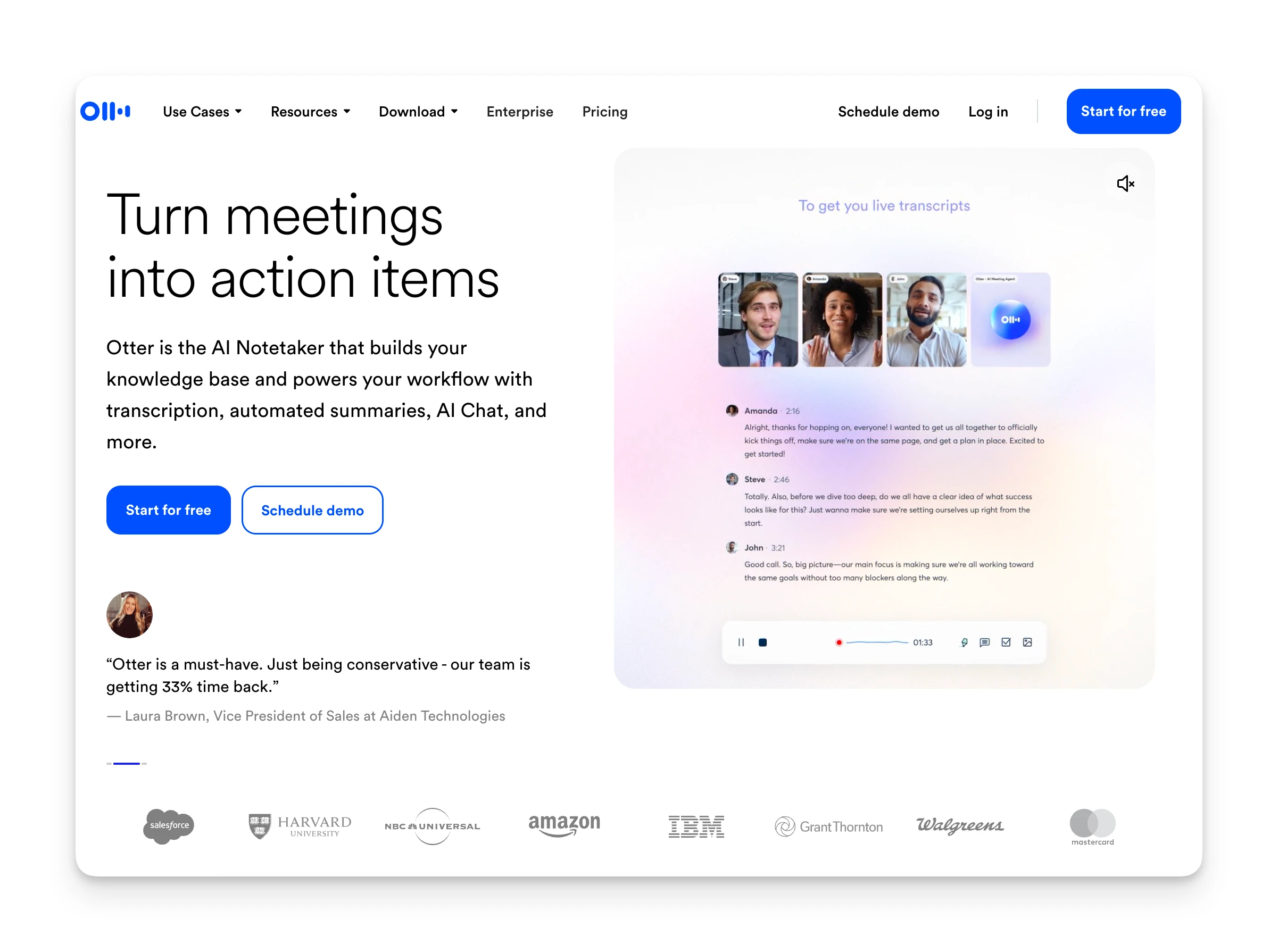
Otter AI uses a per-user, minute-based pricing model. You pay based on how many transcription minutes you need each month.
| Plan | Monthly Price | Annual Price | Best For |
|---|---|---|---|
| Free (Basic) | $0 | $0 | Casual users testing the platform |
| Pro | $16.99/user | $8.33/user | Individual professionals, students |
| Business | $30/user | $19.99/user | Teams needing concurrent meeting joins |
| Enterprise | Custom | Custom | Large organizations requiring SSO, HIPAA |
Omnia: A Better-Value Alternative
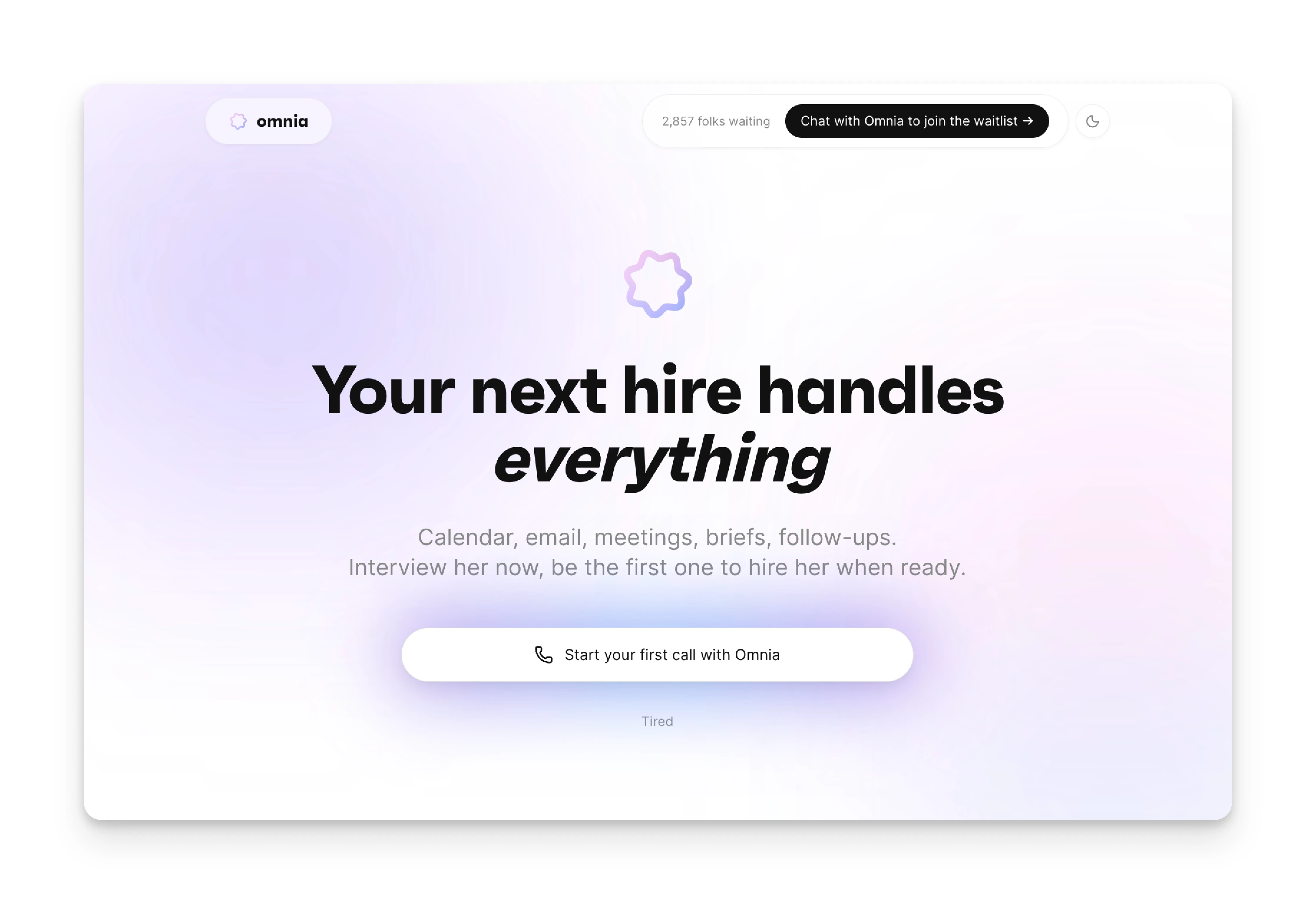
If you're frustrated by Otter AI's minute caps and visible meeting bot, Omnia offers a different approach.
Omnia is an AI executive assistant that handles meeting intelligence as part of a broader workflow, not a standalone transcription tool. It silently joins your video meetings (Zoom, Google Meet, Teams, Slack Huddles) without a visible bot participant, then connects meeting outputs directly to your tasks and calendar.
Key differences:
- Botless meeting capture: Omnia joins as a "fly on the wall" with no visible participant, eliminating the social friction of a bot in client calls.
- Action items flow to tasks: Meeting action items are extracted with assignee, due date, and priority, then surface in a triage workspace where you accept, reject, or edit before they become tasks.
- Connected workflow: Unlike standalone transcription tools, Omnia links meeting outputs to your calendar, email, and task system in one place.
| Feature | Otter AI (Pro) | Omnia ($20/mo) |
|---|---|---|
| Price | $8.33/user/mo | Free / $20/mo |
| Meeting capture | Visible bot joins | Botless, no visible participant |
| Action items | Extracted, stays in Otter | Extracted and flows to task system |
| Workflow integration | Separate tool | Native calendar, email, task connection |
Omnia turns meeting notes into action — no copy-paste, no context switching
Free forever. No credit card required.
Otter AI Pricing Plans: A Breakdown
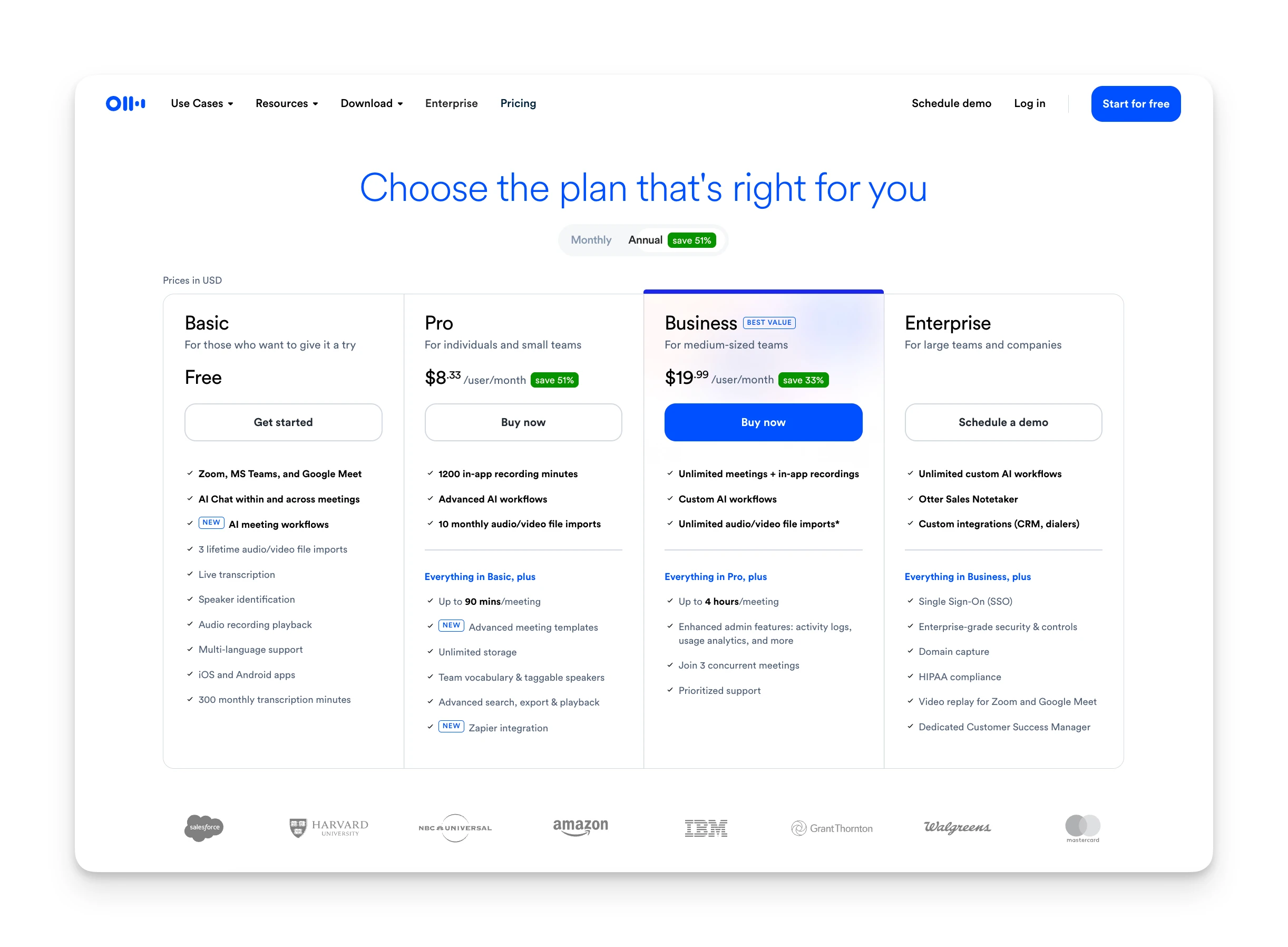
Let's break down exactly what you get, and what you don't, on each Otter AI plan.
Free (Basic) Plan
The free plan gives you a taste of Otter AI, but it's limited.
You get 300 transcription minutes per month with a hard cap of 30 minutes per conversation. That's a problem since most business meetings run 45–60 minutes.
| Included | Not Included |
|---|---|
| 300 mins/month | More than 30 mins per conversation |
| 3 lifetime file imports | Unlimited file imports |
| Real-time transcription | Advanced AI workflows |
| Basic speaker identification | Team collaboration features |
Pro Plan
The Pro plan costs $16.99/user/month (or $8.33/user/month billed annually) and is designed for individual professionals.
You get 1,200 minutes per month with a 90-minute cap per conversation, enough for most standard meetings.
| Included | Not Included |
|---|---|
| 1,200 mins/month | Concurrent meeting joins |
| 90-min cap per conversation | Unlimited file imports (10/month limit) |
| 10 file imports/month | Custom AI workflows |
| Advanced AI summaries | Admin analytics |
| Unlimited storage | SSO, HIPAA compliance |
Business Plan
The Business plan costs $30/user/month (or $19.99/user/month billed annually) and unlocks team features.
You get unlimited transcription minutes, up to 4 hours per conversation, and the ability to join 3 meetings simultaneously.
| Included | Not Included |
|---|---|
| Unlimited mins/month | SSO (requires Enterprise) |
| 4-hour cap per conversation | HIPAA compliance |
| Unlimited file imports | Dedicated success manager |
| 3 concurrent meeting joins | OtterPilot for Sales (limited) |
| Custom AI workflows | Domain capture |
| Admin analytics |
Enterprise Plan
Enterprise pricing is custom. You'll need to contact Otter's sales team for a quote.
This tier adds security and compliance features that larger organizations require: SSO, HIPAA compliance, domain capture, and a dedicated customer success manager.
| Included | Not Included |
|---|---|
| Everything in Business | — |
| Single Sign-On (SSO) | |
| HIPAA compliance | |
| Domain capture | |
| OtterPilot for Sales | |
| Dedicated success manager |
Student & Teacher Discount
Otter AI offers a 20% discount on Pro plans for students and teachers with a .edu email address.
Discounted pricing:
- Pro Annual: $6.67/month (billed $79.99/year)
- Pro Monthly: $13.59/month
How to get it:
- Sign up with your .edu email (e.g., john.smith@stanford.edu)
- Log in and click your name in the top left
- Click "Upgrade plan" then "Student & Teacher Discount"
Otter AI Hidden Costs
Otter AI's pricing page doesn't tell the whole story. Here are costs that may catch you off guard:
- Minute caps on lower tiers: The free plan's 30-minute cap stops transcription mid-meeting. Even Pro's 90-minute cap can be a problem for longer calls.
- File import limits: Pro users can only import 10 audio/video files per month. Content creators or podcast producers often need more.
- Per-user pricing scales quickly: A 20-person team on Business costs $400/month (annual billing). That's $4,800/year.
- Enterprise features locked behind sales calls: Need SSO? HIPAA? You can't self-serve—you must negotiate custom pricing.
Otter AI Pros & Cons
Here's what we found after evaluating Otter AI's pricing and features:
Where Otter AI Shines
- Reliable real-time transcription for English-language meetings
- Free tier with 300 minutes lets you test before paying
- 20% student discount brings Pro to $6.67/month annual
- Wide integrations: Zoom, Slack, Salesforce, HubSpot, and more
Where Otter AI Falls Short
- OtterPilot joins as a visible bot — awkward in client meetings
- Aggressive auto-join; some IT organizations have blocked it entirely
- Minute caps stop transcription mid-meeting if you exceed your limit
- Speaker identification struggles with accents and multiple voices
Who Is Otter AI Best For?
Otter AI isn't for everyone. Here's where it fits best:
Students and Academics
The 20% student discount makes Pro affordable at $6.67/month. If you're recording lectures or study group discussions under 90 minutes, Otter works well.
Individual Professionals
Freelancers, consultants, and solopreneurs who need meeting transcription without team features. The Pro plan's 1,200 minutes covers most use cases.
Sales Teams (Enterprise)
Otter's OtterPilot for Sales integrates with CRMs like Salesforce and HubSpot. But you'll need Enterprise pricing to access full sales features.
Otter AI Customer Reviews
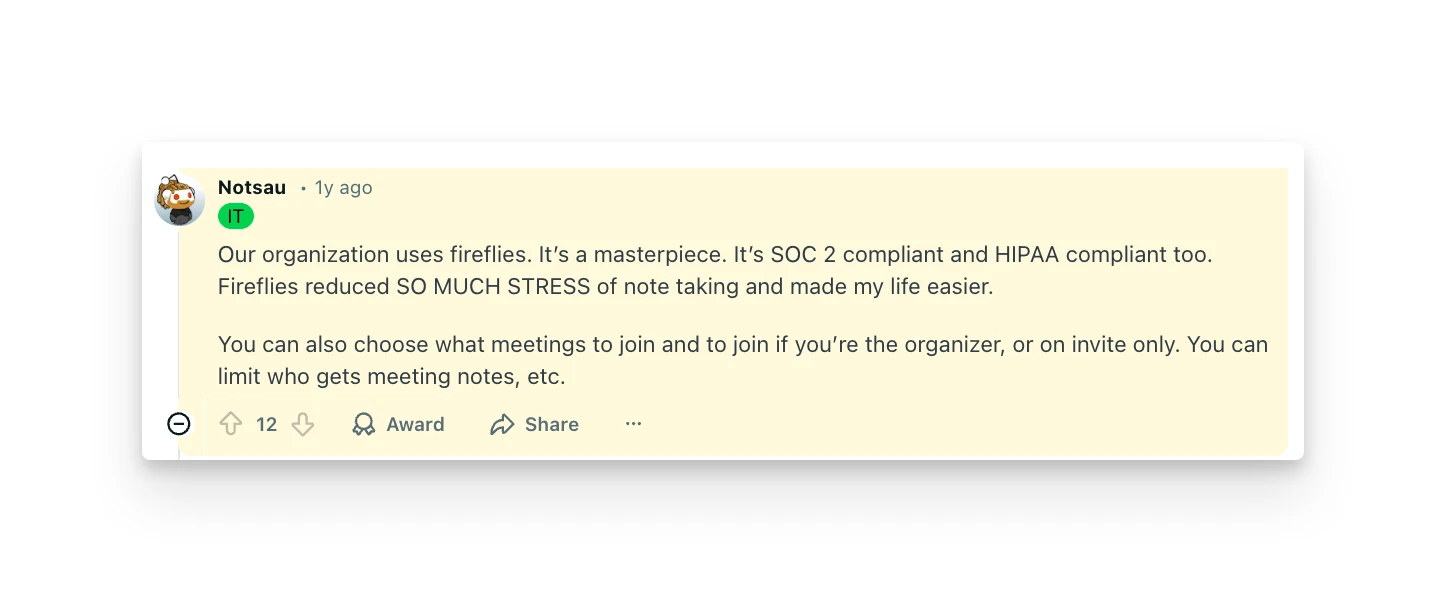
Here's what real users are saying about Otter AI's value for money:
Positives
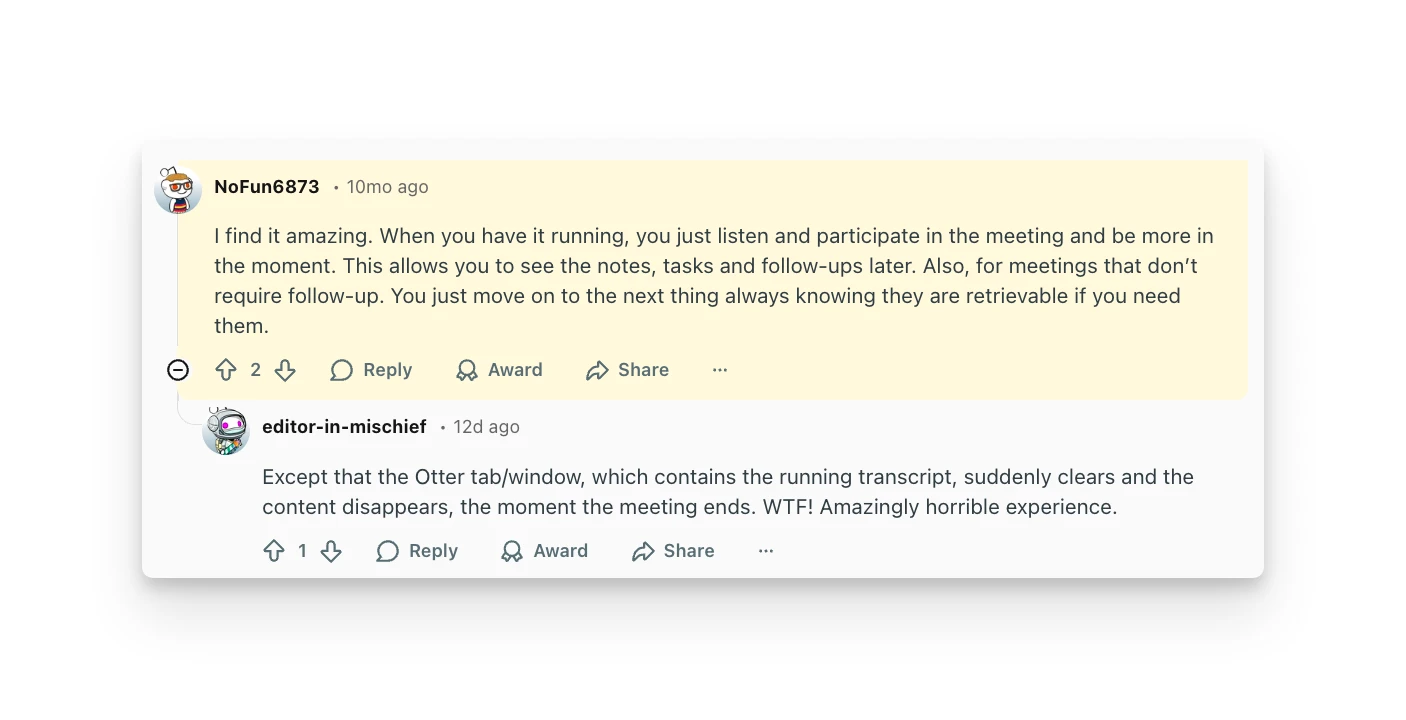
Users frequently highlight Otter's ability to let them stay present in meetings rather than frantically taking notes. One Reddit user shared that having Otter running means they can "listen and participate in the meeting and be more in the moment," reviewing notes and action items afterward.
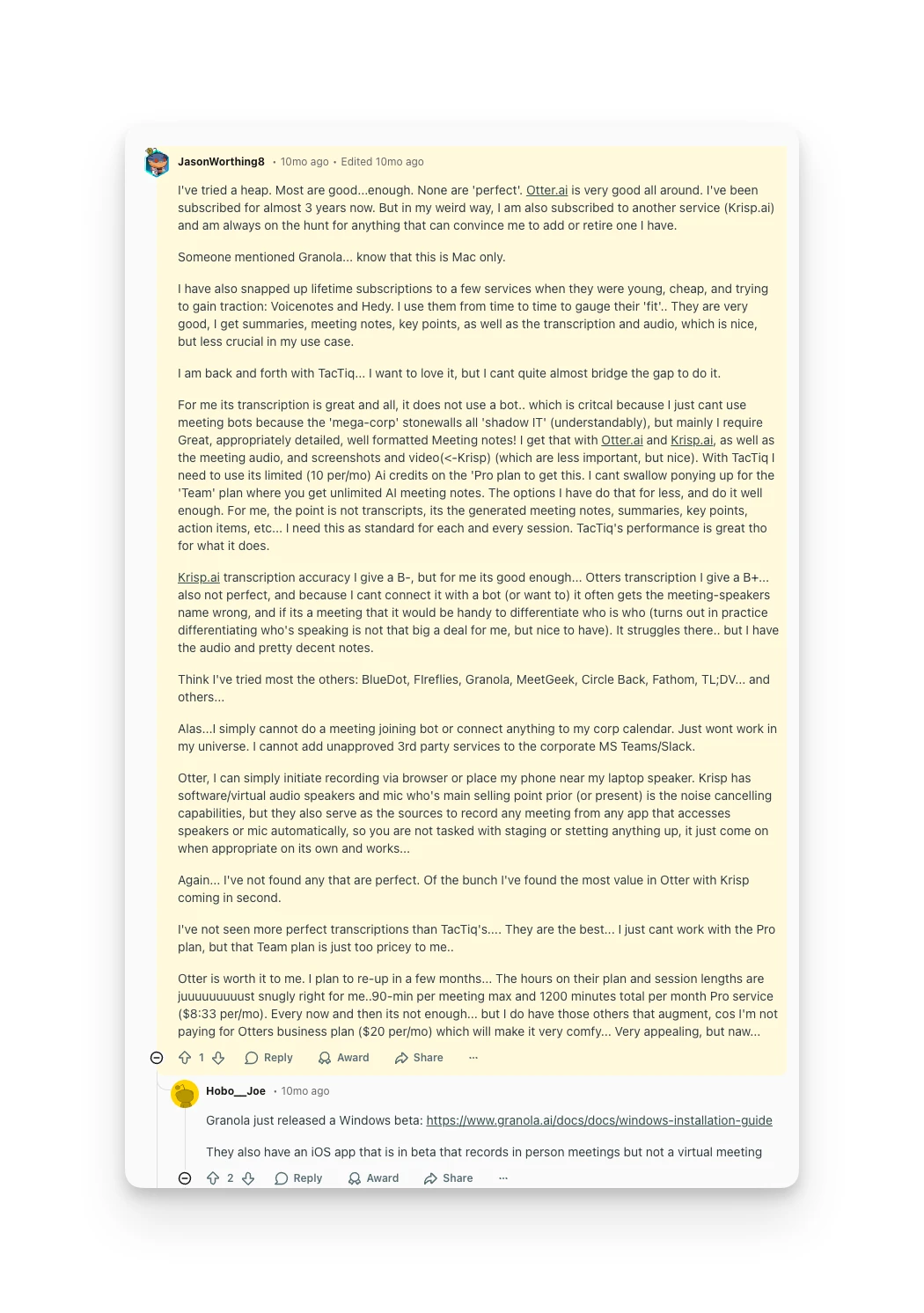
Long-term subscribers describe Otter as "very good all around," with some using the tool for nearly three years.
Complaints
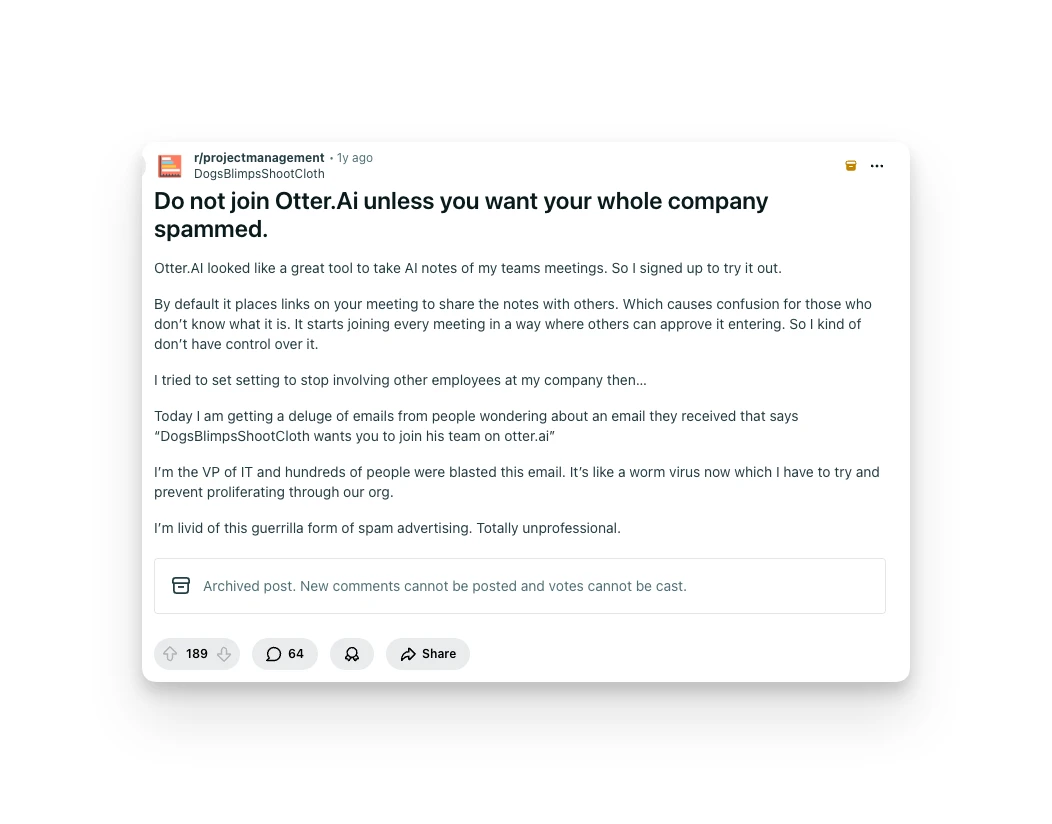
The most common complaint involves Otter's bot behavior. Users report that the bot joins meetings automatically and sends note-sharing links that confuse participants who don't know what Otter is.
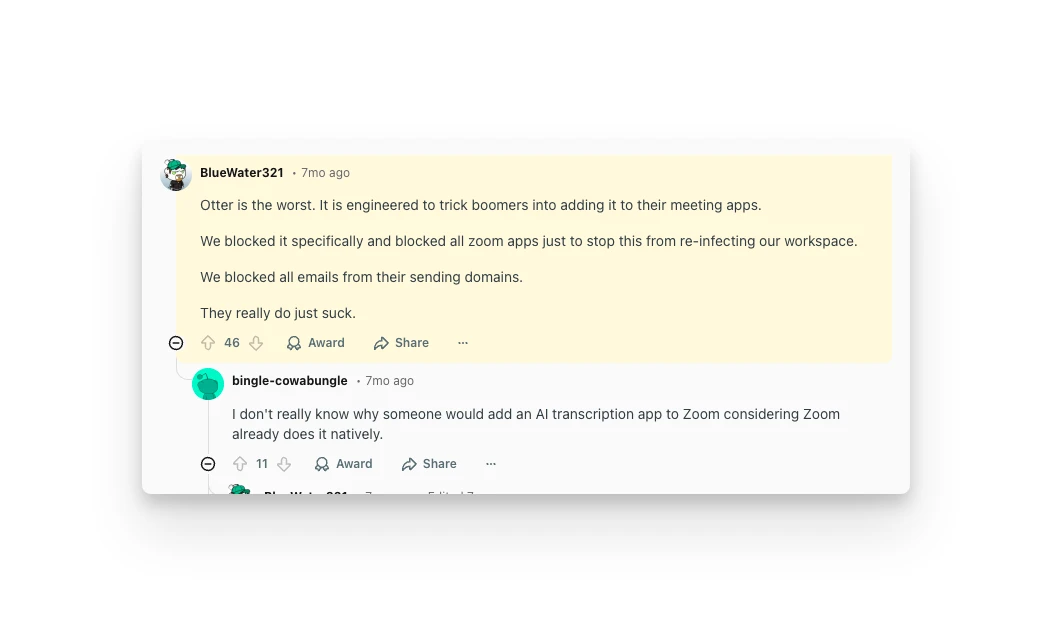
IT professionals have been particularly vocal. One sysadmin described Otter as "engineered to trick boomers into adding it to their meeting apps," noting their organization blocked Otter entirely after struggling to remove it.
Alternative to Otter AI: Omnia
If Otter AI's visible bot and minute caps don't work for you, Omnia offers a different approach to meeting intelligence.
Omnia isn't just a transcription tool. It's an AI executive assistant that manages your meetings, inbox, and tasks as one connected system. The meeting intelligence feature is part of a broader workflow that eliminates the coordination overhead most professionals deal with daily.
Botless Meeting Capture
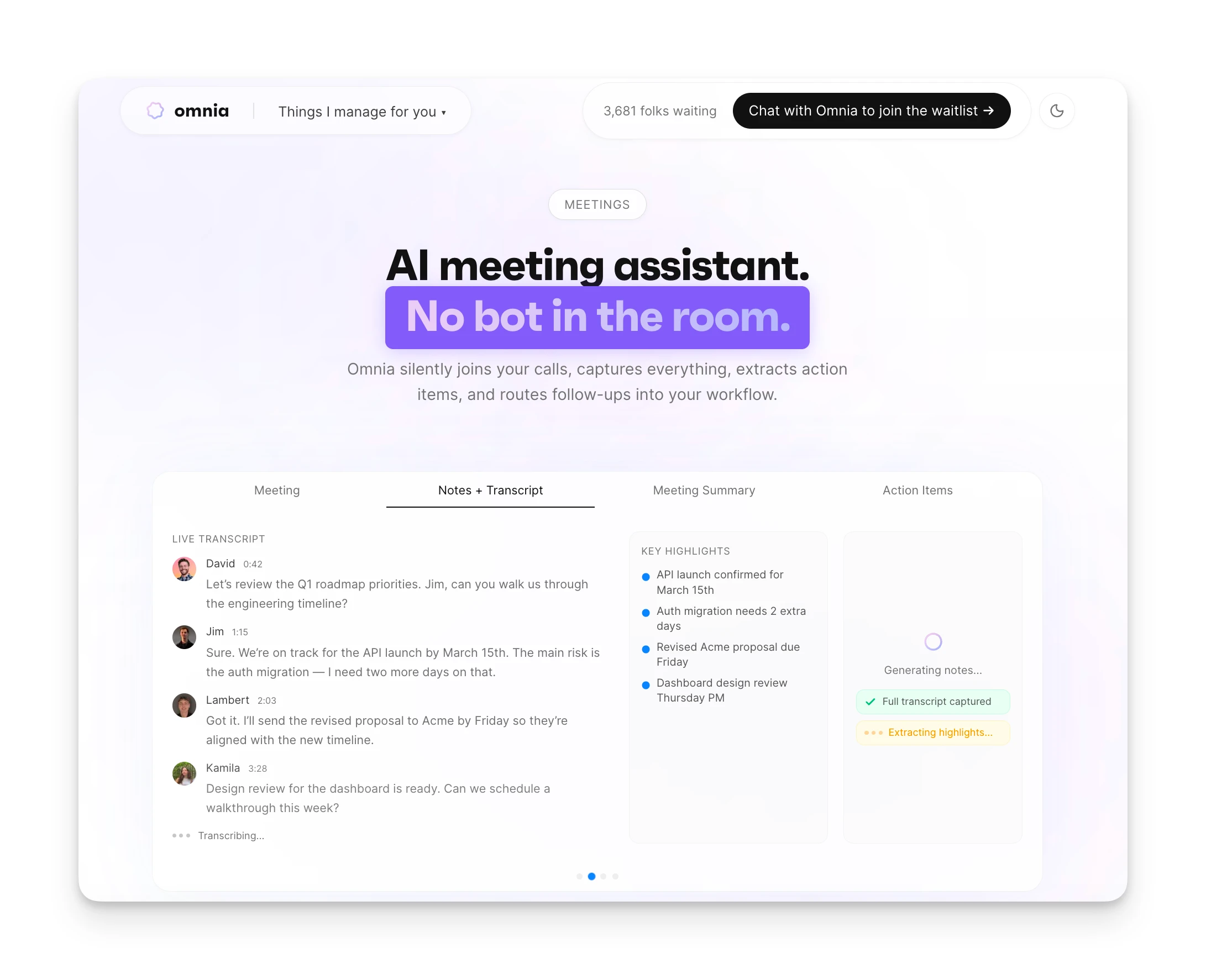
Omnia silently joins your video meetings (Zoom, Google Meet, Teams, Slack Huddles) as a "fly on the wall," with no visible bot participant. After the meeting, you get a structured summary with key discussion points, decisions, and open questions, plus a full transcript with speaker labels.
The key difference from Otter: no awkward bot presence in client calls, and no minute caps limiting how much you can capture.
Action Items That Actually Get Done
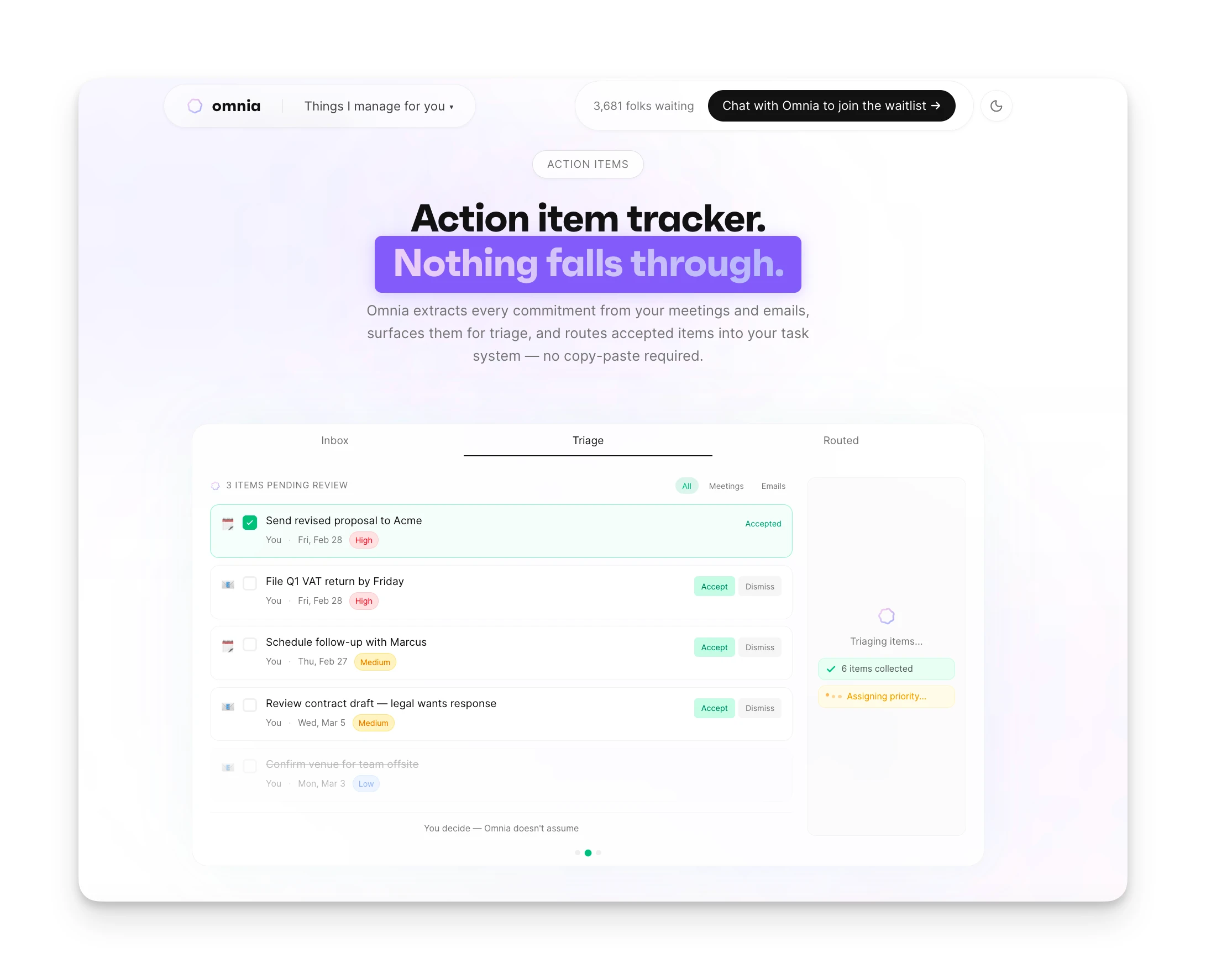
Omnia extracts action items from meetings with assignee, due date, priority, and requester. But instead of leaving them stranded in a separate app, it surfaces them in a Meeting Workspace where you triage each item (accept, reject, or edit) before it flows into your task system.
This solves the biggest problem with standalone transcription tools: action items that get captured but never acted on.
Pricing comparison:
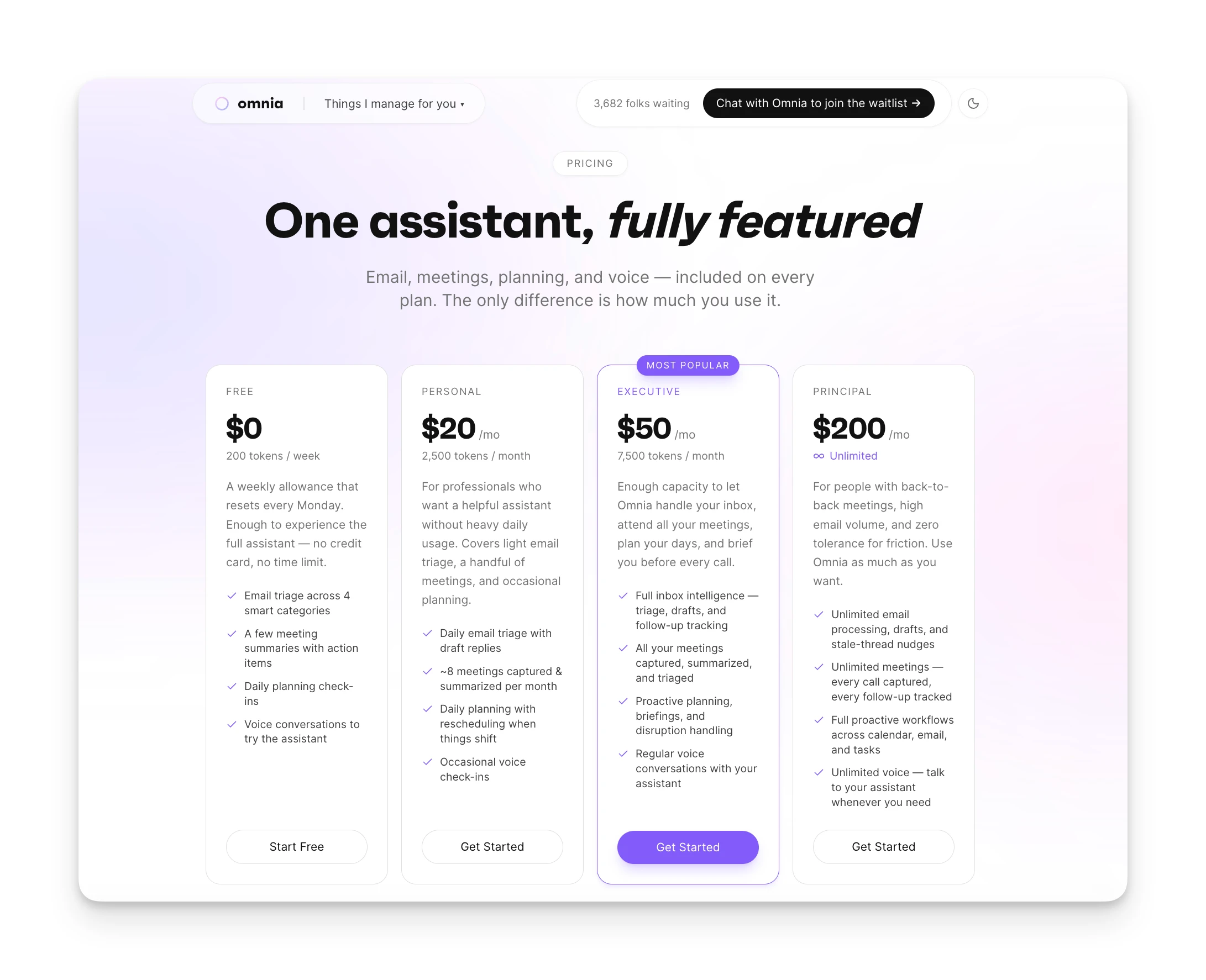
| Otter AI Free | Otter AI Pro | Omnia ($20/mo) | |
|---|---|---|---|
| Price | Free | $8.33/mo | Free / $20/mo |
| Meeting capture | 300 mins/mo, 30-min cap | 1,200 mins/mo, 90-min cap | No minute caps |
| Bot visibility | Visible bot joins | Visible bot joins | Botless, no visible participant |
| Action items | Basic extraction | Advanced extraction | Extracted with triage workflow |
| Task integration | Manual export | Manual export | Native task system connection |
| Email + calendar | Not included | Not included | Included (inbox triage, calendar sync) |
Where Omnia Shines
- Botless capture — no visible participant in any meeting
- No minute caps limiting how much you can record
- Action items flow into a triage workflow, not a separate app
- Email triage and calendar sync included
Where Omnia Falls Short
- Newer product; fewer long-term reviews than Otter
- No free unlimited recording tier
- Waitlist — not immediately available to all users
Omnia triages your inbox so you only see what matters
Free forever. No credit card required.
Is Otter AI Worth the Price — or Is There Better Value?
Otter AI is a solid choice for students, individual professionals, and teams who need reliable meeting transcription with a generous free tier to test.
But if you need more than 90 minutes per meeting, dislike visible bots in client calls, or want meeting insights that connect to your actual workflow, you'll hit limitations quickly.
Omnia takes a different approach: botless meeting capture with no minute caps, action items that flow directly into your task system, and a connected workflow that includes email triage and calendar management. If you're looking for an AI assistant that handles coordination across your work, not just transcription, Omnia is worth exploring.
FAQs
Does Otter AI Offer a Student Discount?
Yes. Students and teachers with a .edu email get 20% off Pro plans, including $6.67/month on the annual plan or $13.59/month billed monthly.
Is the Otter AI Free Plan Enough for Personal Use?
It depends. You get 300 minutes per month, but the 30-minute cap per conversation is limiting. Most meetings run longer.
Can I Switch Between Monthly and Annual Billing?
Yes. You can switch at any time. Annual billing saves roughly 50% compared to monthly.
What Happens If I Exceed My Minutes?
Otter stops transcribing once you hit your limit. You'll need to wait until your next billing cycle or upgrade your plan.
Does Otter AI Work With Zoom, Teams, and Google Meet?
Yes. Otter integrates with all three platforms and can auto-join meetings from your calendar.
Is There a Money-Back Guarantee?
Otter doesn't advertise a money-back guarantee. Contact their support team if you need to cancel shortly after subscribing.