Key Takeaways
- Fathom = sales-call recorder with AI on top. Visible bot, unlimited free recordings, CRM sync to Salesforce and HubSpot.
- Granola = note-taking app with AI underneath. No bot, hybrid notes, but no audio, no Android, and "limited meeting history" on free (Granola doesn't publish a number).
- Free plans tell the real story: Fathom wins on volume, Granola wins on privacy. They're not the same product.
- Both stop at "extracted action items". Neither routes them into actual tasks, calendar slots or email follow-ups.
- Omnia is the meeting-to-workflow alternative. Botless capture, action items with assignees and due dates, auto-routed into your tasks, calendar and inbox.
Fathom is a sales-call recorder with AI on top. Granola is a note-taking app with AI underneath.
Most "Fathom vs Granola" comparisons treat them as two flavors of the same thing. They're not. Pick the wrong one and you'll either annoy your prospects with a visible bot or lose your transcript when you most need to verify it.
Below: head-to-head on pricing, bot behavior, hybrid notes, integrations, support, and the two factors most reviews skip -> verifiability and workflow handoff. Each section ends with a verdict, not a hedge.
For broader workflow context, see AI meeting prep. For the third major player, see the Read AI review.
Fathom vs Granola: A Brief Overview
| Fathom | Granola | |
|---|---|---|
| Best For | Sales teams, individuals who want unlimited free recording | Executives and consultants who type during meetings |
| Capture Method | Visible bot joins meeting | Bot-free, captures system audio locally |
| Free Plan | Unlimited recordings, 5 AI summaries/month | Limited meeting history (count not disclosed), then paywall |
| Starting Paid | $16/user/mo (annual) | $14/user/mo |
| Audio Recording | Yes, full audio + transcript | No, transcript only |
| Mobile | Web browser only (no app) | iOS app, no Android |
| Desktop | Web + Chrome extension + Zoom app | Mac and Windows native apps |
| CRM Sync | Salesforce, HubSpot (native) | HubSpot, Attio, Affinity (Business plan) |
| G2 Rating | 5.0/5 | Not widely rated yet |
| Best-known limitation | Visible bot, no mobile app | No recording, no speaker memory, 25-meeting cap |
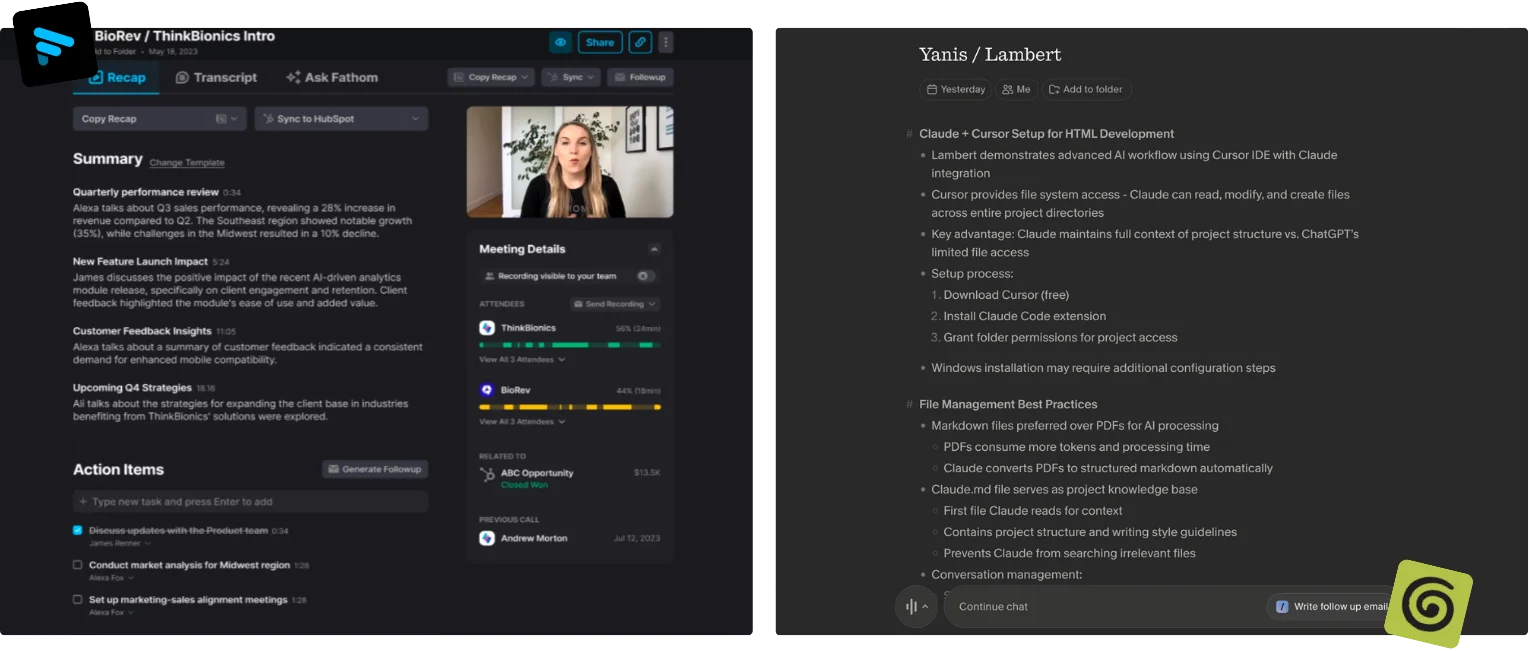
Who Is Fathom Best For?
Fathom is built around one assumption: you want every meeting recorded, transcribed and stored forever, and you're fine with a bot in the room.
- Sales reps and AEs. AI Scorecards, sales-specific summaries, Deal View on Business. One of the few notetakers actually opinionated about sales calls. A Reddit user says it's "way easier for sales calls" than Otter or Fireflies.
- Free-plan maximalists. No minute cap on the free tier. Compare to Otter's 300 min/mo or Granola's "limited meeting history" Basic plan. Budget = zero? Fathom is the only serious option.
- Salesforce / HubSpot teams. CRM field sync is a paid feature. The integration is mature and bidirectional.
Not for: Anyone who needs to record without a visible bot. Anyone whose phone is their main device. Anyone in regulated industries where third-party bots are blocked. One Reddit user noted that "many people block third party meeting bots for good reasons". Includes a growing share of enterprise IT.
Who Is Granola Best For?
Granola runs on a different assumption: you're already taking notes during meetings, and the AI's job is to fix and extend them. Not replace them. The full breakdown is in our Granola review.
- Executives and consultants who type during calls. Granola merges your live notes with the transcript and produces a summary that reflects what you cared about. Not just what was said.
- Privacy-sensitive professionals. No bot. No participant. No audio storage. Transcript is local. Audio never leaves your device. SOC 2 compliant, GDPR DPA available.
- Mac-first power users. Desktop apps (Mac + Windows after the 2025 release) feel native in a way most meeting tools don't. One r/PKMS user wrote: "I use Granola on my Mac and love it. Why? It has seamlessly logged onto all my meetings without sending a bot. And the transcription is great."
Not for: Sales teams who need recordings to coach reps. Android users (no app). Anyone who needs to verify what was said by replaying audio. Granola only stores the transcript.
Price
Fathom
Fathom's free plan is the most generous in the category. Unlimited recordings and transcripts. The catch: 5 AI summaries per month. Paid tiers unlock the rest.
- Free. $0. Unlimited recording and transcripts, 5 AI summaries/month
- Premium. $16/user/mo annual ($20 monthly). Full AI features for individuals
- Team. $15/user/mo annual ($19 monthly), 2-user minimum. Shared playlists, SSO
- Business. $25/user/mo annual ($34 monthly), 2-user minimum. CRM sync, AI Scorecards, Deal View, coaching metrics. 90-day guarantee.
Source: fathom.ai/pricing
Granola
Granola tightened its free plan in late 2025. The pricing page now lists Basic with "limited meeting history" instead of unlimited. Specific meeting count isn't disclosed publicly. Heavy meeting-taker? Plan to upgrade.
- Basic (Free). $0. Limited meeting history, AI chat, shared folders, custom templates, multi-language
- Business. $14/user/mo. Unlimited meetings and history, advanced AI, integrations (Attio, Notion, Slack, HubSpot, Affinity, Zapier), MCP, personal API
- Enterprise. $35/user/mo. SSO, admin controls, enterprise API, usage analytics, priority support
Source: granola.ai/pricing
Verdict
Fathom wins on price for free users. Unlimited recordings beats Granola's gated meeting history. Period. Granola wins for paid teams by $1-$11/user depending on tier, and ships integrations Fathom locks behind its top tier. Free-plan tourist? Fathom. Paying for a team? Granola's Business is cheaper than Fathom's Team and ships more integrations.
Ease of Use
Fathom
Fathom is dead simple if you accept the bot. Connect calendar, bot auto-joins, summary lands in the dashboard 30 seconds after the call ends. Chrome extension and Zoom app reduce friction further.
The quirk: the bot is named "Fathom Notetaker" by default. Changing it requires a paid plan. So the cheapest version is also the most visible in the participant list.
Granola
Granola has the steeper learning curve. Different mental model. You have to remember to open the app before the meeting starts, and you have to actually take notes for the hybrid feature to work. Don't type during calls? You're paying for transcription you could get cheaper elsewhere.
Setup gotcha reported by users: Granola needs system audio permission on Mac. The first-time consent flow can fail silently if you skip a step in System Settings.
Verdict
Fathom wins for zero-effort users. Install, connect calendar, done. Granola wins for users who already take notes by hand, but only those users. Passive listener? Granola's whole value prop collapses.
Customer Support
Fathom
Email support on all plans. 90-day guarantee on Team and above. Response times reportedly fast on paid plans. Free plan is community-supported. Public help center, active community on Reddit and Slack.
Granola
Email-only on Basic and Business. Enterprise gets "priority support with analytics". Smaller team = faster shipping, slower replies on edge cases. No published SLA.
Verdict
Fathom wins on support depth. Larger team, more mature processes, public 90-day guarantee on paid plans. Granola is fine for individuals but lacks the enterprise infrastructure Fathom built.
Integrations
Fathom
Salesforce and HubSpot CRM sync (native, bidirectional). Asana (Sept 2025). Zapier across all plans (Aug 2025). Google Calendar, Outlook. Public API landed October 2025. Broad coverage, CRM-first.
Granola
HubSpot, Attio, Affinity (CRM), Notion, Slack, Zapier. All gated behind Business. Calendar sync with Google and Outlook on all plans. No Microsoft Teams meeting support. Real gap for enterprise. MCP integration on Business is a nice forward-looking touch.
Verdict
Fathom wins for sales teams (Salesforce + HubSpot + Asana + public API). Granola wins for the modern productivity stack (Notion + Attio + Slack feel more natural for non-sales workflows). Live in Microsoft Teams? Neither is perfect. Fathom at least supports it as a recording surface.
Bot vs No-Bot Capture (the factor most comparisons skip)
The fork in the road. Fathom sends a visible bot to every meeting. Granola records system audio locally with no participant.
Why it matters:
- Some prospects refuse to take a meeting with a bot in the room. Sales teams report this is a growing problem in 2025-2026.
- Some companies block third-party bots at the IT layer entirely.
- Some industries (legal, healthcare, finance) can't have third-party services as meeting attendees.
- Conversely: bots produce a clean, server-side recording that's easier to share and audit. Local capture depends on your laptop's mic and your battery.
Verdict: Granola wins on social friction and privacy. Fathom wins on reliability and shareability. Recording sales calls all day? The bot is fine. Your prospects expect it. Internal exec meetings or sensitive client calls? Granola's bot-free capture is a real differentiator.
Hybrid Notes vs Pure Transcription
Fathom
Pure transcription. You don't take notes. Fathom does. Output: full transcript + AI summary. Scribble in a separate notebook during the call? That's on you to reconcile.
Granola
Hybrid by design. You type notes during the meeting in Granola's editor. After the call ends, Granola merges your notes with the transcript to produce a summary that reflects both. The single feature that makes Granola unique in the category. And the reason its passionate users call it "one of the best made AI apps."
Verdict
Granola wins for note-takers. No competitor does this as well. Fathom wins for people who'd rather not type at all.
Action Items and Workflow Handoff
Both tools extract action items. Both stop at extraction.
- Fathom lists action items in the meeting summary. Copy them into a CRM or task tool by hand, mostly. Asana integration helps. Tasks still don't carry full context.
- Granola extracts action items and pushes to Notion, Slack or HubSpot. Cleaner than Fathom. Items still land as flat text. No due dates. No assignees auto-populated. No calendar connection.
Same blind spot in both. A meeting is only useful if its outputs reach the place where work actually happens. Both leave the last mile to you.
Verdict
Granola wins on integration UX. Neither tool closes the loop from "meeting" to "thing on someone's calendar". That's the gap AI meeting prep workflows are starting to fill.
How to Choose an AI Meeting Notes Tool
Three questions decide it.
1. Will a bot in your meetings hurt your relationships?
Sell to enterprises? Regulated industry? Sensitive internal calls? The bot is a liability. Granola. SMB prospects where bots are normal? Fathom is fine. The Fathom vs Otter comparison covers the other Fathom fork.
2. Do you take notes during meetings, or after?
Granola is built for typers. Fathom is built for listeners. No middle ground. Pick the one that matches how you actually run a meeting.
3. Where do meeting outputs need to land?
Salesforce or HubSpot with sales coaching attached -> Fathom. Notion, Slack or Attio -> Granola. Actual tasks on actual calendars with the right people on the hook -> neither. That's where Omnia comes in.
Omnia: The Meeting-to-Workflow Alternative
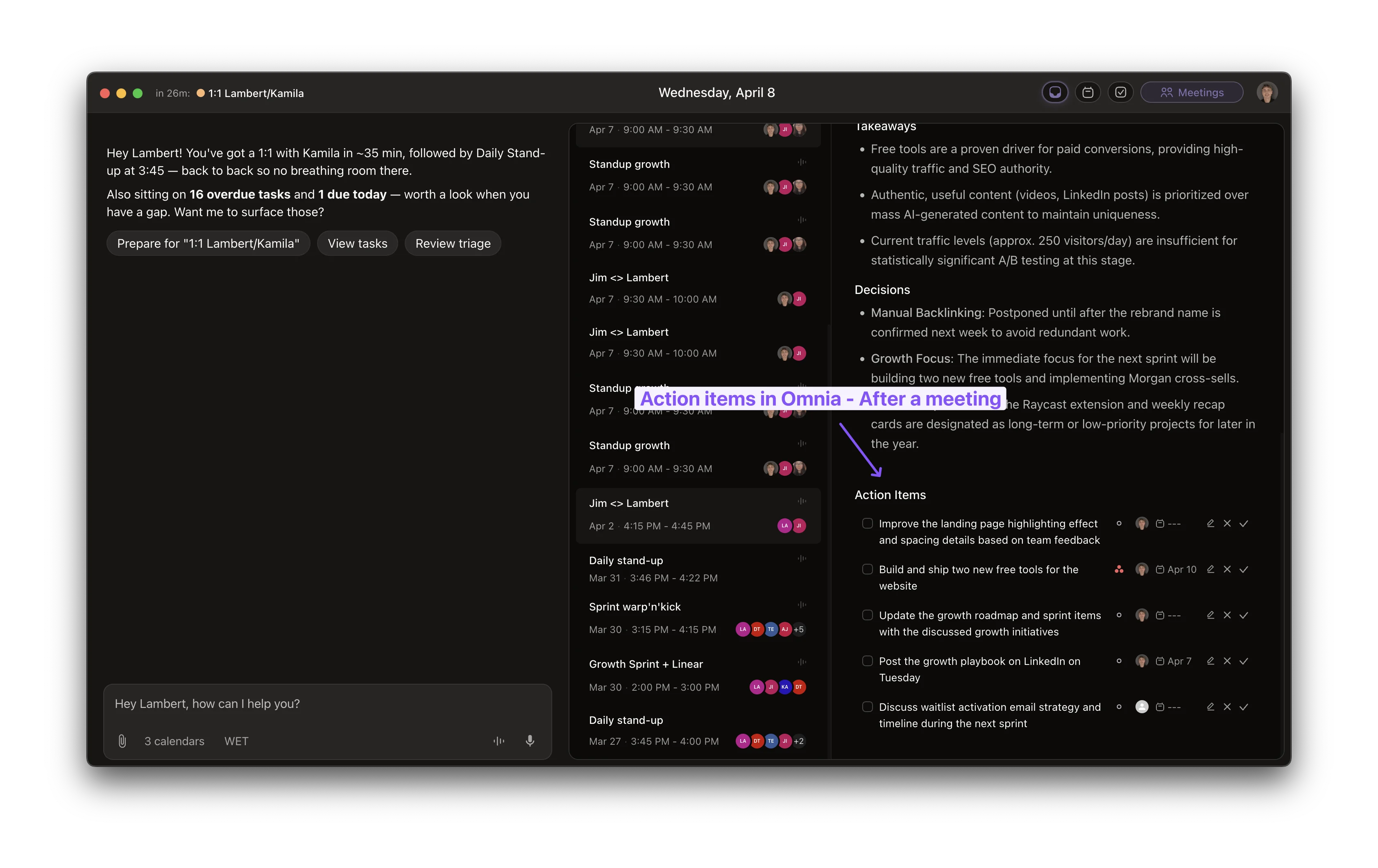
Fathom and Granola solve the capture problem. Neither solves the workflow problem. That's the gap Omnia is built around.
Omnia is an AI executive assistant. It captures meetings botlessly, extracts action items with assignees and due dates, and routes them into your task system, your calendar and your inbox. Same idea as Granola's hybrid notes. But instead of producing a polished summary that lives in another app, it produces work that lands where work already happens. See the meeting action items workflow for how it actually chains through.
Three things Omnia does that Fathom and Granola don't:
- Botless capture without losing the recording. Like Granola, no bot in the participant list. Unlike Granola, you still get audio when you need it for verification.
- Action items become real tasks. Items extract with assignee, due date and priority. Then route into your task list and calendar. Not flat text in a third-party doc.
- Email + meetings + tasks in one system. Omnia triages your inbox, drafts replies, tracks meeting commitments. Fathom and Granola are meeting tools. Omnia is a meeting tool that also handles the next step. The Omnia meetings overview covers the rest.
Pricing comparison:
| Fathom | Granola | Omnia | |
|---|---|---|---|
| Free Plan | Unlimited recordings, 5 AI summaries | Limited meeting history | Waitlist (early access) |
| Starting Paid | $16/user/mo | $14/user/mo | TBA |
| Bot-free Capture | No | Yes | Yes |
| Action Items -> Tasks | Manual | Manual push | Auto-routed |
| Email Triage | No | No | Yes |
Honest Omnia limitation: Omnia is waitlist-only and early access. Need to ship calls into Salesforce this afternoon? Fathom is shipping today. Omnia is the right answer if your pain is "my meetings, email and tasks live in three different apps and nothing connects". And you can wait for early access. Join the waitlist.
For deeper context, see the AI meeting prep guide and the Read AI review.
Omnia turns meeting notes into action — no copy-paste, no context switching
Free forever. No credit card required.
Fathom vs Granola vs Omnia: Which One Should You Choose?
- Choose Fathom if you're a sales rep or small sales team who wants free unlimited recordings, sales-specific AI and CRM sync. And you don't mind a visible bot in the room.
- Choose Granola if you take notes during meetings, need bot-free capture, and your stack runs on Notion, Slack or Attio.
- Choose Omnia if your real problem isn't capture. It's that meeting outputs never become actual work. You want one system for meetings, email and tasks. And you're willing to join a waitlist.
All three are honest tools for different jobs. The wrong one frustrates you. The right one gives you hours back a week. If you want to broaden the search, the Otter AI alternatives roundup and the Akiflow pricing breakdown cover adjacent corners of the same stack.
FAQs
Is Granola better than Fathom?
Granola is better if you take notes during meetings and want bot-free capture with hybrid AI summaries. Fathom is better if you want unlimited free recording, sales-call coaching and CRM sync. Different users. No universal winner.
Does Granola really not use a bot?
Correct. Granola captures system audio locally on your Mac or Windows machine and generates the transcript without joining the meeting as a participant. No "Granola Notetaker" in the attendee list. Trade-off: no audio recording is stored. Only the transcript.
What's the catch with Fathom's free plan?
Unlimited recordings and transcripts. Only 5 AI summaries per month. Can't change the bot's name. Can't use Ask Fathom. No advanced summaries or action item extraction. Generous on volume, limited on AI features.
Does Granola work on Android?
No. Mac and Windows desktop apps, iOS app. No Android as of April 2026. Need Android? Fathom (web only on mobile) or another tool is a better fit.
Can Fathom or Granola record in-person meetings?
Granola can. It captures any audio your laptop's mic picks up, including in-person conversations. Fathom records online meetings only. No in-person mode. One of Granola's underrated advantages.
Is either tool HIPAA compliant?
Neither publishes HIPAA compliance on their public pricing pages as of April 2026. Granola is SOC 2 compliant and offers a GDPR DPA. HIPAA-regulated workflow? Contact each vendor directly or look at enterprise medical scribing tools.
Which tool has better speaker identification?
Fathom. Granola has a known limitation: no speaker memory. You manually identify speakers in each meeting, per multiple reviews. Fathom handles speaker labeling automatically across calls.
Can I switch from Fathom to Granola (or vice versa)?
Yes. But be warned. Neither tool exports transcripts in a format the other can import. You'll keep historical data in the original tool and start fresh in the new one. Granola also can't import audio recordings because it doesn't store any.